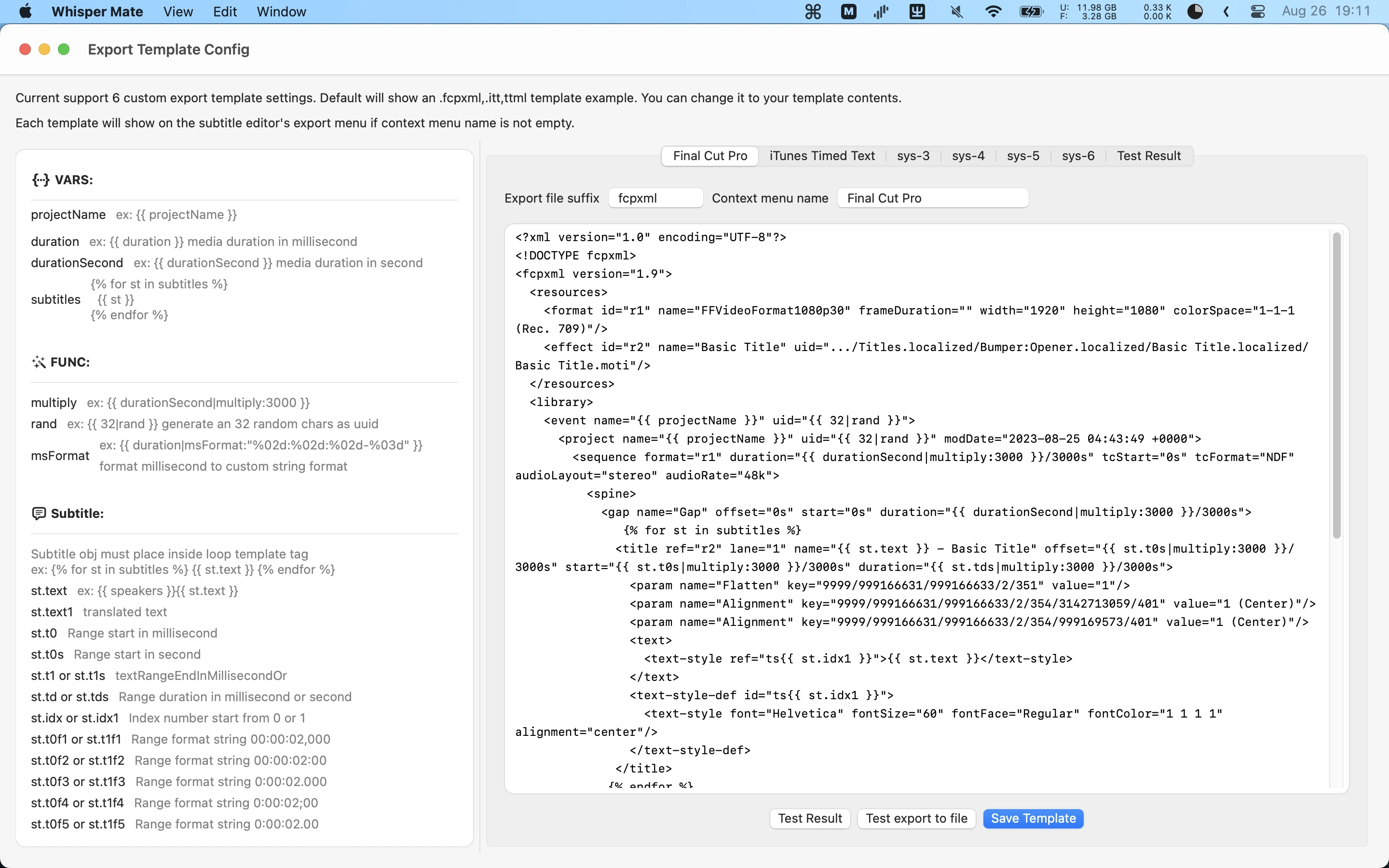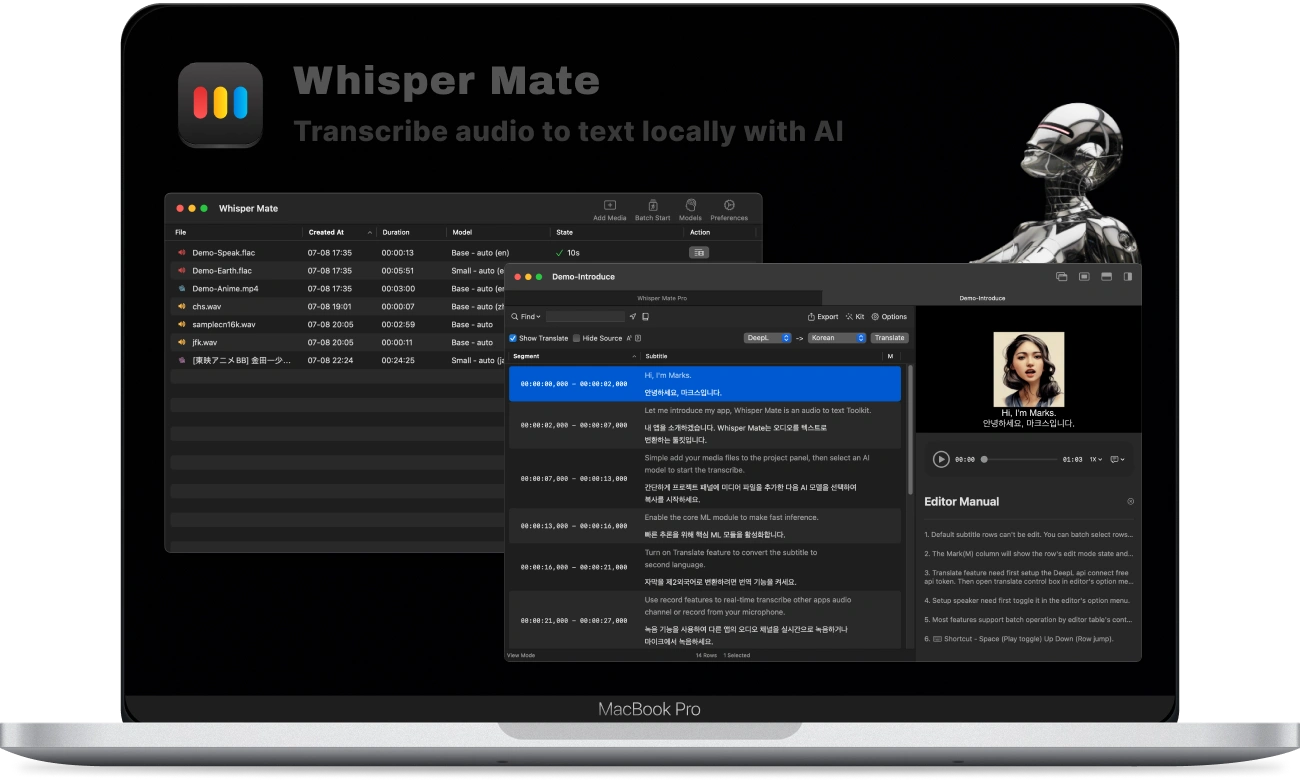
V13.0
- Alternativ har lagts till för att inaktivera generering av ljudfiler under realtidstranskribering.
- Stöd har lagts till för automatisk nedladdning av nödvändiga modeller vid transkribering via CLI.
- Flera krascher relaterade till realtidstranskribering har åtgärdats.
- Ett problem har åtgärdats där videoförhandsgranskningen kunde bli långsam i helskärmsläge.
- Ett problem har åtgärdats där undertexter i spelaren inte kunde visas eller döljas med kortkommandot C.
V12.1
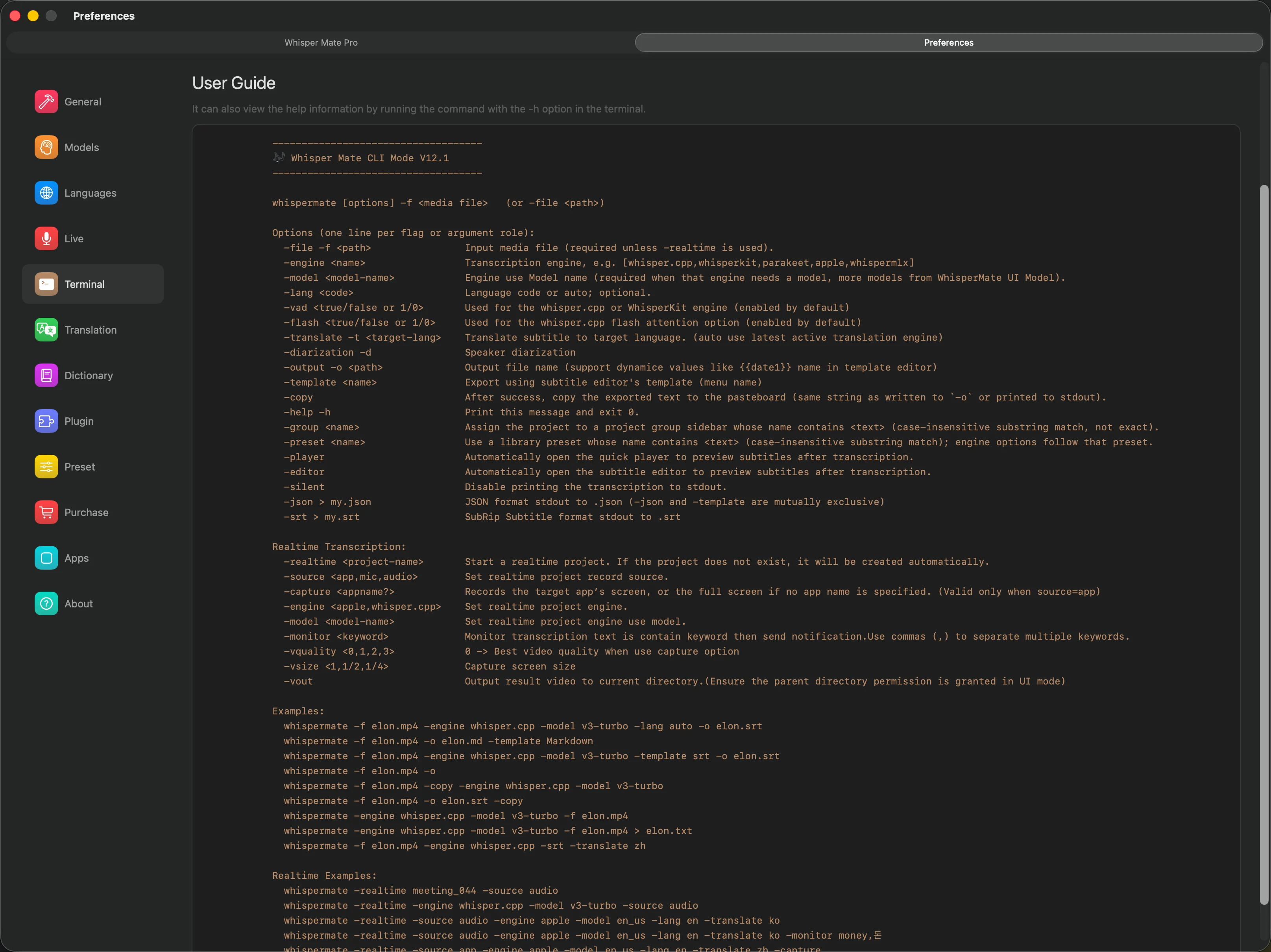
- CLI-läge har lagts till för enklare integration med andra verktyg. Konfigurera först den tillhörande shellen under Inställningar.
- whisper.cpp-motorn uppdaterad till v1.8.4
- WhisperKit-motorn uppdaterad till v1.0.0
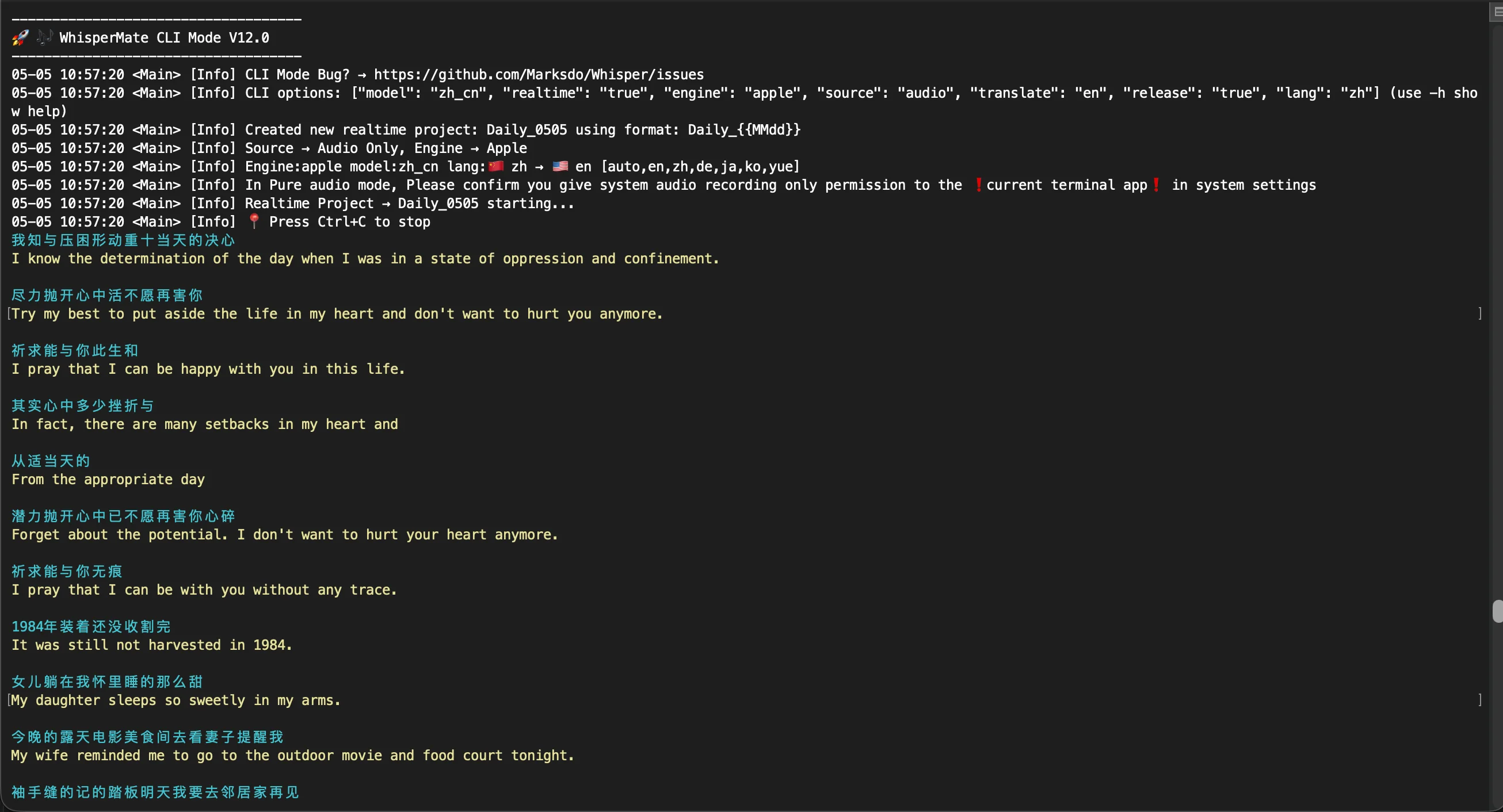
V12.0
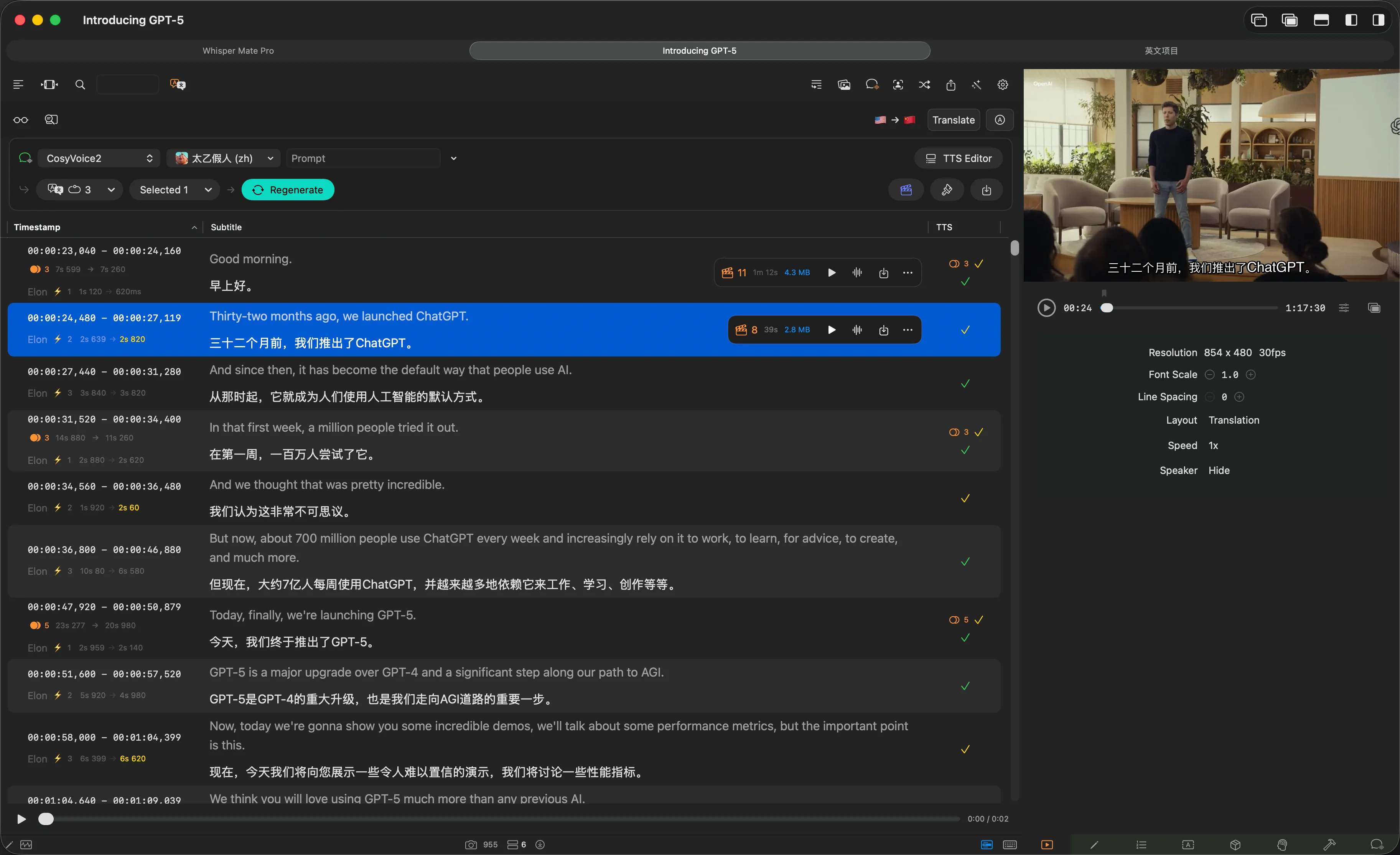
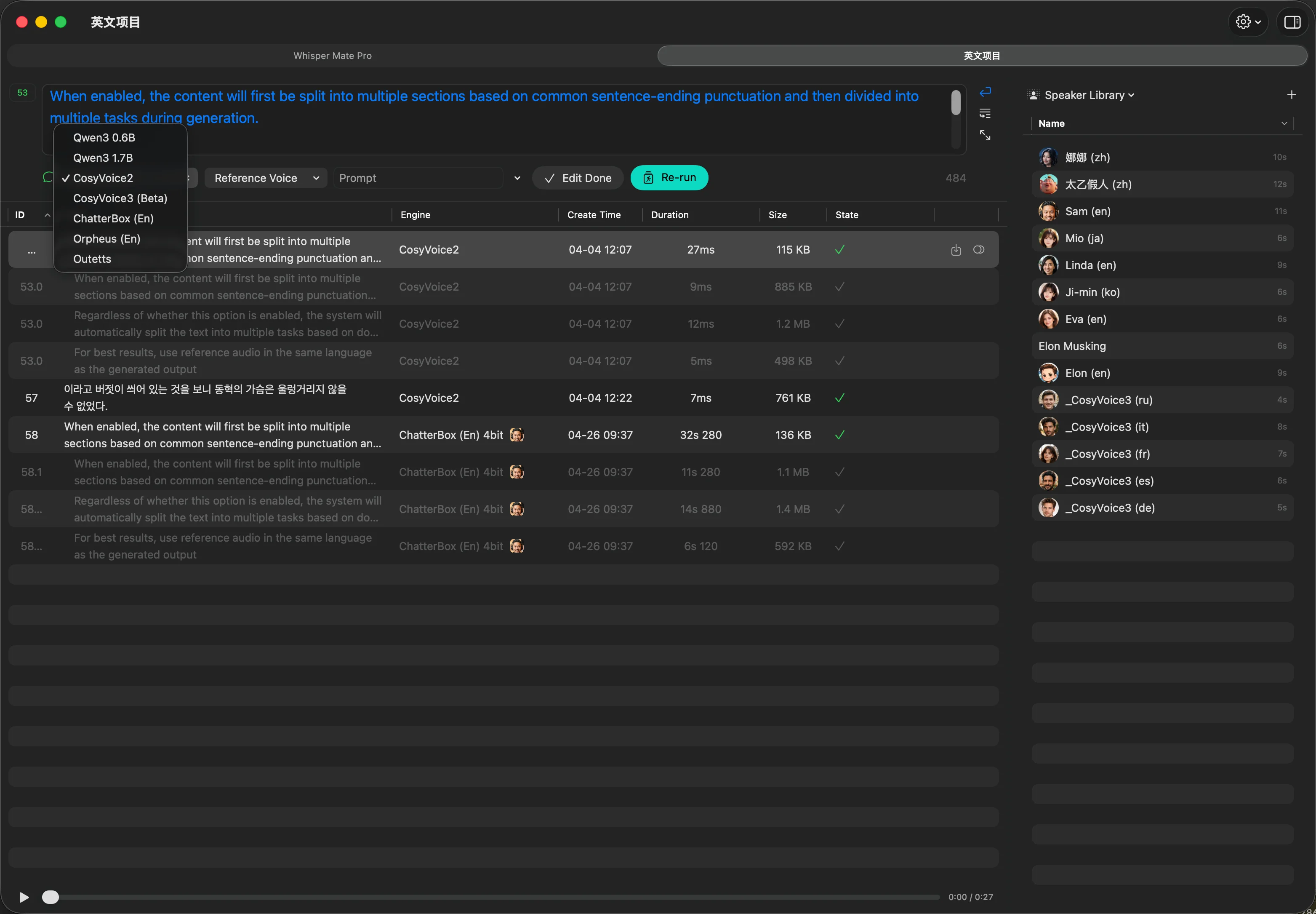
- Tillagd fristående TTS-modul
- Ny TTS-genereringsmodul i undertextredigeraren för enklare talsyntes från översatt text
- Stöd för WhisperMLX-transkriptionsmotorn (macOS 14.0+)
- WhisperKit-diariseringsmotor (talaruppdelning)
- FluidAudio-motorn uppdaterad till V0.13.7
- WhisperKit-motorn uppdaterad till V0.17.0
- Realtidstranskription kan nu skrivas direkt till OBS-kompatibla filer
- Flera verktyg för att rensa specialtecken i undtextrader i batch
- Mappövervakning stöder nu länkning till specifika projektgrupper
- Det flytande fönstret för realtidstranskription kan nu visas och flyttas mellan helskärmsappytor
- Åtgärdat flera problem med förinställningsfunktionen
- Åtgärdat ett problem där export av videosegment kunde misslyckas
V11.0.2
- Uppdaterat whisper.cpp-motorn till v1.8.3, med Silero VAD aktiverat som standard
- Uppdaterat WhisperKit-motorn till v0.15.0
- Uppdaterat FluidAudio-motorn till v0.12.0
- Lägsta systemversion som stöds har höjts till macOS 13.3+
- Miniatyrbilder för undertextrader kan nu genereras automatiskt vid talarbyte
- Miniatyrbilder för undertextrader stöder nu export av skärmbilder i videons ursprungliga upplösning
- Uppdaterat den medföljande yt-dlp till version 2026.02.04
- Lagt till möjligheten att inaktivera automatisk uppdateringskontroll i de allmänna inställningarna.
- Löst ett kraschproblem relaterat till FluidAudio-transkriptionsmotorn.
V10.2
- Detta är en större uppgradering. Ladda ner manuellt från vår webbplats.
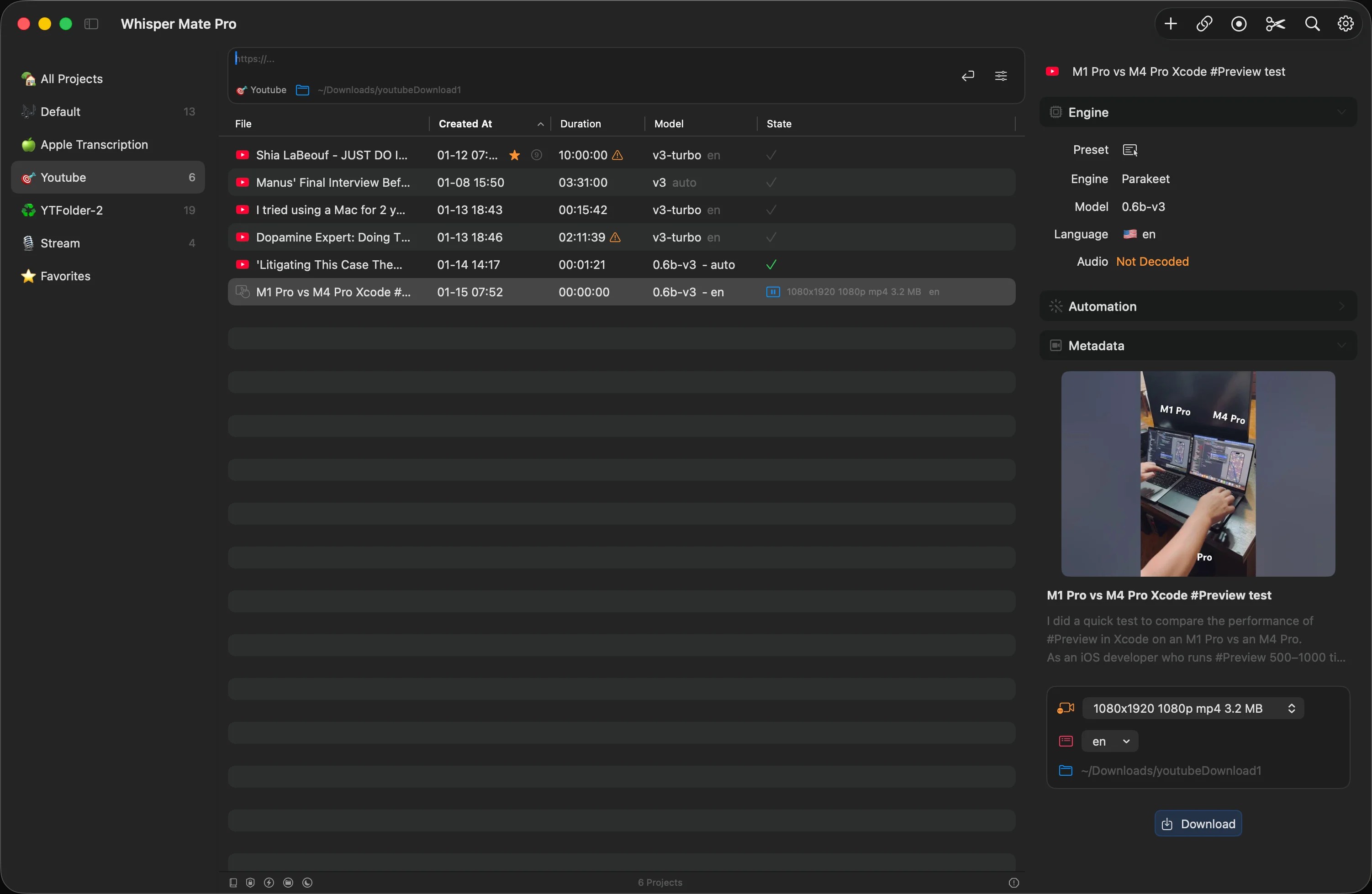
- Ny funktionsmodul för videonedladdning (endast Universal)
- Buggfixar och prestandaförbättringar
- Åtgärdade ett problem där köpinformation inte visades korrekt vid byte från App Store-versionen till Universal-versionen.
- Whisper Mate Universal V10.2
V9.9.9
- Omstrukturerad styrlogik för VAD- och brusreduceringsalternativ
- Omstrukturerat bearbetningsflöde för ljudfiler med flera spår
- Uppgraderat FluidAudio till v0.8
- Åtgärdat ett problem där export av MP3-filer kunde misslyckas
- Åtgärdat tidsstämpelproblem vid användning av WhisperKit i VAD-läge
- Åtgärdat andra kraschproblem
V9.9.8
- Lade till stöd för översättning av undertextrader med den nya systeminbyggda översättningsmotorn på macOS 26
- Lade till delvis tvåspråkig samtidig transkriptionsstöd (EN⇄ZH, EN⇄JA, EN⇄KO) vid användning av Apples inbyggda transkriptionsmotor på macOS 26
- Vid användning av whisper.cpp-motorn med automatisk språkdetektering aktiverad stöder realtidsöversättning nu dubbelriktad översättning
- Återställde konfigurationsalternativen för modellparametrar för whisper.cpp och whisperkt i körningspanelen
- Stöder att öppna två flytande snabbtranskriptionsfönster samtidigt för att transkribera olika språk
- Projektsidofältet kan nu direkt öppna ett flytande realtidstranskriptionsfönster
- Uppgraderade FluidAudio-transkriptionsmotorn till version V0.7.10
- Åtgärdade ett problem där start av det flytande transkriptionsfönstret från systemstatusfältet ibland misslyckades
- Ren-audio-realtidstranskription stöder nu Apples inbyggda transkriptionsmotor
- Åtgärdade ett tillfälligt problem där dubbelklick på ett objekt i tabellen misslyckades med att öppna projektet
- Åtgärdade några UI-anomalier på macOS 26
V9.9.7
- Lade till export till Obsidian med ett klick
- Lade till stöd för att lägga till mappar i projektlistan, som automatiskt omvandlas till projektgrupper för snabb batchinläggning av projekt
- Lade till ett alternativ för att exportera ljud och undertexter som en MP4-fil som endast innehåller ljudspår
- Lade till eftertranskriptionsautomatik som automatiskt utför talarsegmentering
- Förbättrade kontrollfältet för talarbyte och vanliga talarinställningar
- Undertexter för olika talare visas nu i olika färger efter talarigenkänning
- Lade till ett alternativ i autoexporten för att inkludera den extraherade WAV-ljudfilen från mediet under transkriberingen
- Uppgraderade transkriptionsmotorn FluidAudio till version V0.7.8
- Optimerade hanteringen när projekt dras till grupper i sidofältet
- Åtgärdade ett problem med felaktigt avstånd i koreansk text när Apples inbyggda AI-transkriptionsmodell användes
- Diverse mindre buggfixar och prestandaförbättringar
V9.9.6
- Förbättrat gränssnittet för omtranskribering av transkriptionssegment, vilket gör det enklare att jämföra de nya resultaten.
- Lagt till Kokoro-röstskapande, som kan skapa ljudfiler baserade på undertexter (för närvarande endast tillgängligt för engelska).
- Förbättrat katalogövervakningsfunktionen för att även övervaka nya filer som läggs till i underkataloger och automatiskt utlösa transkription, inklusive filer som synkroniseras från mobila enheter via iCloud.
- Uppgraderat FluidAudio-transkriptionsmotorn till V0.7.7.
- Åtgärdat ett problem där videoförhandsvisaren producerade förvrängt ljud vid första öppningen.
- Åtgärdat ett problem där den första bildrutan i exporterade videor med undertexter kunde hoppa över bildrutor.
V9.9.5
- Automatiserade åtgärder stöder nu automatisk körning av fördefinierade AI-operationer när ett projekt är slutfört
- Automatiserade AI-operationer stöder nu användning av Apples inbyggda stora språkmodell för projektsammanfattningar
- Segmentomtranskribering stöder nu FluidAudio-motorn
- Åtgärdat ett problem där valda segment inte kunde omtranskriberas flera gånger
- Åtgärdat ett problem med tidsstämpelmatchning vid omtranskribering med Apples inbyggda transkriptionsmotor
- Tagit bort flera insticksprogram som inte längre kan anpassas
- Andra mindre buggfixar
V9.9.3
- Realtidstranskription kan nu startas direkt från huvudgränssnittet
- Den automatiska exportfunktionen stöder nu export till den ursprungliga filens katalog
- Lagt till QuickLook-plugin för att förhandsgranska innehållet i SRT-filer
- SRT-filer kan nu översättas direkt
- Åtgärdat ett problem där slutet av meningar i realtidstranskription duplicerades
- Åtgärdat flera buggar i den automatiska exportfunktionen
- Åtgärdat vissa UI-anomalier på macOS 26
- Åtgärdat ett problem där Apples inbyggda AI-transkriptionsmodell inte visades i urvalslistan för transkriptionsmotorer
V9.9
- Lagt till stöd för att använda Apples inbyggda AI-transkriptionsmodell på macOS 26+ för transkription
- Ändrat modellparameterinställningar till sidopanelformat (kan återställas till den gamla popup-stilen i inställningar)
- Automatisk export stöder nu att välja flera mallar samtidigt
- Åtgärdat några UI-problem på macOS 26
V9.8
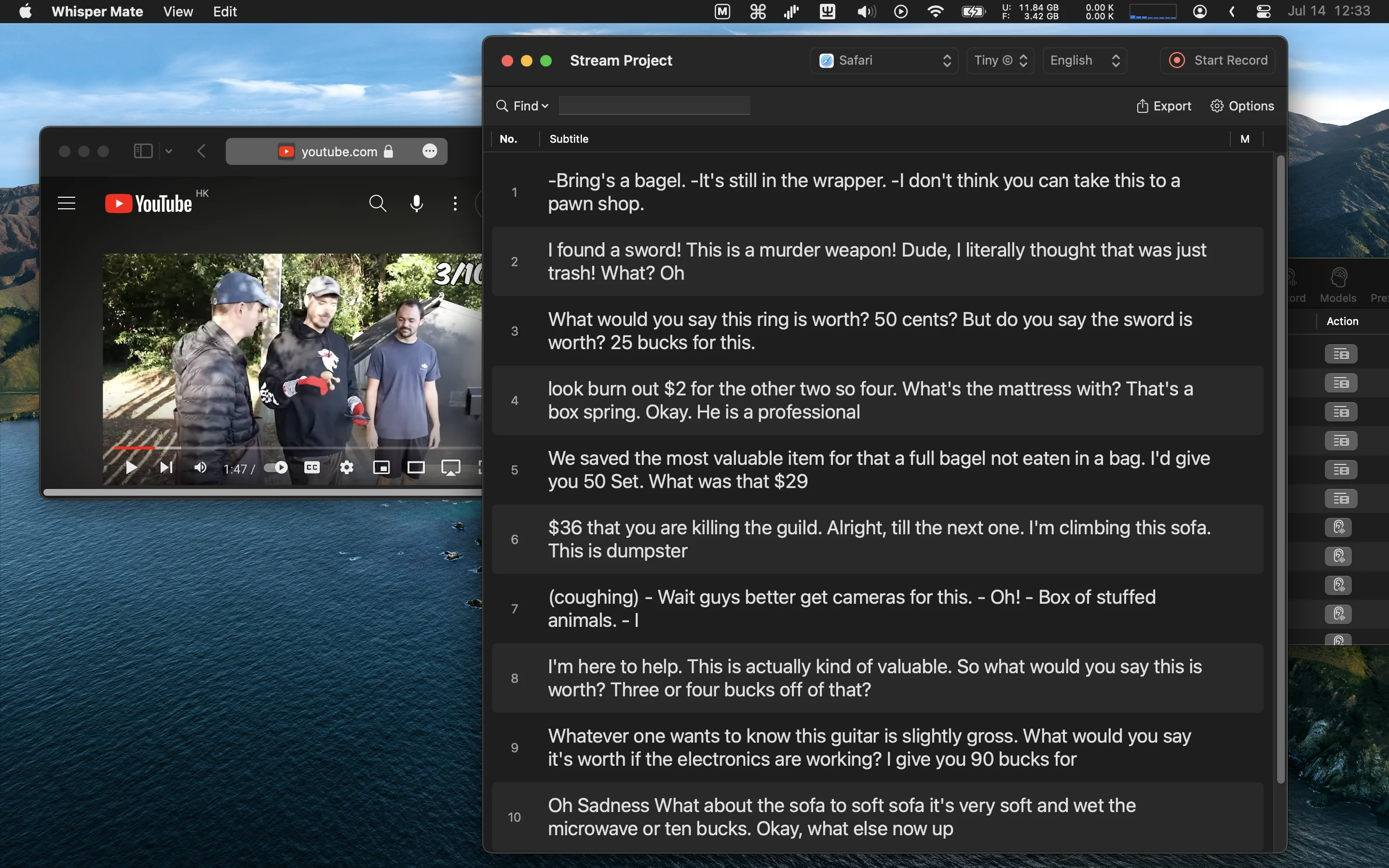
- På macOS 15 och senare stöder realtidsinspelning nu samtidig inspelning och transkribering av mikrofonljud
- Realtidstranskription i endast ljudläge kräver inte längre ScreenKit-behörighet (macOS 14+)
- Åtgärdat ett problem där resurser inte frigavs korrekt efter stängning av realtidstranskriptionsfönstret
- Uppgraderat FluidAudio-transkriptionsmotorn till version 0.6.1
- Användargränssnitt anpassat för macOS 26
- Andra mindre korrigeringar och förbättringar
V9.7
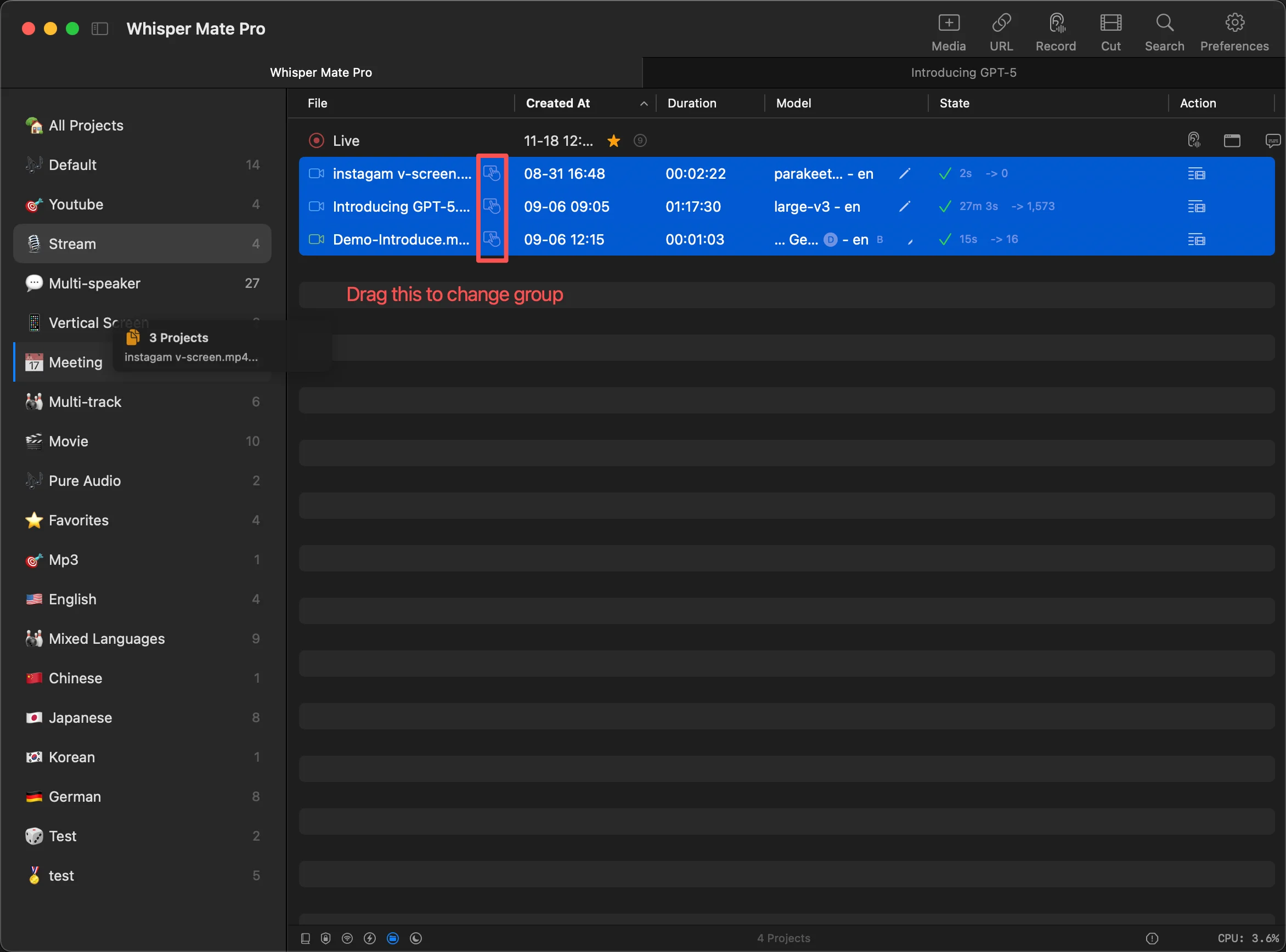
- Lagt till projektgrupps sidofält för att organisera projekt i olika grupper
- Lagt till flytande video undertext förhandsvisningsläge
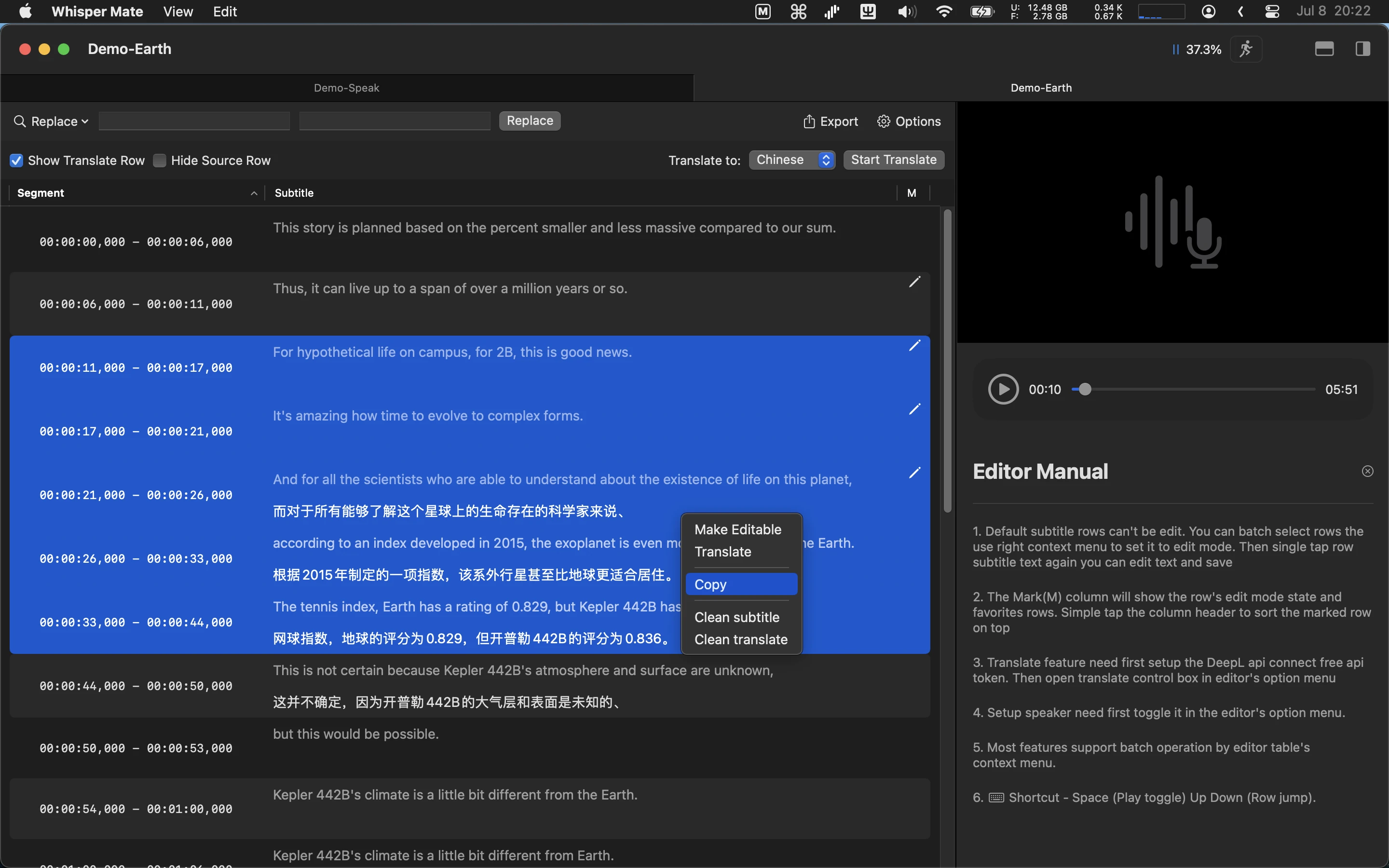
- Omdesignat applikationsinställnings gränssnittet
- Uppdaterat whisper.cpp transkriptionsmotor till v1.7.6
- Uppdaterat whisperkit transkriptionsmotor till v0.13.1
- Uppdaterat fluidaudio transkriptionsmotor med stöd för parakeet-tdt-0.6b-v3 och tidsstämpel visning
- Deepgram transkriptionsmotor stöder nu den senaste nova-3 modellen
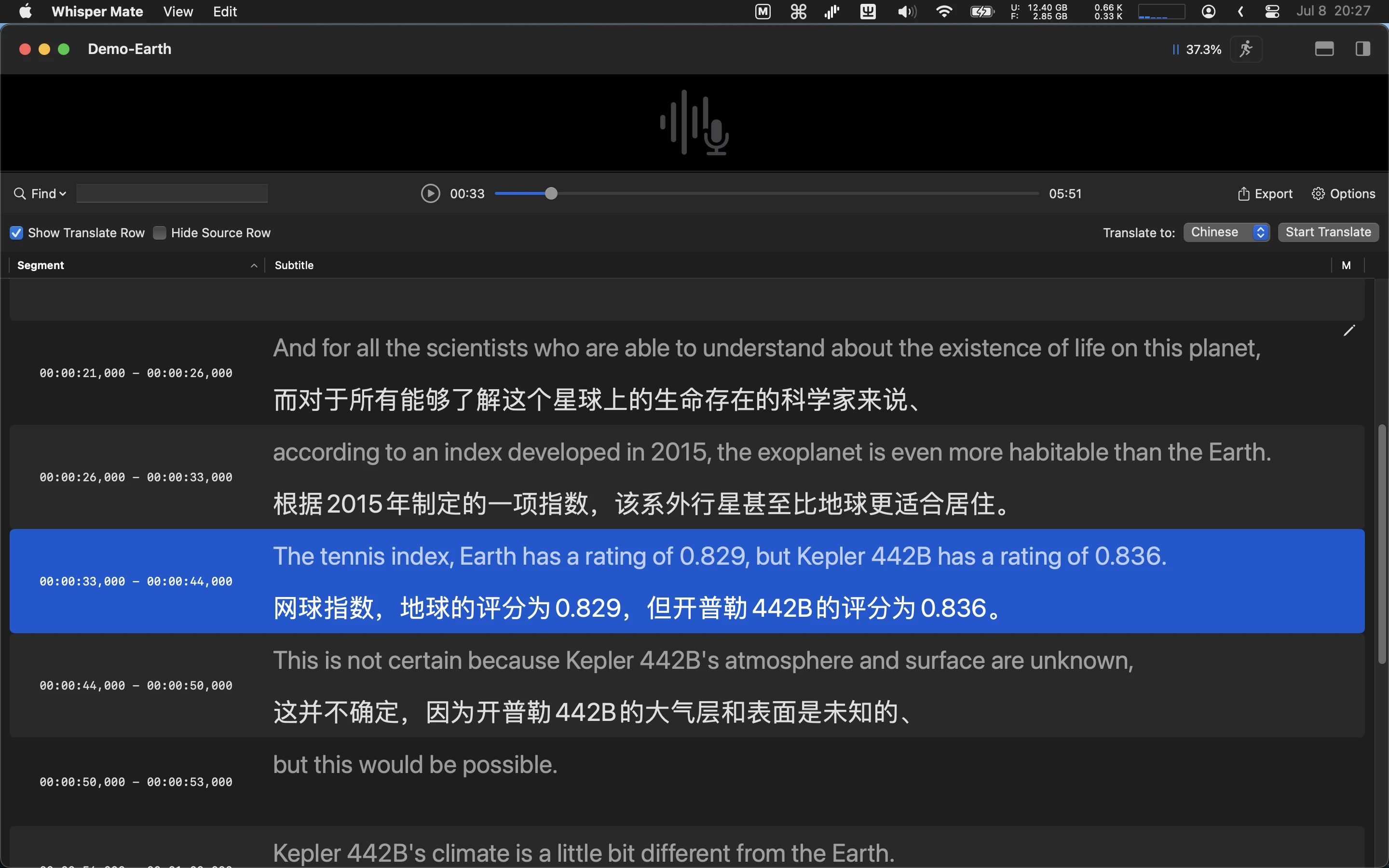
- Undertexteditor kan nu visa endast transkriptionsinnehåll (användbart för projekt som inte kräver tidsstämplar eller markeringar)
- Undertextförhandsvisning skalar nu automatiskt undertextens teckenstorlek baserat på videoupplösning
- Undertextförhandsvisning stöder nu anpassningsbart radavstånd
- Åtgärdat ett problem där automatiseringsåtgärder inte utfördes när fluidaudio och whisperkit motorer användes
- Förenklat översättningskomponentens användargränssnitt
- Åtgärdat flera användargränssnittsproblem på macOS 12 och 13
- Andra mindre korrigeringar
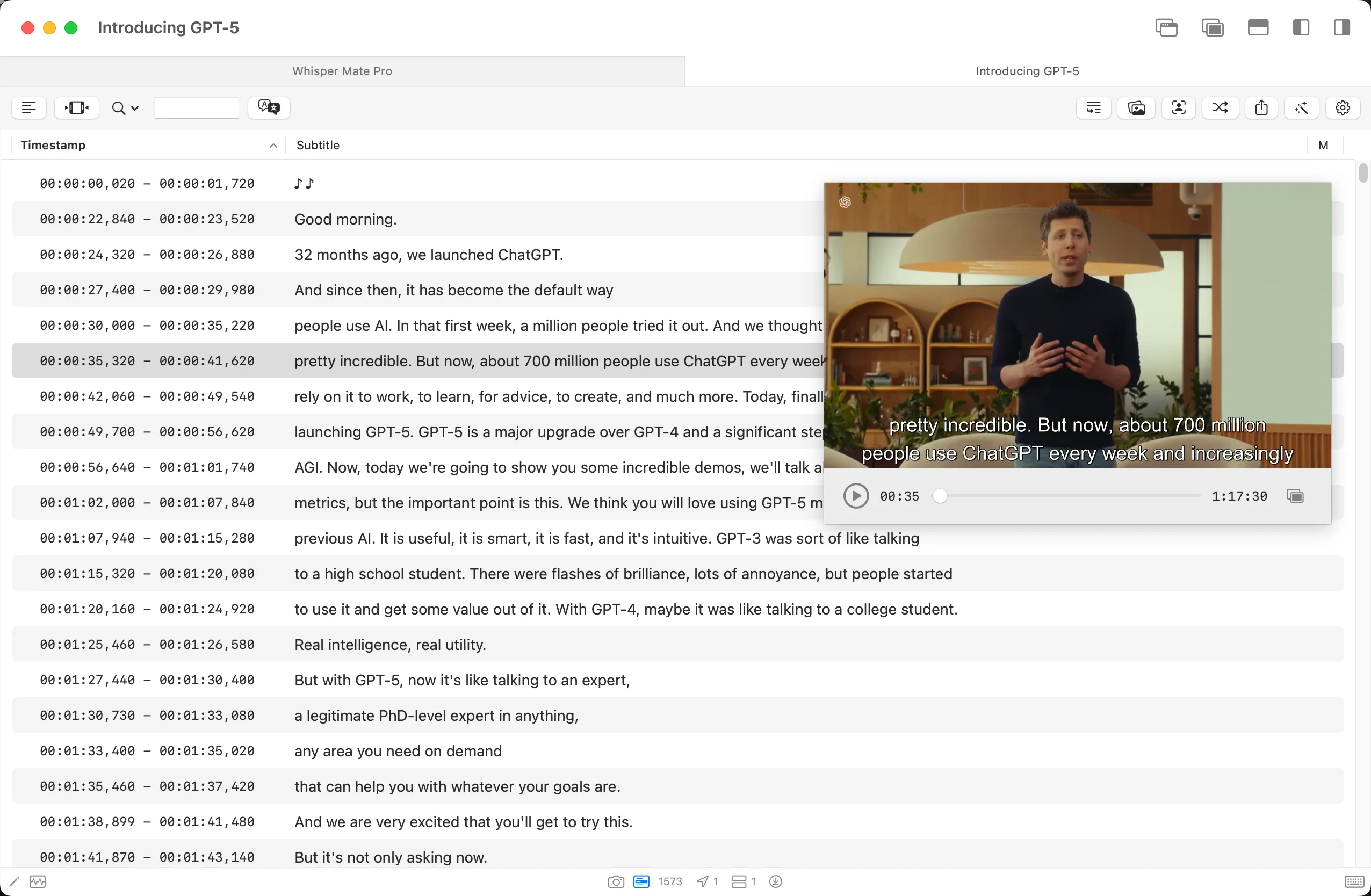
V9.6
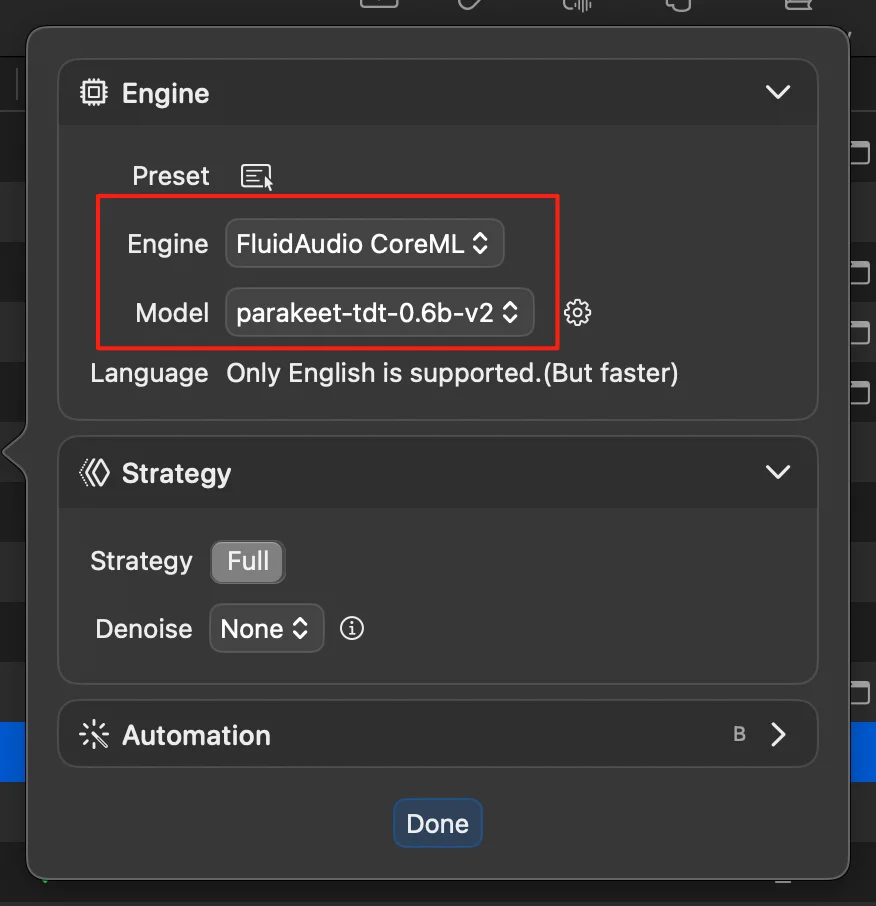
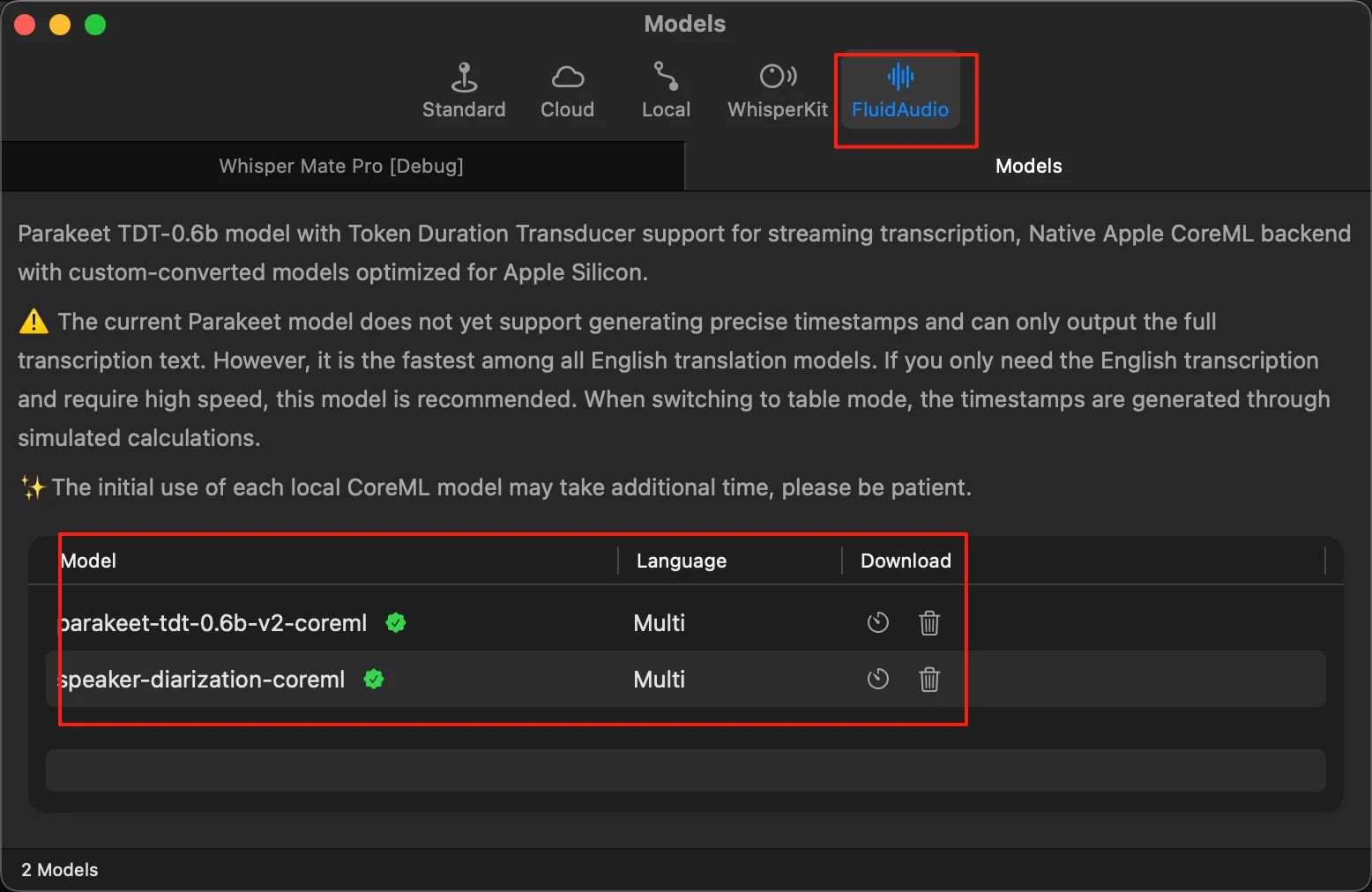
- Lade till stöd för modellen parakeet-tdt-0.6b-v2 i transkriptionsmotorn
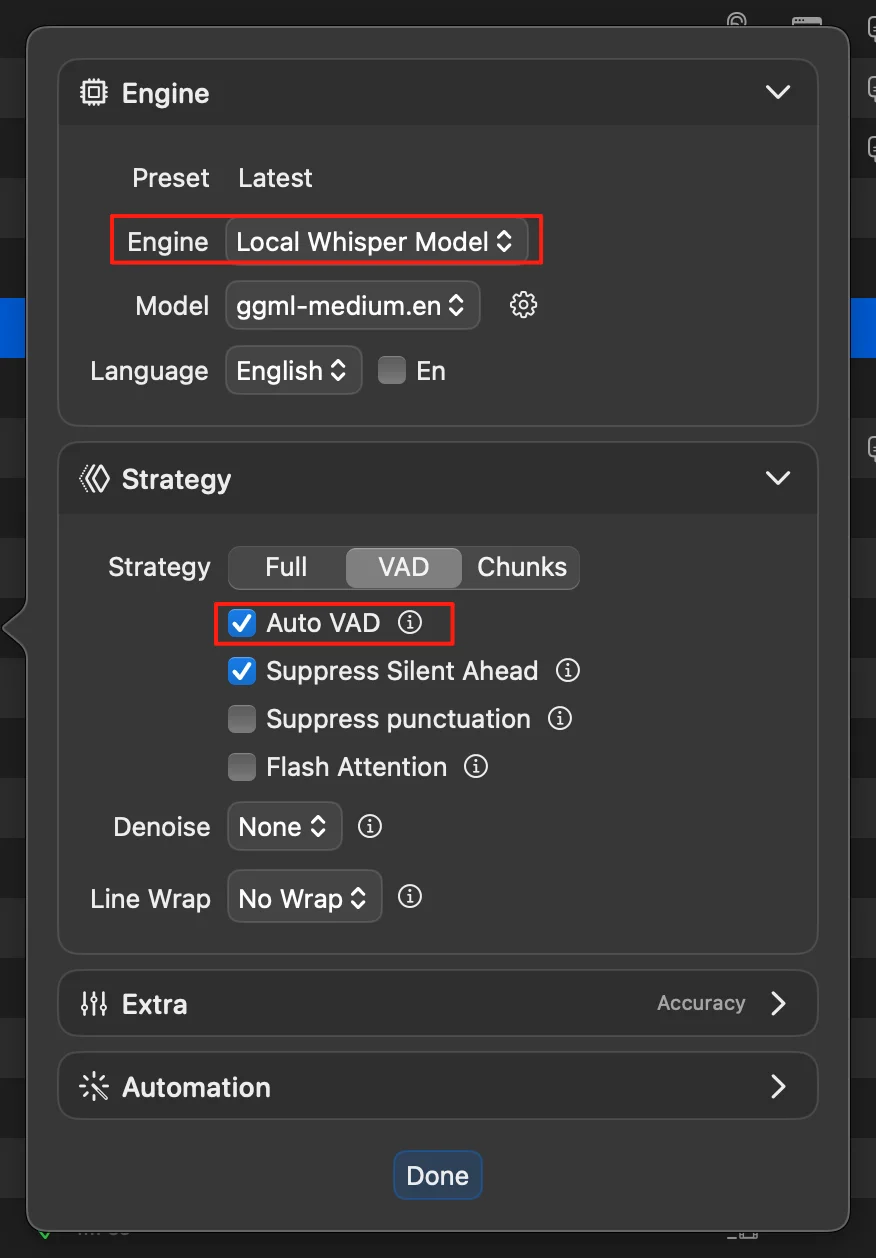
- När du använder Whisper-motorn kan VAD nu aktiveras för att automatiskt dela upp ljudet och minska hallucinationer
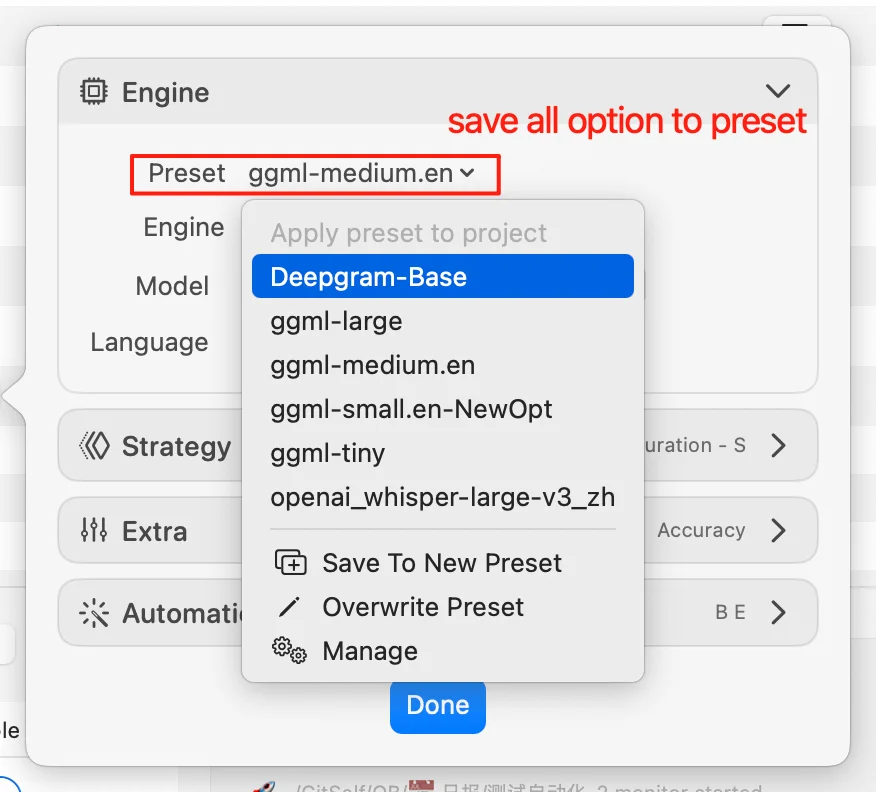
- Flera problem med preset-funktionen har åtgärdats
- Knapparnas stilar i mörkt läge har optimerats
- Ett problem där vissa videor inte visades korrekt i fönstret för snabbklippning har åtgärdats
V9.5
- Lagt till möjligheten att spara det aktuella projektets transkriptionsmodell-inställningar som förinställning för återanvändning i nya projekt
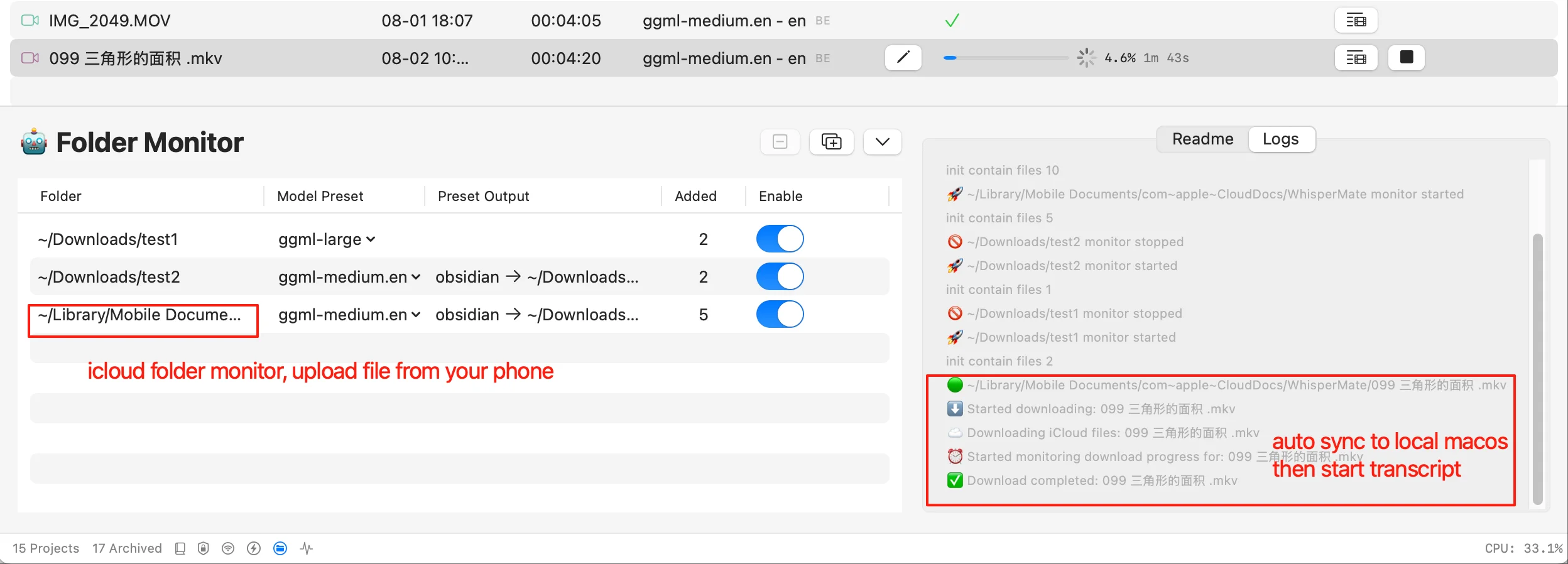
- Automatisk transkription via katalogövervakning stöder nu flera kataloger
- Översättnings- och LLM-verktyg stöder nu det lokala Ollama-protokollet
- Förbättrat katalogövervakning för att bättre upptäcka nedladdningsstatus för filer i iCloud-kataloger, med tydliga loggar som visar nedladdningsaktivitet för molnfiler
- Förenklad användning av ren text-läge
- Webbläsarläge stöder nu körning av projekt med förinställningar
- Åtgärdat prestandaproblem i LLM-chattläge vid hantering av stora datavolymer
- Lagt till ett alternativ för att växla tillbaka till PyAnnote för diarisering-integration
- Realtids transkription stöder nu användning av GPT-baserade översättningsmotorer
- Katalogövervakning utlöser nu automatiskt transkription utan att behöva aktivera “automatisk start”
V9.4
- Optimerat LLM-konfigurationsgränssnittet och felsökningsloggar för tydligare presentation och enklare felsökning
- Lagt till stöd för att öka eller minska ljudvolymen under videoexport
- Introducerat nya efterbehandlingsverktyg i verktygspanelen; till exempel, vid användning av large-v2-dv1a-diarization-modellen kan undertexter nu omordnas baserat på upptäckta talaretiketter
- Åtgärdat ett problem där undertextförhandsvisningen inte uppdaterades automatiskt efter körning av LLM- eller efterbehandlingsverktyg
- Åtgärdat ett problem där ESC-tangenten inte fungerade i realtidstranskriptionsfönstret
- Åtgärdat flera problem som påträffades vid första användning
- Mindre buggfixar och förbättringar
V9.3
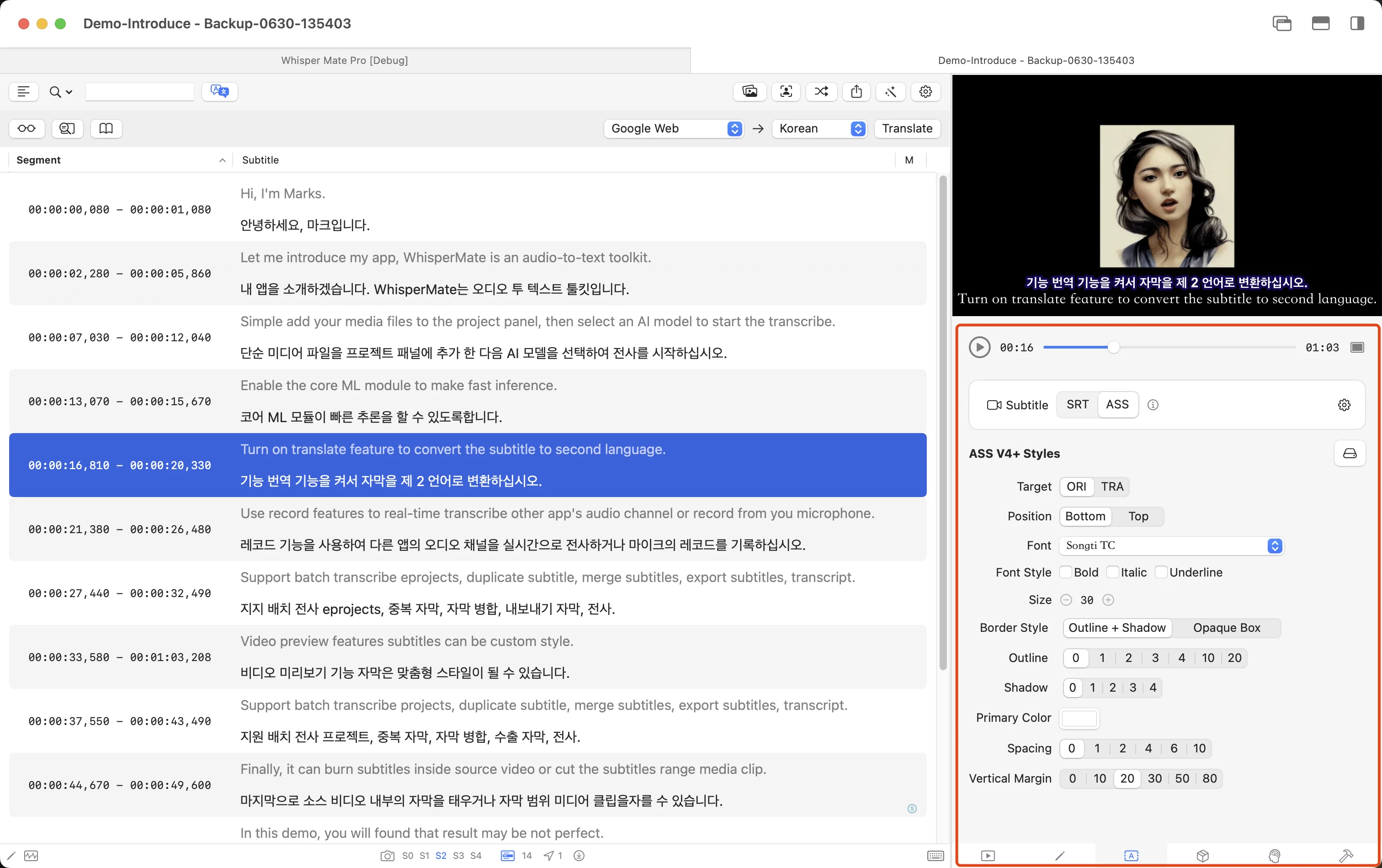
- Optimerade egenskapskonfigurationsgränssnittet för SRT- och ASS-undertextformat, och lade till fler parametrar för att kontrollera undertextstilar.
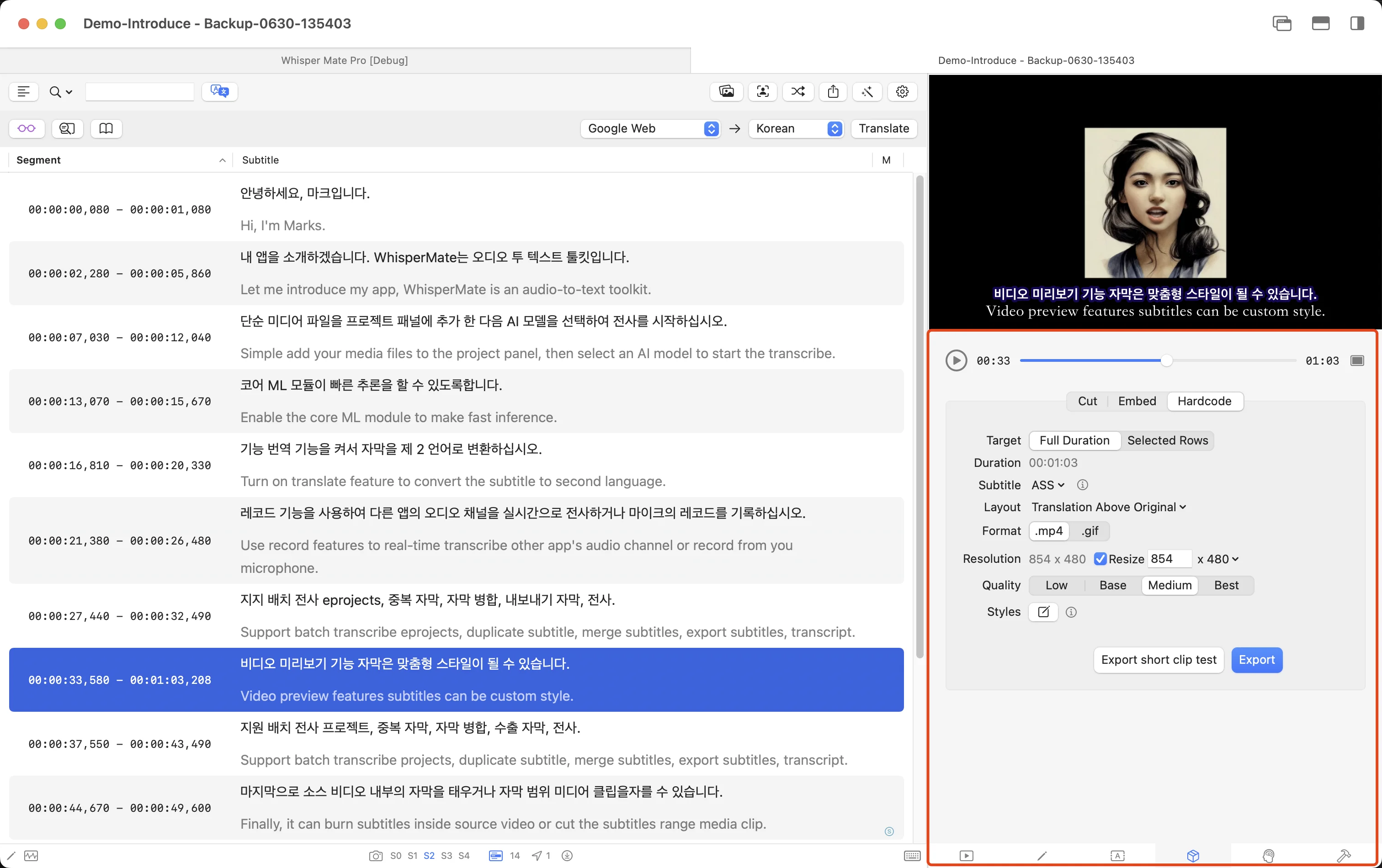
- Förbättrade videoexportgränssnittet med stöd för export av videor med reducerade upplösningar.
- Förbättrade metoden för att slå samman och dela undertexter baserat på vanliga skiljetecken.
- Lade till ett efterbearbetningsverktyg i snabbverktygspanelen för att automatiskt bryta undertextrader enligt längd.
- Aktiverade direkt import av FCPXML-undertextfiler till undertexteditorn för redigering.
- Lade till ett alternativ för att bränna videor eller GIF:ar utan undertexter under hårdkodning.
- Fixade ett problem där fönstret betedde sig onormalt när det återställdes från helskärm till ursprunglig storlek.
- Fixade problemet där förhandsgranskningsvideostorleken inte sparades efter att projektet stängdes.
- Fixade skakningsproblem vid redigering av radbrytningar i snabbundertexteditorn.
V9.2
- Lagt till en ny diarisationsmetod för förbättrad talaruppdelning.
- Integrerat stora språkmodell (LLM) funktioner i den nya Inspector-panelen med förenklade konfigurationsalternativ.
- LLM stöder nu översättning av hela SRT-undertextfilen eller returnerar en reviderad SRT-version för direkt ersättning i undertexteditorn.
- Videoexport stöder nu export av segment som GIF-animationer.
- Förbättrat layouten för undertexteditorn.
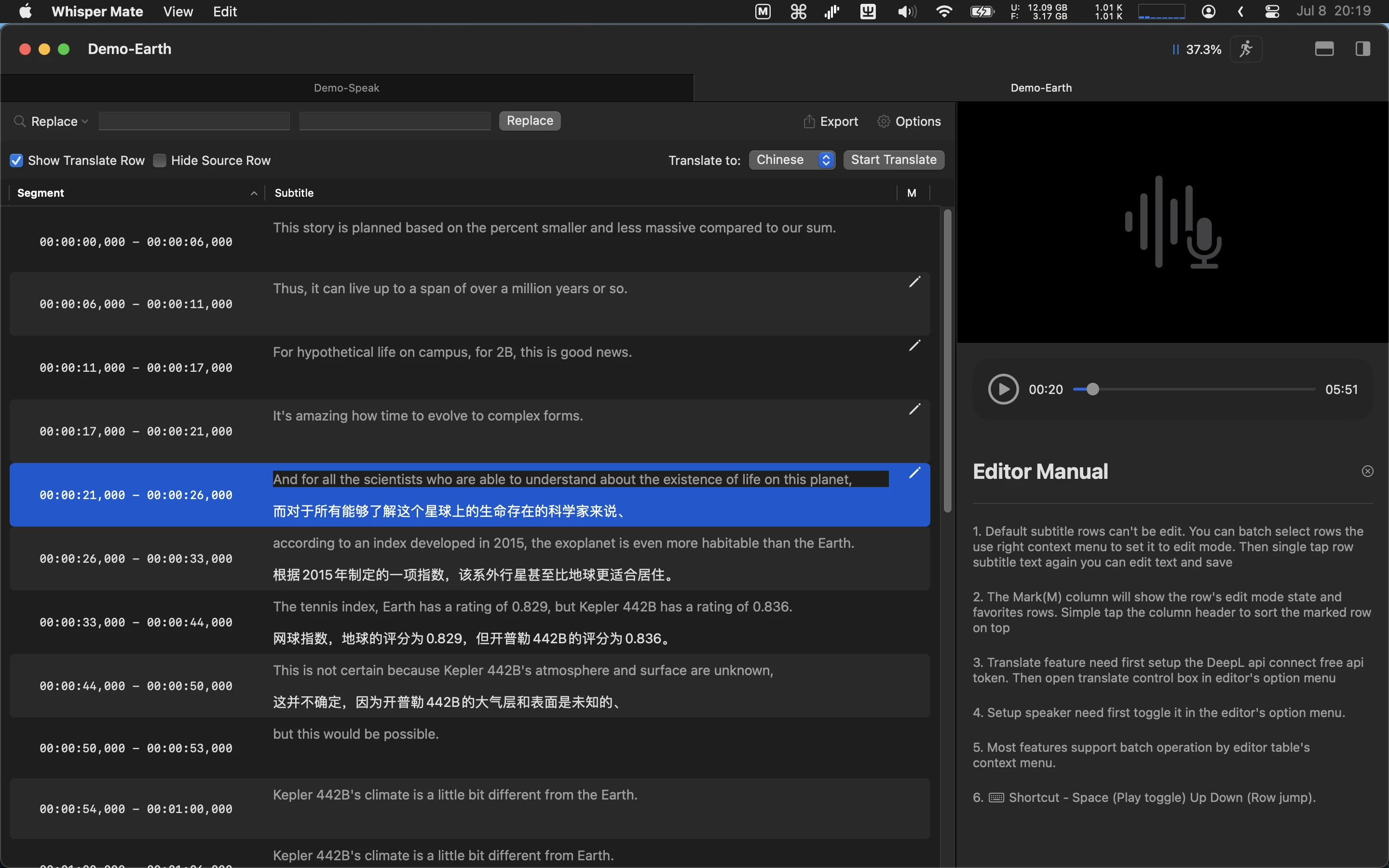
- Lagt till snabbredigeringsfunktionalitet för undertexttext, tillgänglig under den nedre fliken i Inspector på höger sida.
- GPT-baserad översättning och LLM-funktioner är nu kompatibla med Gemini, DeepSeek och OpenRouter API:er.
- Lagt till batch-extraktion av videominiatyrer vid undertextstarttider, visade inom undertexteditorn.
- Lagt till nyckelbildsdetektering för scenförändringar, med markörer visade på vågformeditorn.
V9.1
- Lade till en visualiseringsfunktion baserad på ljudenergibalkar, som låter användare dra och justera start- och sluttider för undertexter (för dialoger och ljud utan bakgrundsmusik stöds en automatisk justeringsfunktion för att automatiskt justera undertexttiming)
- Lade till en radradereringsfunktion; raderade undertextrader visas som borttagna och kommer inte att visas i undertextförhandsvisningar eller exporterade filer
- Åtgärdade ett problem där vissa projekt inte kunde starta batch-körning efter att ha valts i bulk
- När man sparar realtids transkriptionsfiler används ögonblicksbildnamnet automatiskt som filnamn
- Lade till en snabbåtkomstknapp i projektlistan för att direkt gå in i textläge
- Åtgärdade ett problem där textläge under projekttranskription inte automatiskt scrollade till sista raden
- Lade till en efterbehandlingstextfunktion för att dela rader som innehåller flera “-” kulpunkter i separata rader
- Optimerade export- och mediaklippfunktioner: om de valda undertextraderna inte är kontinuerliga kommer systemet att hoppa över icke-valda rader under klippoperationen

V9.0
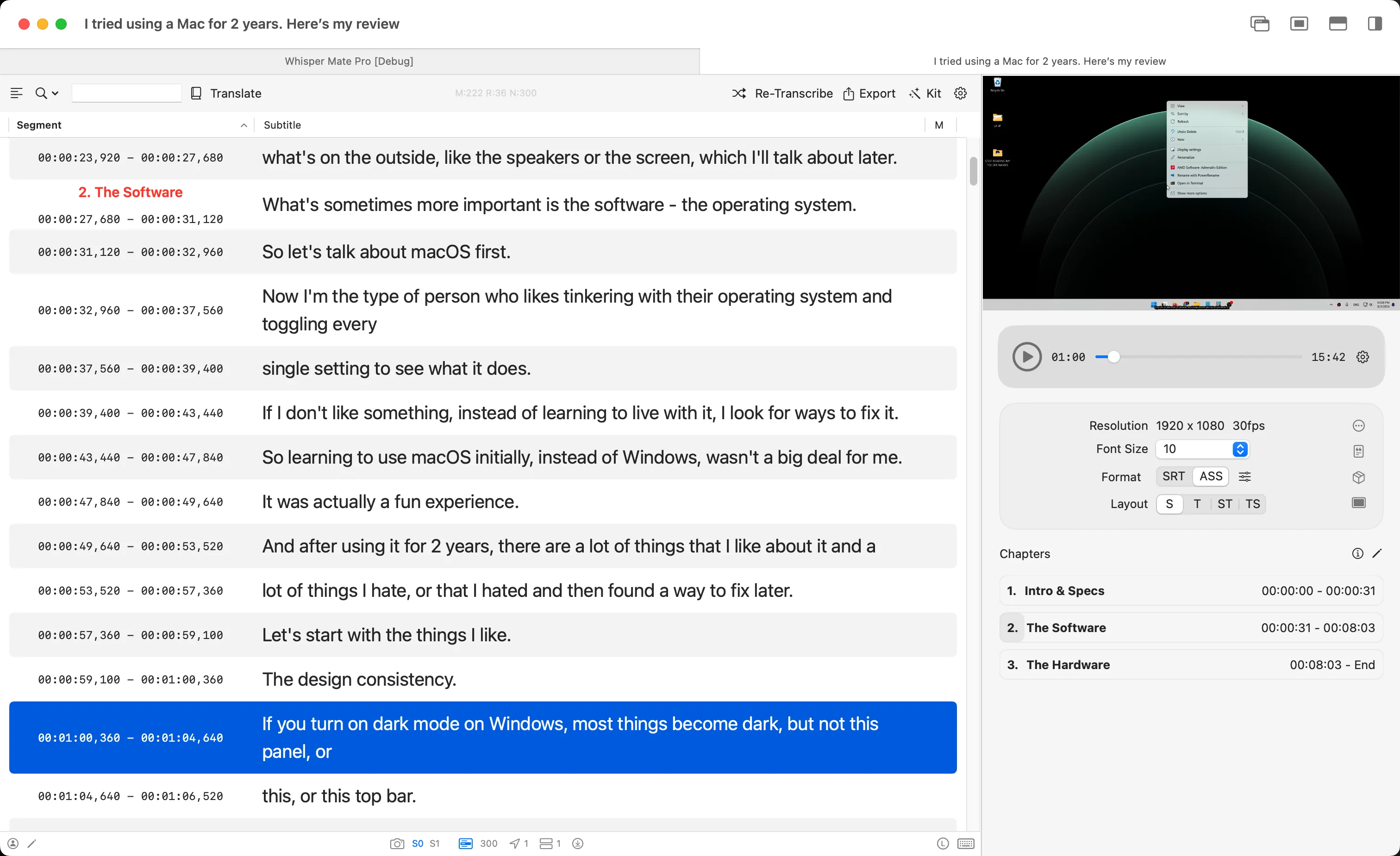
- Lagt till funktionen att lägga till kapitel i videor. Befintlig kapitelinformation kan automatiskt importeras, redigeras och exporteras igen med videofilen
- Lade till stöd för automatisk import av inbäddade textbaserade undertexter från MP4-filer som transkriptionsresultat. Detta gör att du snabbt kan översätta befintliga undertexter i en video till andra språk
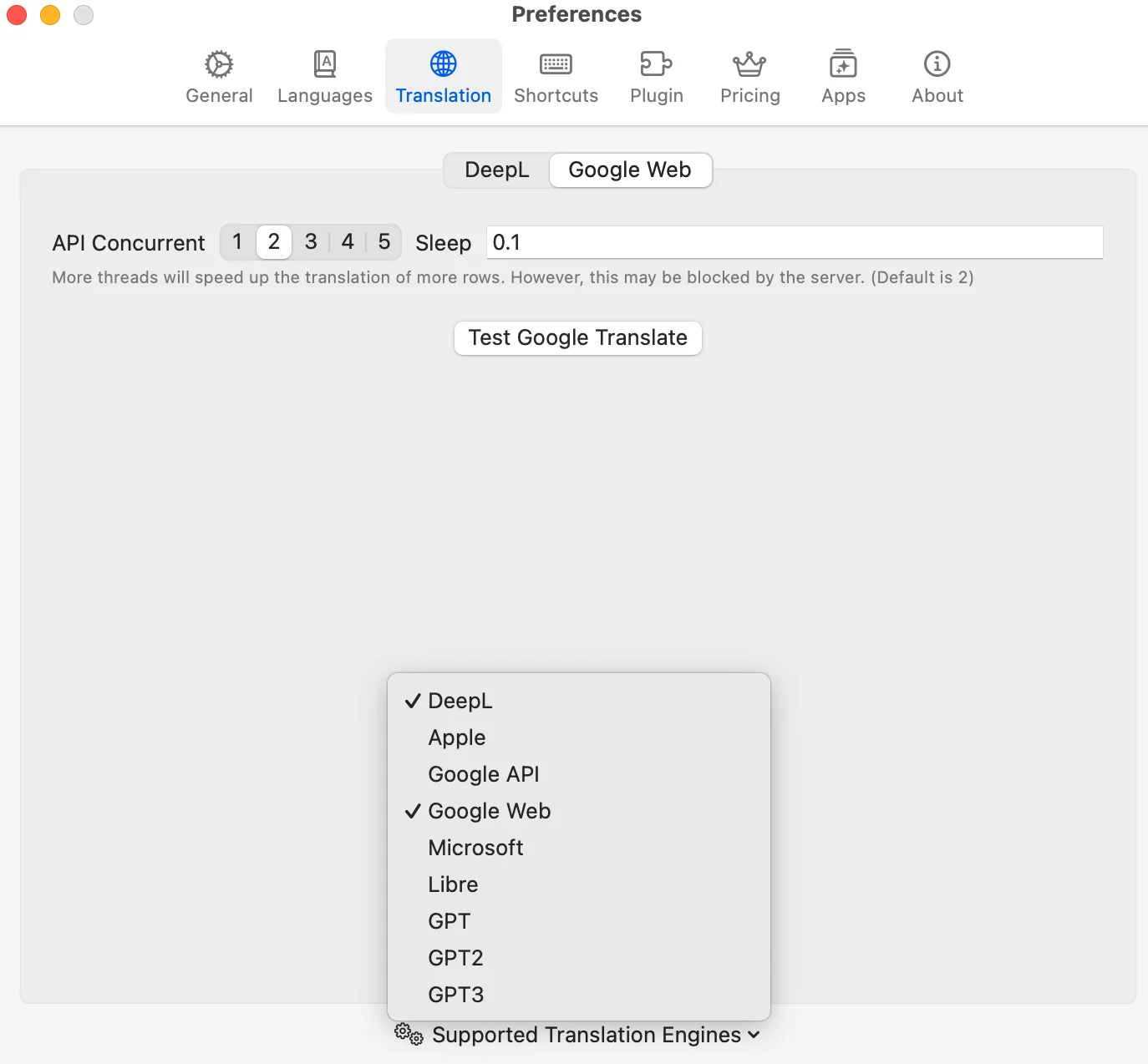
- Lagt till en ny gratis översättningsmotor
- Uppgraderat WhisperKit-transkriptionsmotorn till senaste versionen
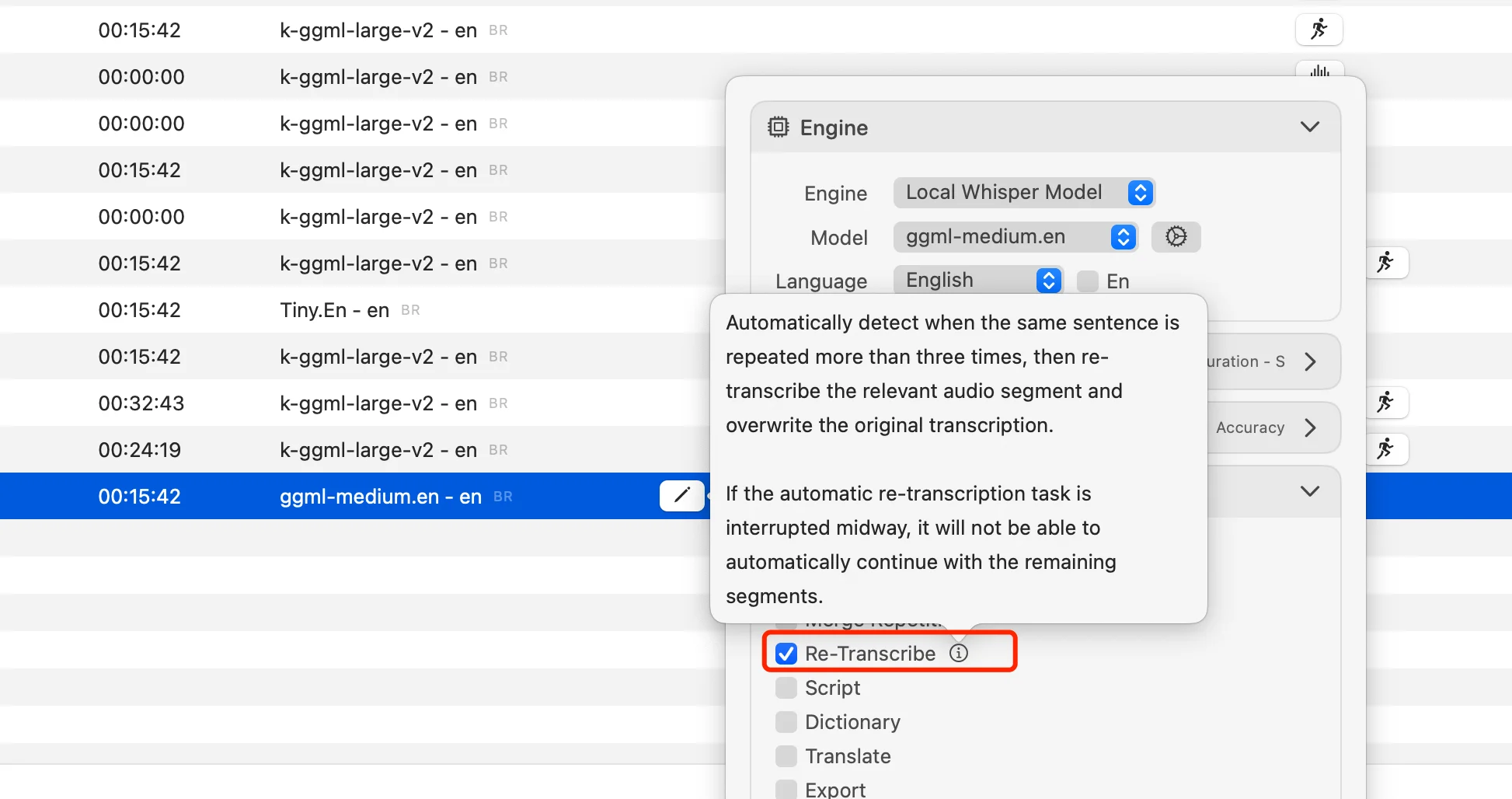
- Lagt till automatiskt alternativ för att transkribera om rader med upprepade resultat efter första transkriberingen
- Omskriven segmenterad transkriptionsfunktion: stöder nu automatisk segmentering baserad på pauser för långa videor som filmer och animationer, och åtgärdar tidigare problem med felaktig segmenttiming
- Realtidstranskribering stöder nu Flash Attention för bättre prestanda
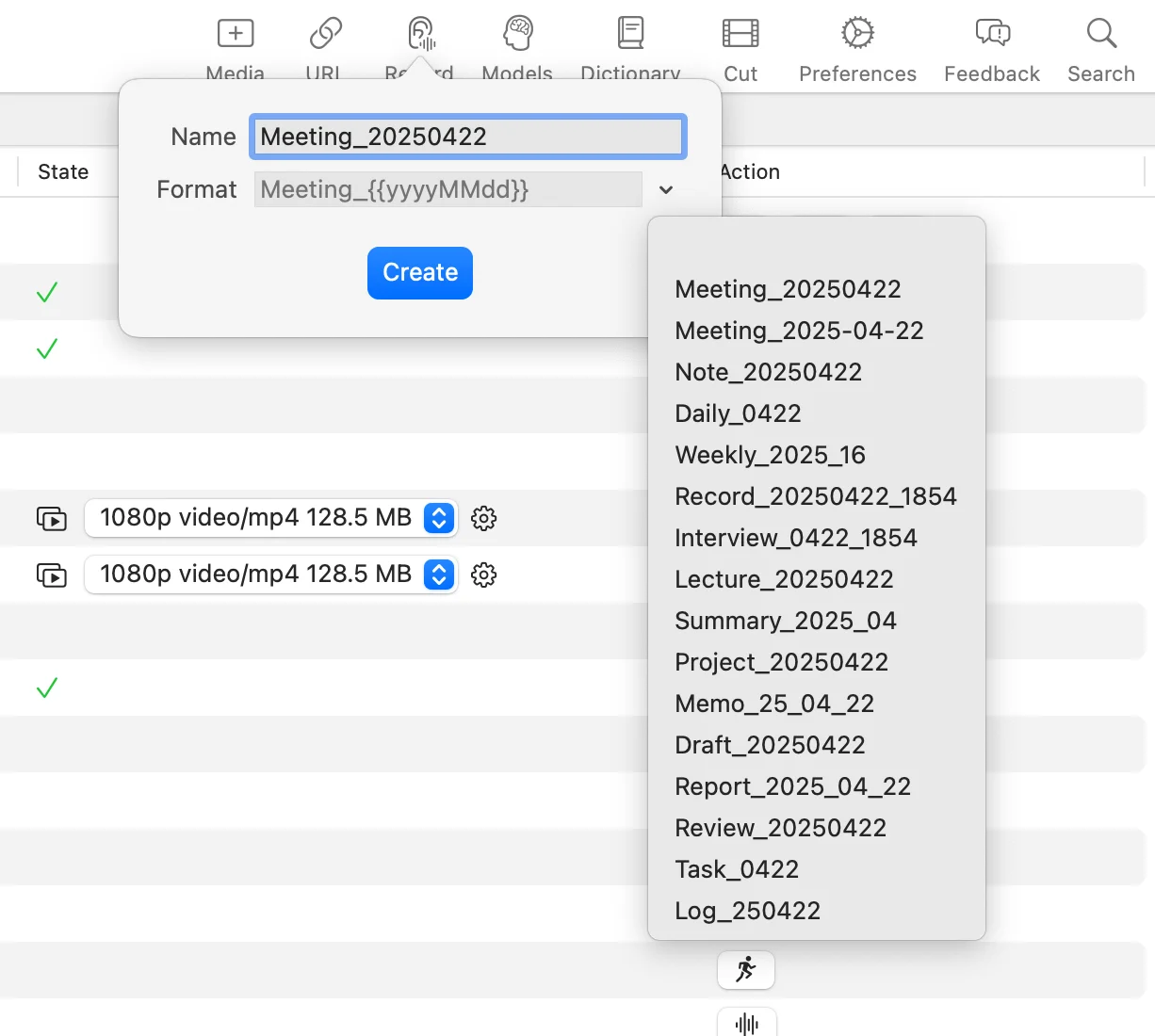
- Det är nu möjligt att anpassa projektnamnet när man skapar ett nytt realtidstranskriberingsprojekt
- Lagt till alternativ för att dölja oanvända översättningsmotorer
- Du kan helt enkelt välja en av de upprepade meningarna och klicka på Transkribera igen; appen kommer automatiskt att välja alla upprepade segment och öppna transkriptionsfönstret
- Inställningsgränssnittet för realtidsavskrift har designats om och optimerats
- Åtgärdat flimmer vid automatisk rullning till sista raden under realtidstranskribering
- Åtgärdat ett problem där översättningsmodulen inte kom ihåg det senast valda språket
- Åtgärdat ett problem där omtranskribering misslyckades efter byte av motor för ett valt segment
- Andra UI-förbättringar och buggfixar
V8.5
- Filer som sparas efter realtids transkribering visar nu direkt de motsvarande transkriberade undertexterna.
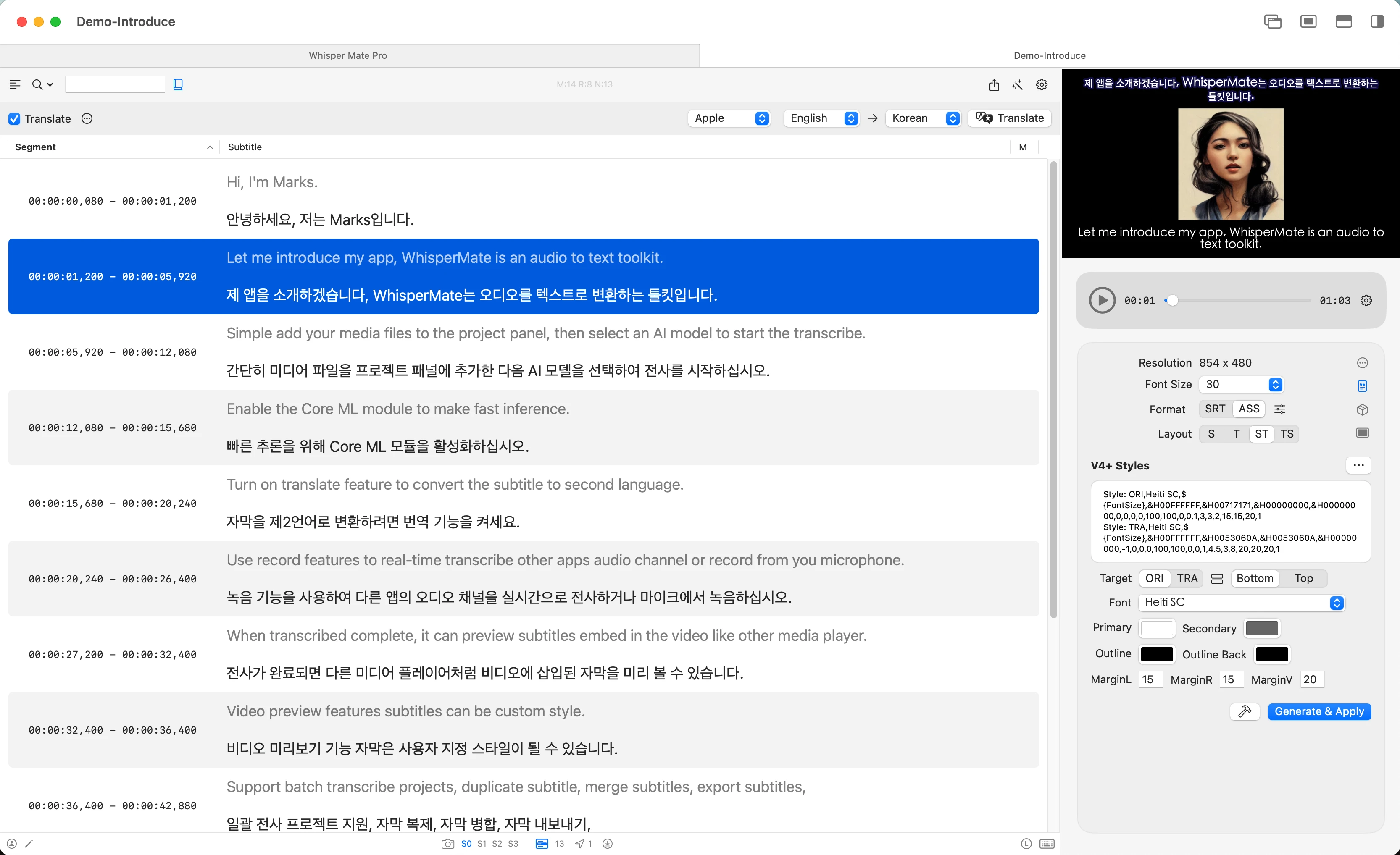
- Undertexter i ASS-layout kan enkelt ställas in för att visas i ett över- och underläge.
- Om videofilen kommer med textbaserade undertextfiler, konverteras de automatiskt till projektöversikter.
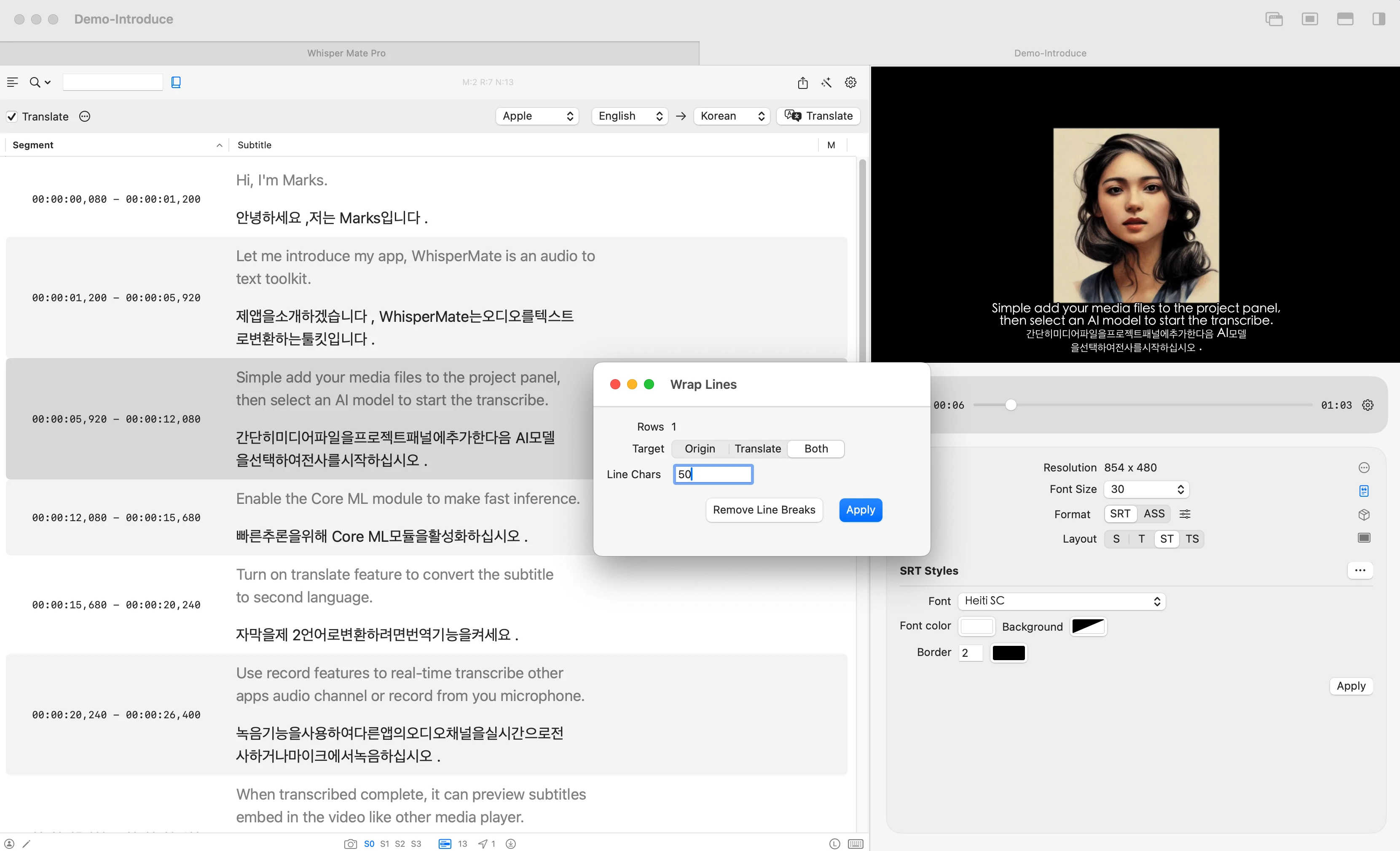
- CJK-språk i hårdkodade videor stöder nu kontroll av det maximala teckenbegränsningen per rad.
- Ett verktyg för att lägga till hårda radbrytningar i batcher i undertextlinjer har lagts till.
- Den översatta texten kan direkt slås samman med den ursprungliga transkriberingen. (Kontextmeny i undertextredigeraren)
- Åtgärdat ett problem där vissa filer inte kunde öppnas när de försöktes läsas.
- Åtgärdat ett kraschen som inträffade när realtids transkribering stoppades under inspelning via mikrofon.
V8.1
- Uppdaterad feedback-funktion (tidigare versioner kunde inte ta emot användarfeedback korrekt, vänligen försök att kontakta oss igen)
- Flera krascher har åtgärdats
- Åtgärdat ett problem som orsakade krascher på macOS 13
- Flera krascher i förhandsvisaren har åtgärdats
- Ljudanomalier under realtids transkription och videoinspelning har åtgärdats
V8.0
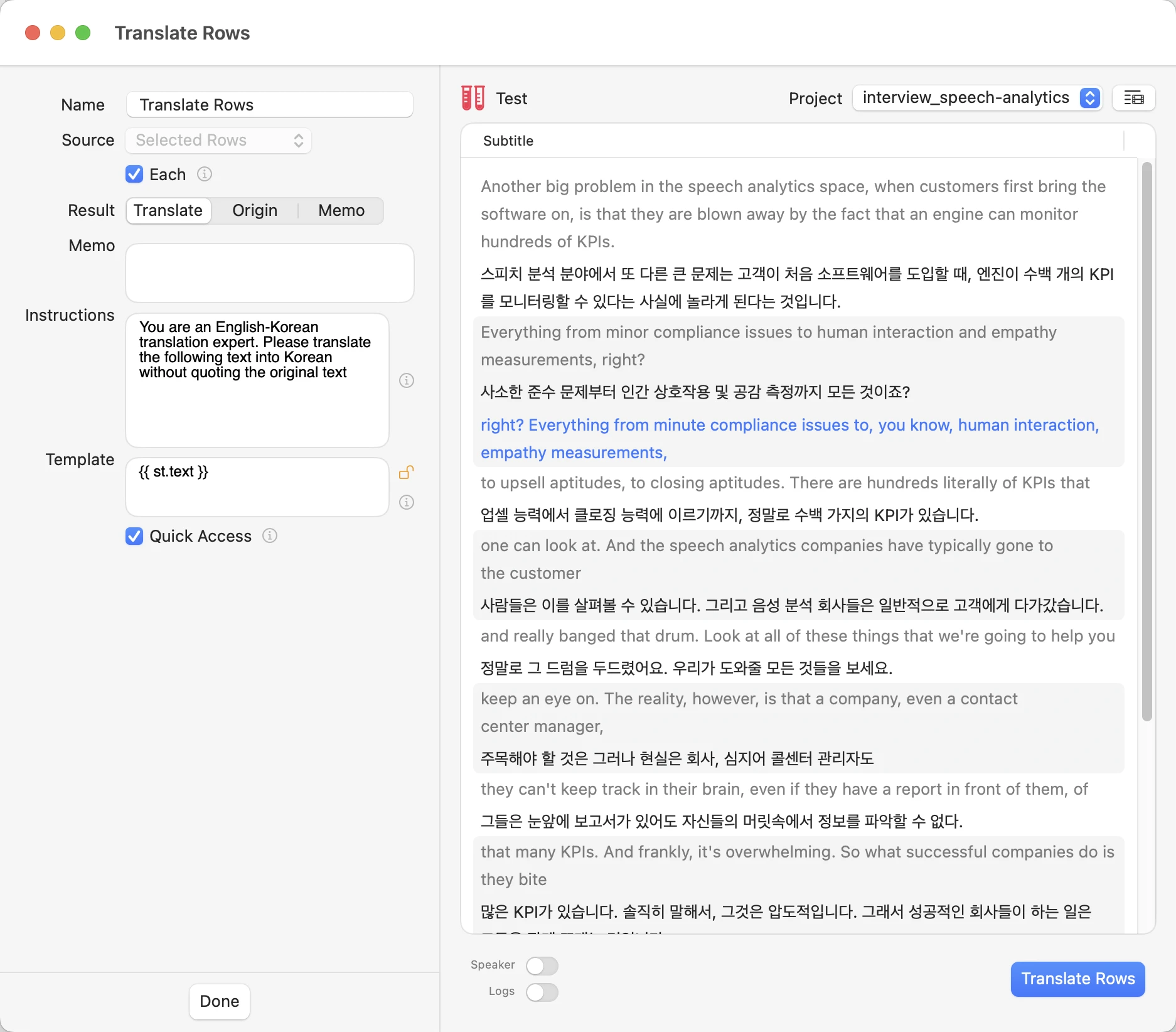
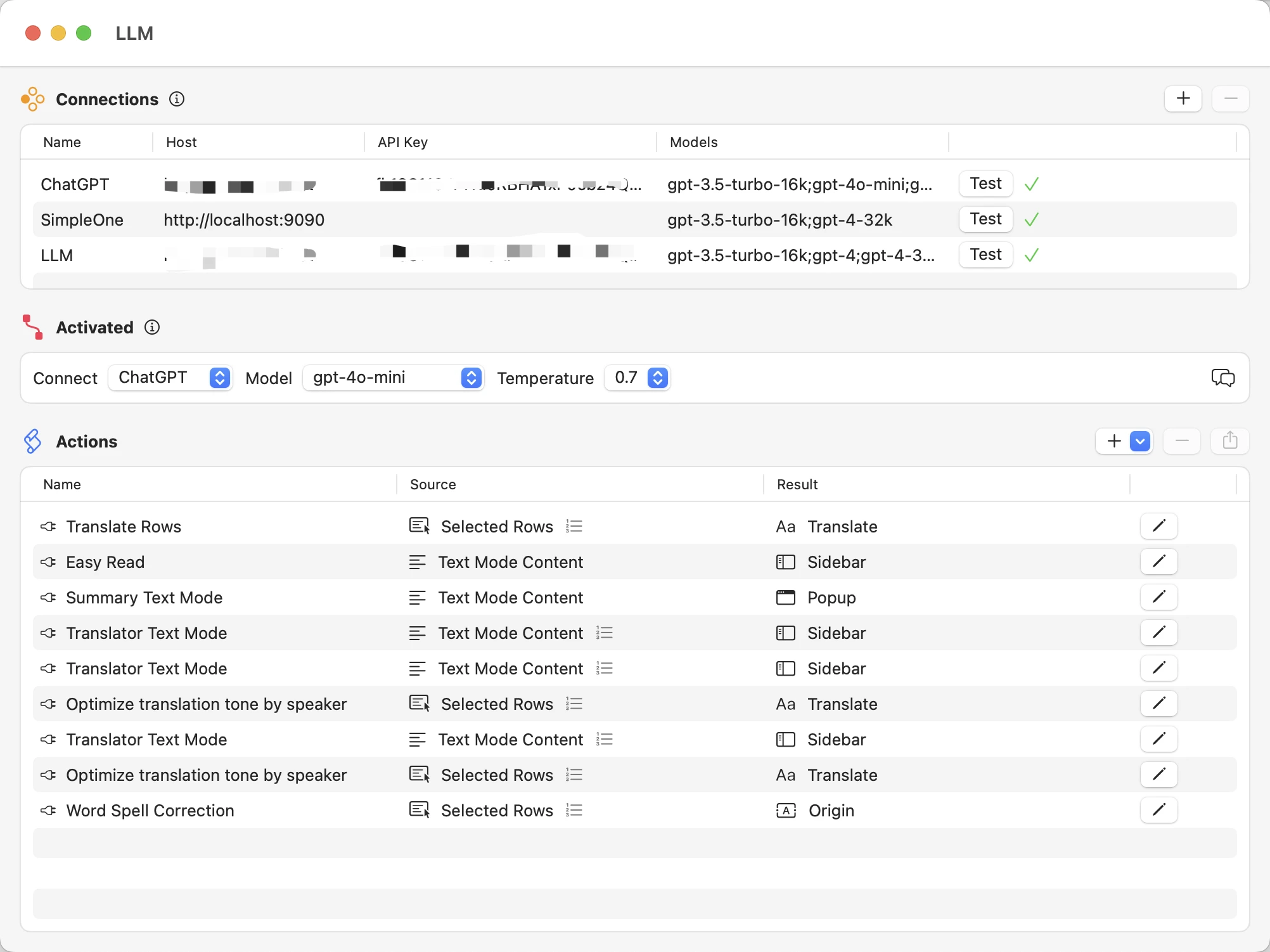
- Omdesignade logiken för att använda LLM-plugin och lade till realtidsavluftsfunktionalitet för LLM-effekter
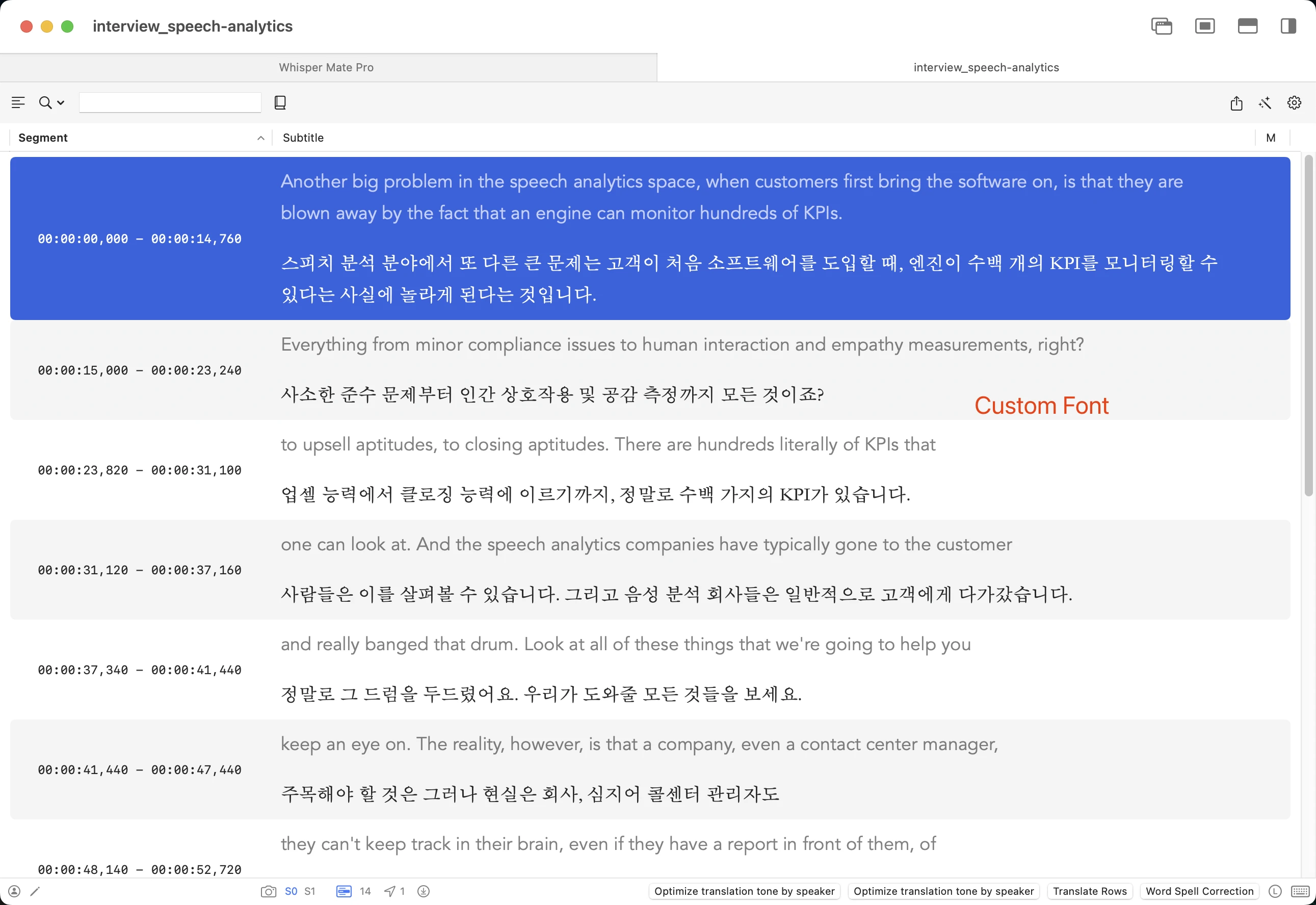
- Lade till stöd för anpassade typsnitt i transkriptions- och översättningsinnehåll
- Optimerade realtidsparametrarna för transkription och filhanteringsgränssnittet
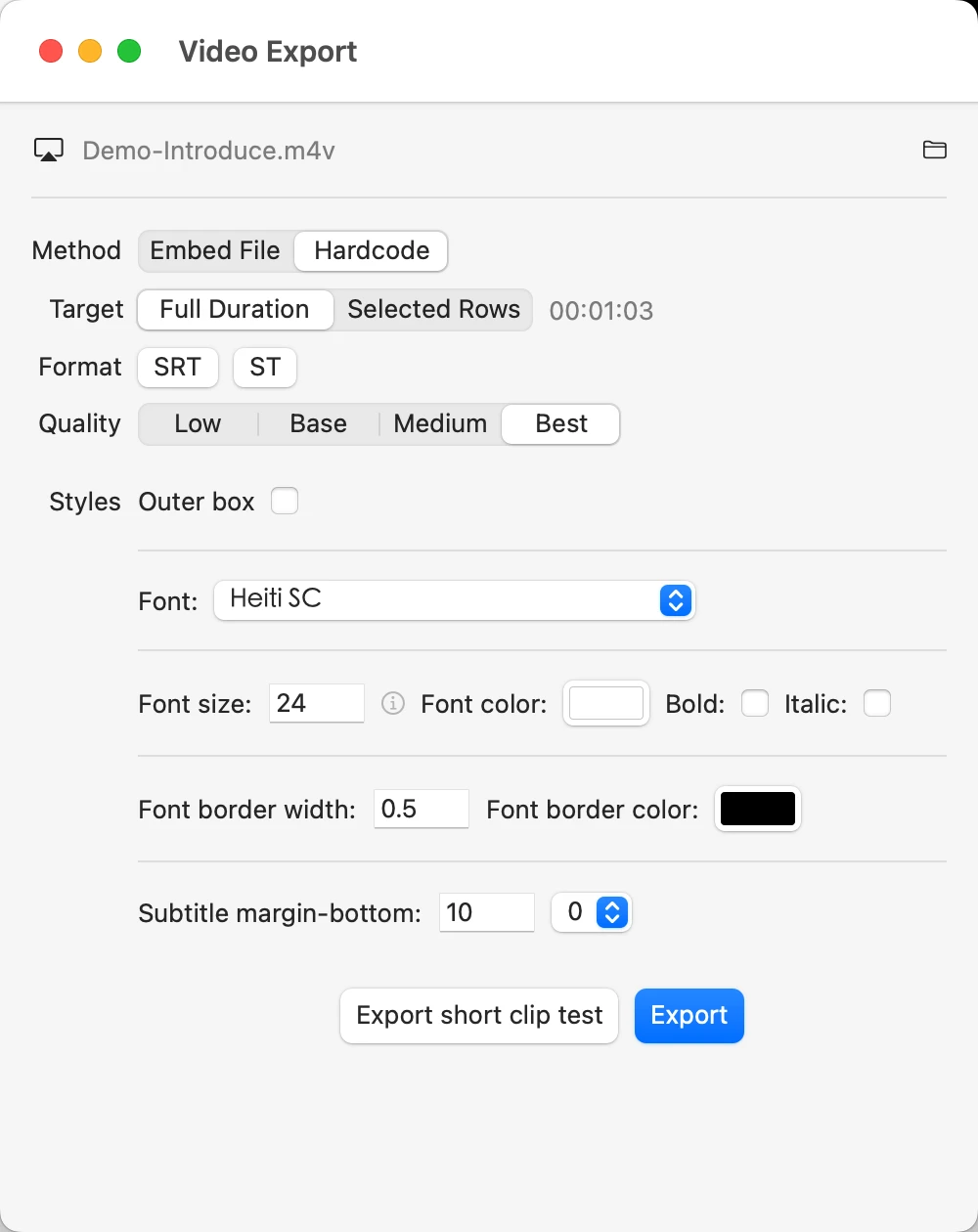
- Exporterade filer stöder nu .mp4-format med undertexter
- Stöder att direkt klistra in pyannote-resultattext i undertextredigerargränssnittet och tolka det
- Stöder användning av simple-one-api som brygga för OpenAI-format
- Under realtids transkription kommer identiska transkriptioner automatiskt att slås ihop till en
- Realtids transkription i fönsterläge stöder nu visning i omvänd ordning
- Lagt till flera stilväxlingar för det lilla fönstret för realtids transkription
- Fixade problemet där filer inte kunde laddas ner
- Optimerade den globala sökfunktionen
V7.0
- Lagt till stöd för WhisperKit som ny transkriberingsmotor. (macOS 13+)
- LLM-exekvering stöder operationer på text i Textläge
- Genvägen för att snabbt växla till textläge ändrades till ⌃+z
- Fick bort flimmer på undertexter i förhandsvisaren.
- Fick bort problem med omtranskribering av intervall.
V6.9
- Lägg till en feedbackfunktion för att låta användare ge förslag eller detaljerade steg för problem.
- Lägg till automatisk öppning i Final Cut Pro efter export av .fcpxml-fil.
- Lägg till genväg ‘z’ för att snabbt växla mellan textvy eller tabellvy i editorn.
- Fixat problem med realtidsavskrivning där flytande fönster stängdes när ESC trycktes.
- Fixat problem med export av mediarange med realtidsinspelningsfil (.caf-format).
- Fixat problem med URL-projekt som inte kan nås när fil flyttas till ny plats.
- Fixat ett problem där vissa formaterade mediefiler inte kunde exporteras.
- Fixat ett problem på macOS 12 och 13 som hindrade appen från att starta efter uppdatering till den senaste versionen.
V6.8
- Lagt till ett alternativ för realtids transkription för att automatiskt skapa ett delprojekt för inspelning varje gång inspelningen startar.
- Fönstret för realtids transkription stödjer snabbväxling till helskärm.
- Lagt till en funktion för att använda systemdelning för att dela textresultat med andra applikationer på resultatgränssnittet.
- Åtgärdat ett problem där vissa filer inte var tillgängliga.
- Åtgärdat ett problem där översättningsfunktionen inte kunde köras i vissa fall.
V6.7
- Under transkriptionsprocessen kan du även utföra en översättningsoperation omedelbart efter att varje rad har transkriberats. Vänligen välj ‘Autoöversätt’ i avsnittet för automatisering och aktivera alternativet ‘Omedelbar’.
- Lägg till snabbväxling av snapshots direkt längst ner i undertextrubriken.
- Kontextmenyn för huvudprojektlistan stödjer batchval av URL-projektets strömformat genom prefixsträng för nedladdning.
- Stöd för att klistra in spellistor till Whisper Mate.
- Lägg till läge för visning av ren text, växla från översta menyn i undertextrubriken.
- Exportmall lägger till en ny variabel ‘projectMemo’.
- LLM-pluginet stödjer att skriva tillbaka resultatet till projektets anteckning eller visa det i ett popup-fönster.
- Fixade ett problem där filer med specialtecken i filnamnet inte kunde bearbetas.
- Fixade sammanslagningsbugg relaterad till avslutande interpunktion i vissa scener.
- Fixade problem med snabb batchöversättning.
- Fixade minnesläckageproblemet i undertextrubriken i version V6.6.
- Fixade problemet där URL-typprojekt inte kunde nås efter att videor flyttats till en ny plats.
V6.6
- Realtidstranskription stöder OpenAI Realtids-API (stöd för Azure-värd)
- Realtidstranskription stöder ordboksfunktionen.
- Realtidstranskription skapar nu en tom ögonblicksbild under realtidstranskription för att transkribera olika delprojekt inom samma överordnade projekt.
- Realtidstranskription stöder nu att anropa översättning även om meningen inte har blivit helt erkänd ännu. Det rekommenderas att använda Apples inbyggda maskinöversättning (gratis, macOS 15+).
- Inbäddad spelare stöder 0,25x, 0,5x, 0,75x uppspelningshastighet (genväg ⌥⌘[ och ⌥⌘]).
- Inbäddad spelare stöder genvägen ⌘+⇧+(+/-) för att snabbt ändra förhandsgranskningens undertextstorlek.
- Inbäddad ChatGPT stöder Azure OpenAI-värd (se onlinehjälpen för att få mer information).
- Undertextredigeraren stödjer snabb inklistring av SRT-innehåll som en ögonblicksbild (du kan först exportera SRT-innehållet, sedan använda GPT för att låta AI sammanfoga rader och optimera grammatiken, och sedan kopiera det återvändande SRT-formatet för att klistra in det tillbaka i en ögonblicksbild i Whisper Mate).
- Undertextredigeraren stöder synkronisering med den motsvarande spelarens förhandsgranskningsposition när du växlar mellan undertextlinjer med hjälp av upp- och ner-piltangenterna.
- Markerade projekt kommer nu att fästas högst upp i projektlistan.
- Bränna hård undertext och exportera .mkv-formatet stöder nu endast export av valda radrange.
- Lägg till funktion för att automatiskt koppla ihop ofullständiga undertextlinjer till nästa linje baserat på efterföljande avslutande skiljetecken.
- Fixade problem med snabbklippfunktionen.
- Fixade problemet där automatisk rullning inte rullade till det synliga området under realtidstranskription med automatisk översättning.
- Fixade export av .mkv som inte satte standardundertextspåret.
- Fixade problemet med spelarens progressionsfält som skakade vid dragning.
- Andra mindre problem är åtgärdade.
V6.5
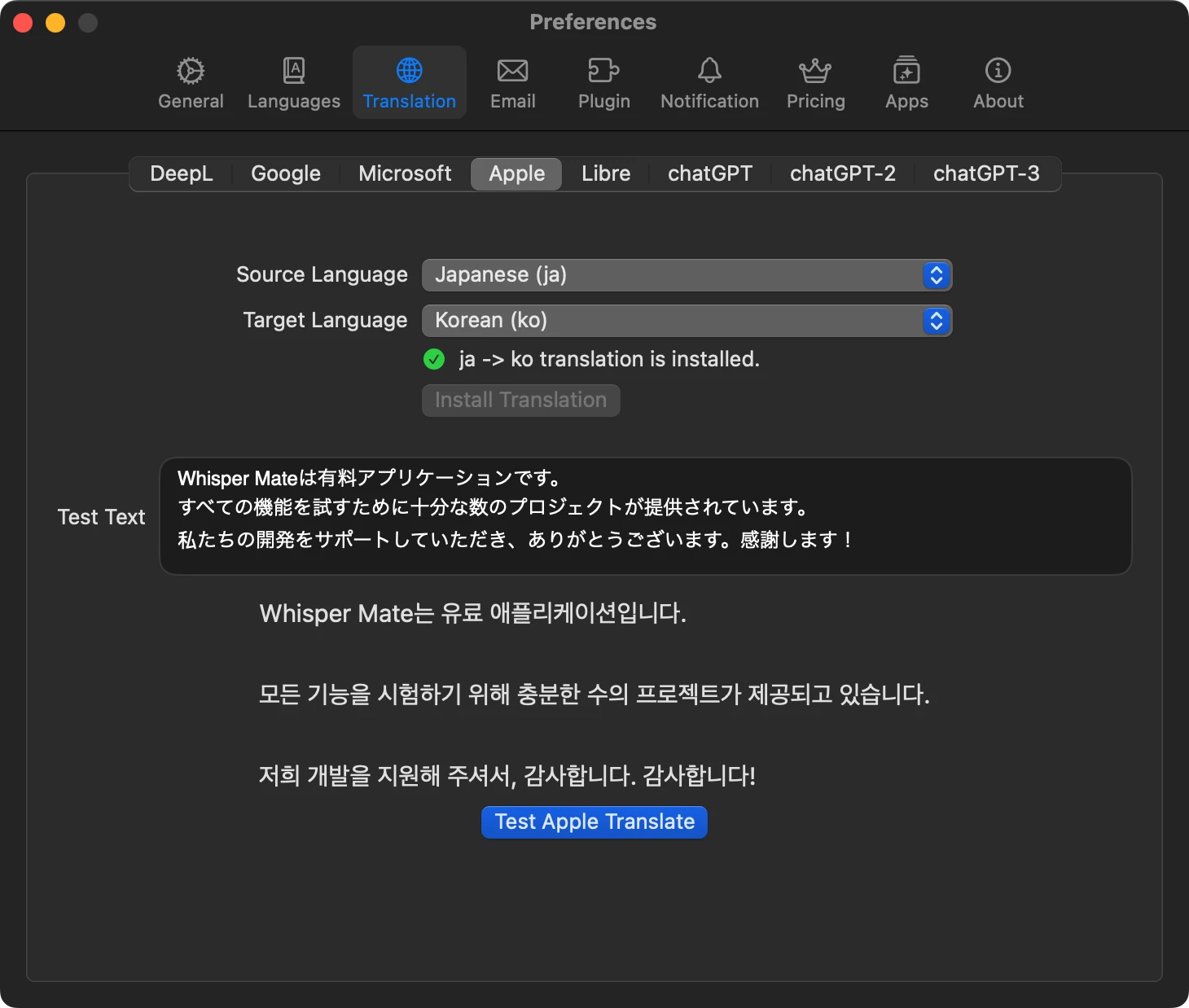
- Översättningen för Apple stödjer macOS 15+.
- Exempel på modeller som har lagts till exporten till Final Cut Pro-formatet (.fcpxml) med översatt text.
- Problem med användargränssnittet i macOS 12 och 15 har åtgärdats.
- I undertextredigeraren kan befintliga .srt-filer nu dras och släppas som undertextbilder i videoprojekt.
V6.3
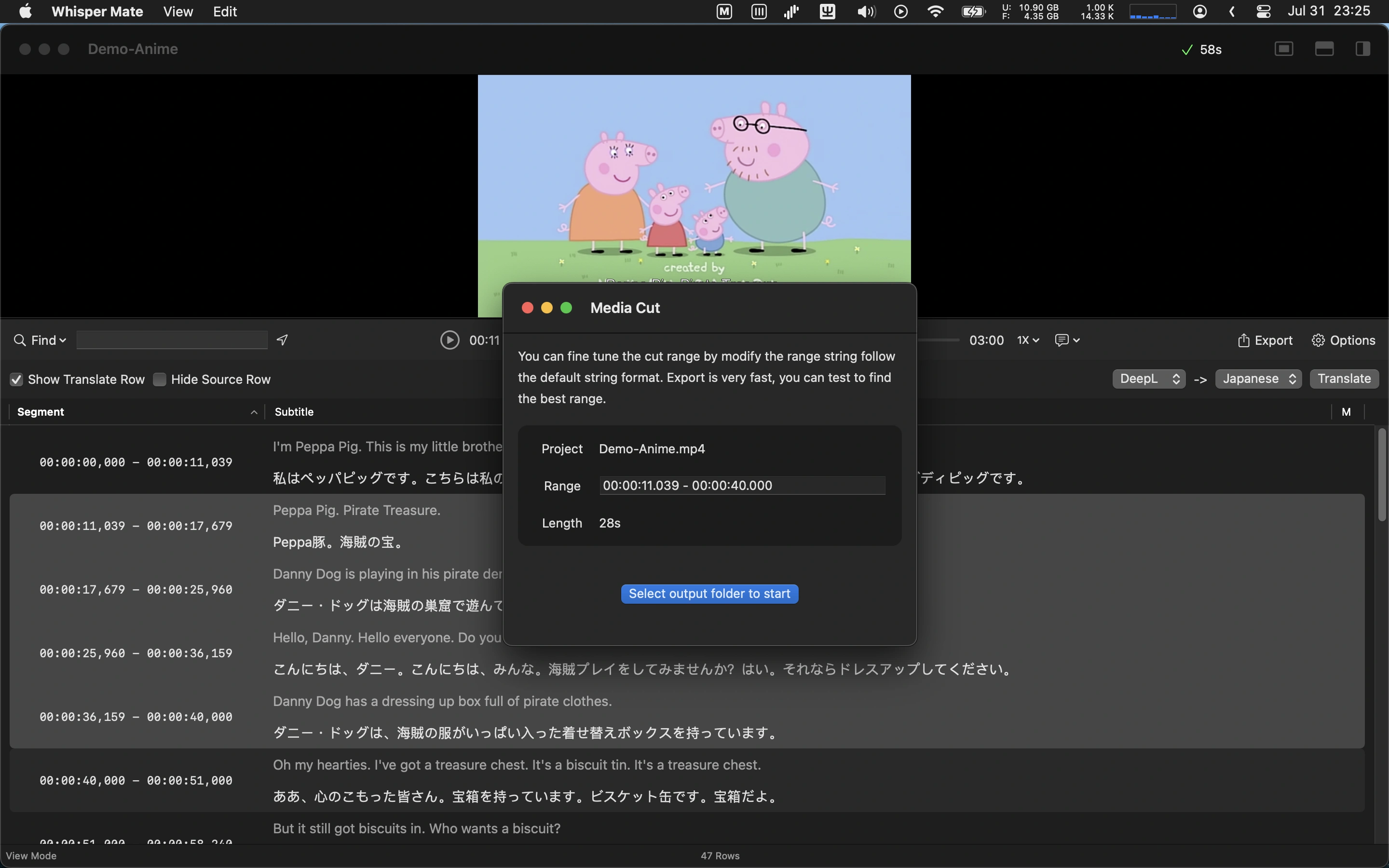
- Lagt till ny brusreduceringsalternativ för allmän scen
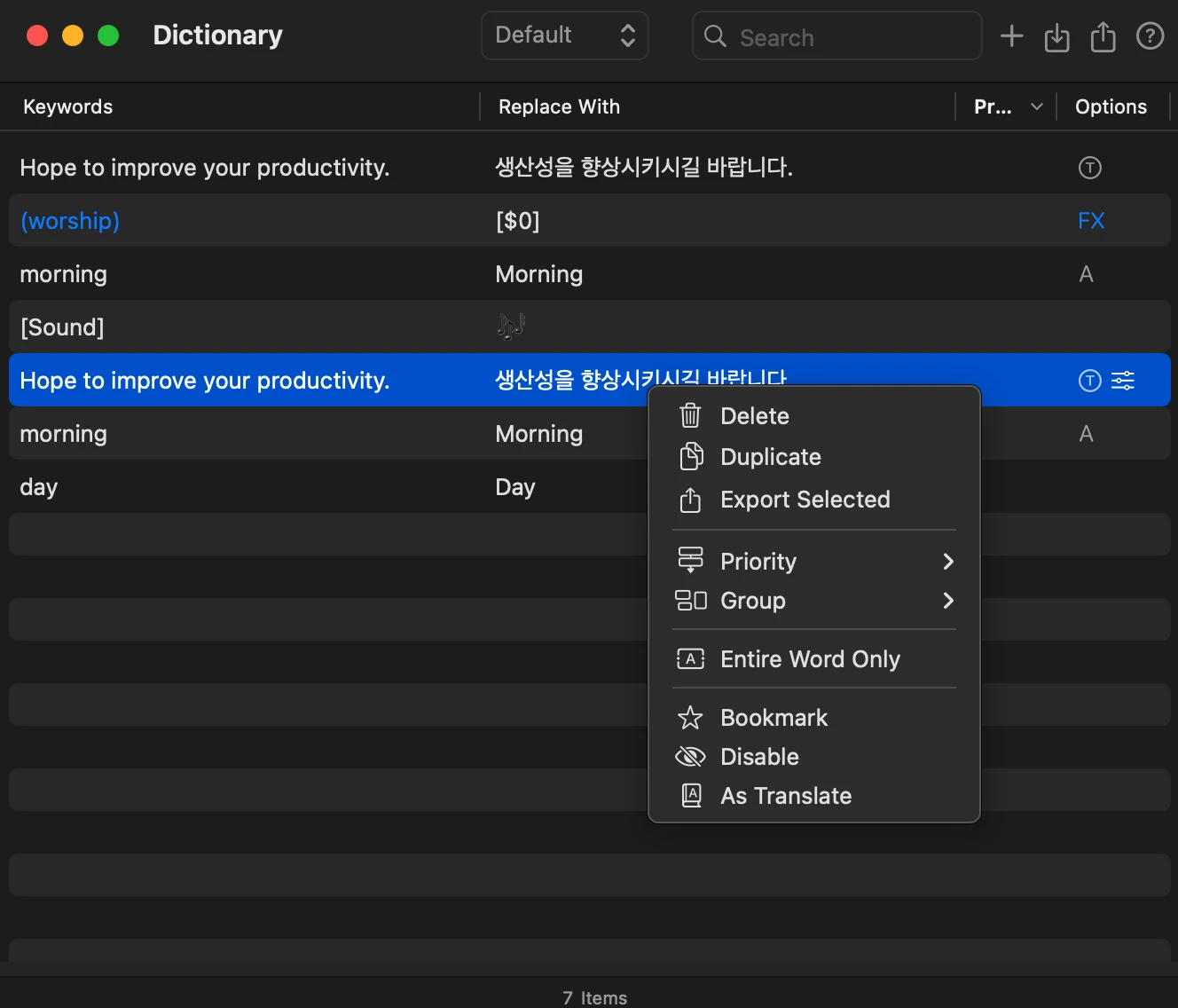
- Lagt till en ordförståelsefunktion som gör att vanliga fraser eller ord kan ersättas direkt med målsättningsfraser och ord
- Buggfixar och prestandaförbättringar
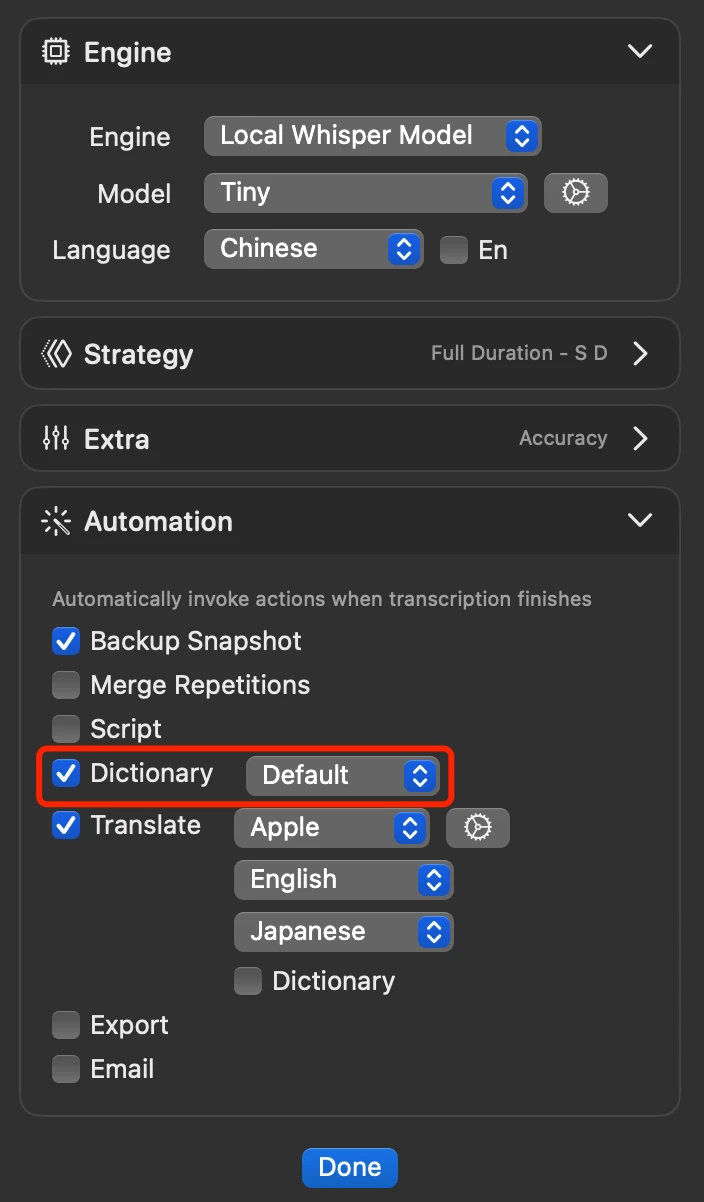
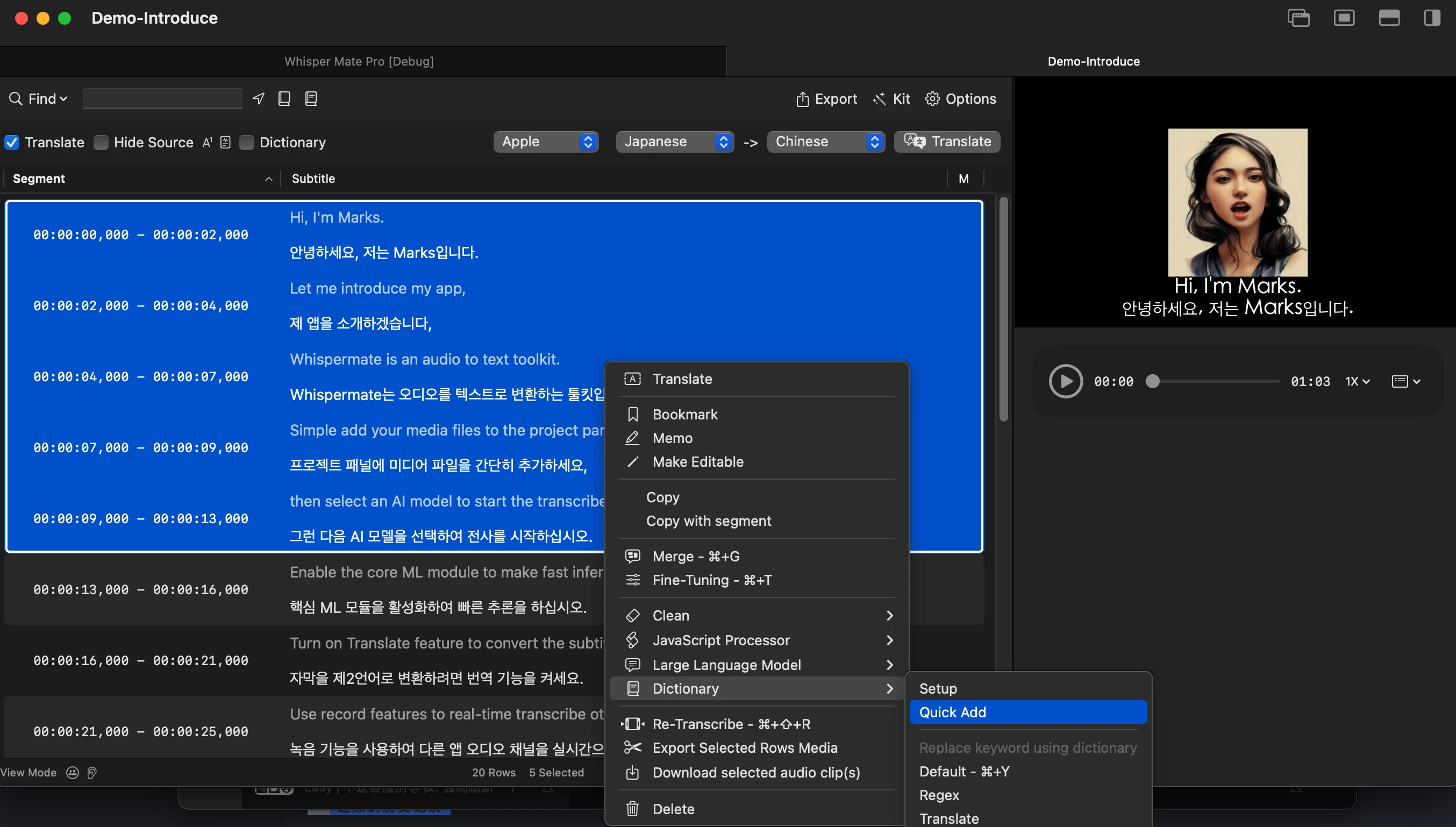
V6.2
- .gguf-format stöder lokala modeller
- Problemet med att ladda ner blockerade URL:er har lösts
- Flera stavfel i översättningarna har åtgärdats
V6.1
- Lägg till ett alternativ för att transkribera endast de första minuterna av data (för att testa påverkan av modellens parametrar).
- Lägg till ett alternativ för att automatiskt markera dubbla meningar när automatisk sammanfogning inte används. Använd F2-tangenten för att snabbt gå vidare till nästa dubbla mening. Du kan välja om du vill transkribera eller sammanfoga dubbla segment efter behov.
- Lägg till möjligheten att exportera video och undertexter i .mkv-format.
- Utöka alternativen för hårdkodade undertexter.
- Lägg till exportexempel för Final Cut Pro för modeller i fps30, fps50, fps59.94.
- Uppdatera användargränssnittet för att stärka funktionaliteten för omorganisering av områden och erbjuda stöd för snabb aktivering via tangentbordsgenvägar.
- Lös problemet där LLM-automation inte utlöses som översättare.
- Lös problemet med globala tex sökningar i undertexterna.
- Lös problemet där vissa ljudfiler genererar duplicerat innehåll.
V6.0.3
- Problemet med gränssnittets frysningsproblem har lösts.
- Du kan nu klicka på färgikonen i projektlistan för att ta bort den.
V6.0.2
- Automatisk import av standard SRT-filer kommer nu att hämta texten för översättning när den visas i tabellen.
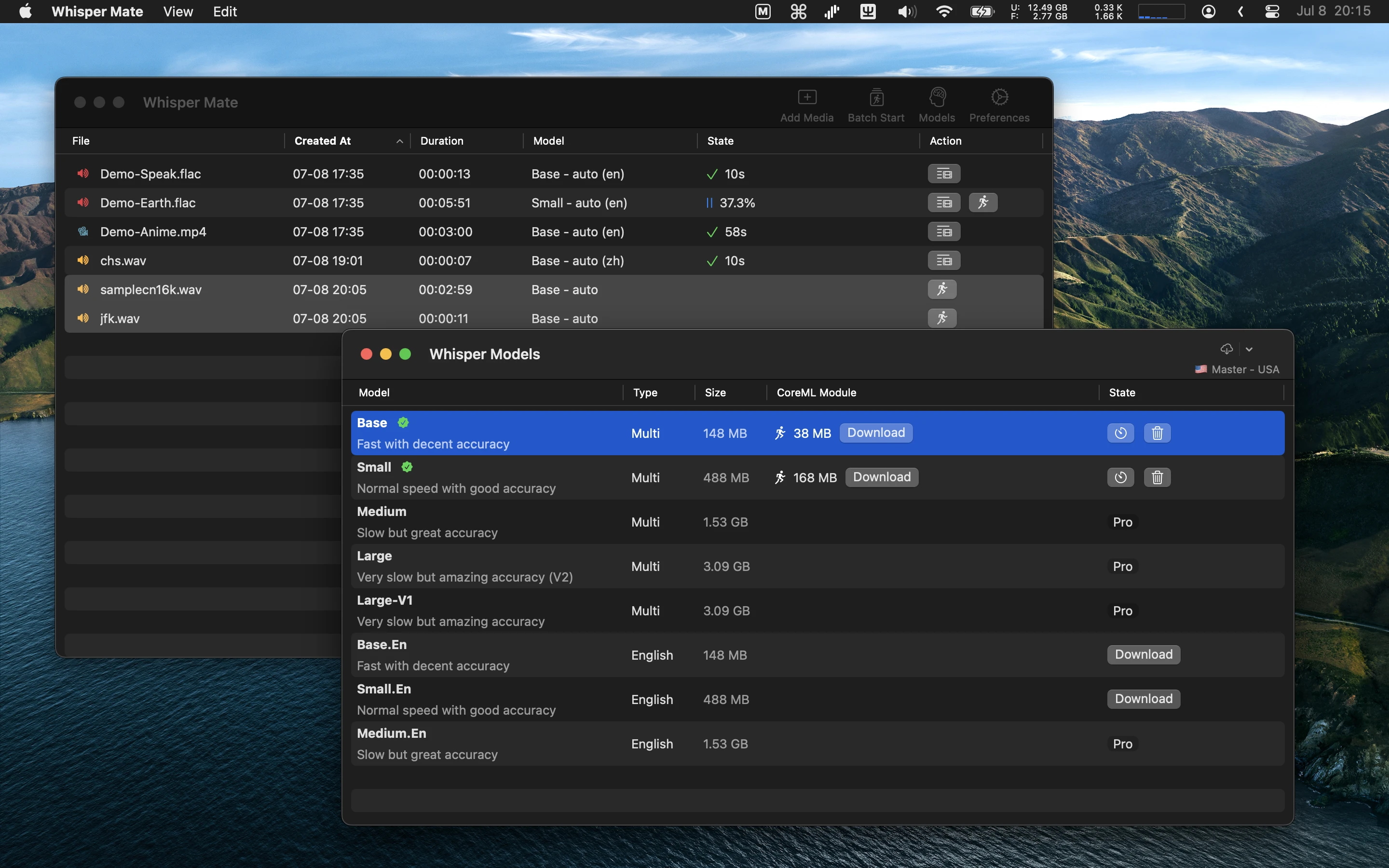
- Extra Whisper-modeller har lagts till i Cloud-fliken.
- Åtgärdade problemet med att inte visa modellens namn i användargränssnittet.
- Åtgärdade problemet med begäranden för molnbaserade modeller.
V6.0.1
- Du kan ändra inställningar för LLM Chattfönster i projektlistan. Som standard är den inaktiverad och du kan aktivera eller inaktivera den efter behov.
- Du kan ladda ner ljudfilen från projektlistan som en .flac-fil (högerklicka på huvudvisningen).
- Vi har lagt till fler genvägar för molnchattar på molntabben.
- Löst problem med filåtkomstbehörigheter.
V6.0
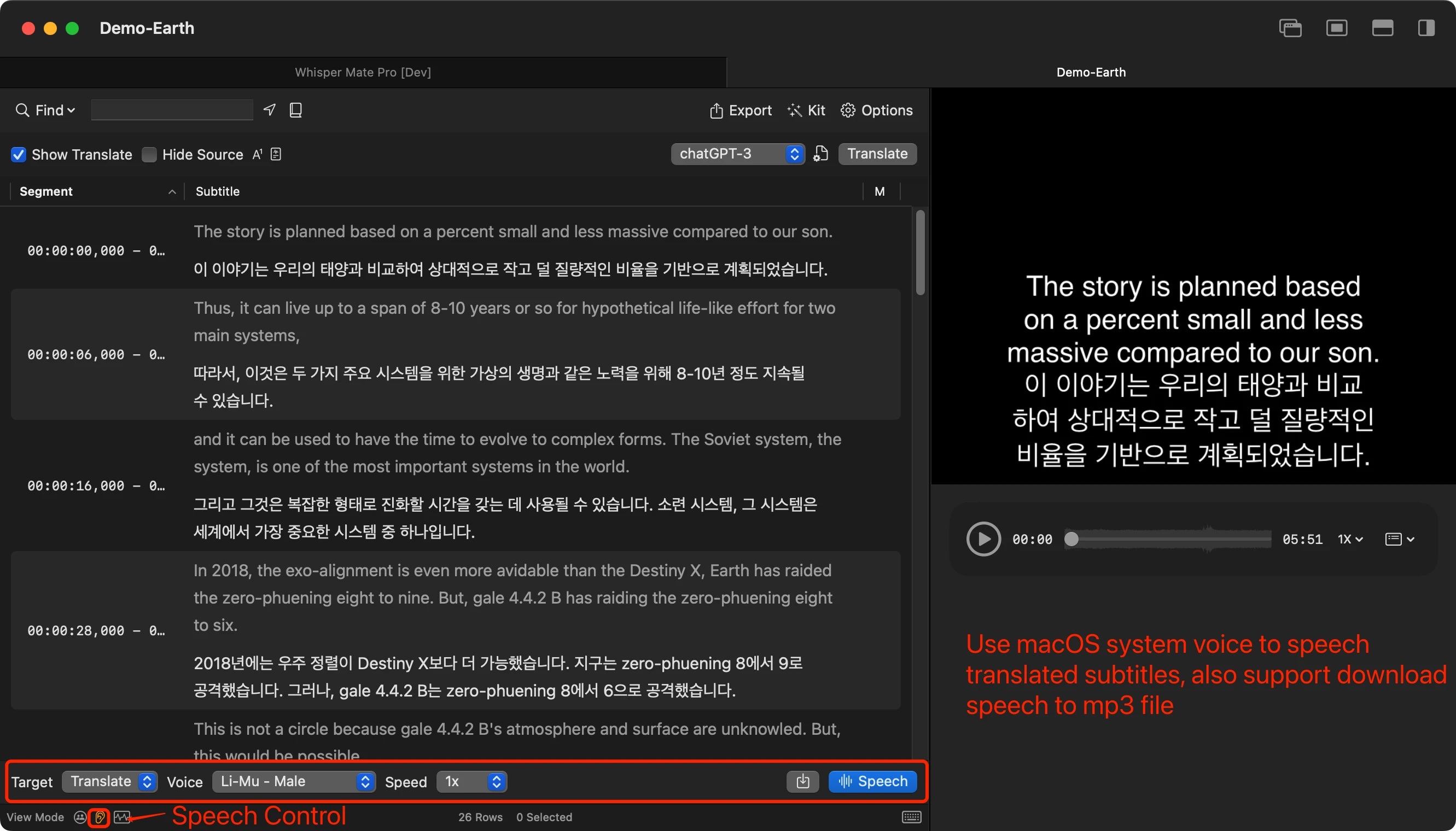
- Lagt till stöd för tal-till-text-funktion för att få ljud.
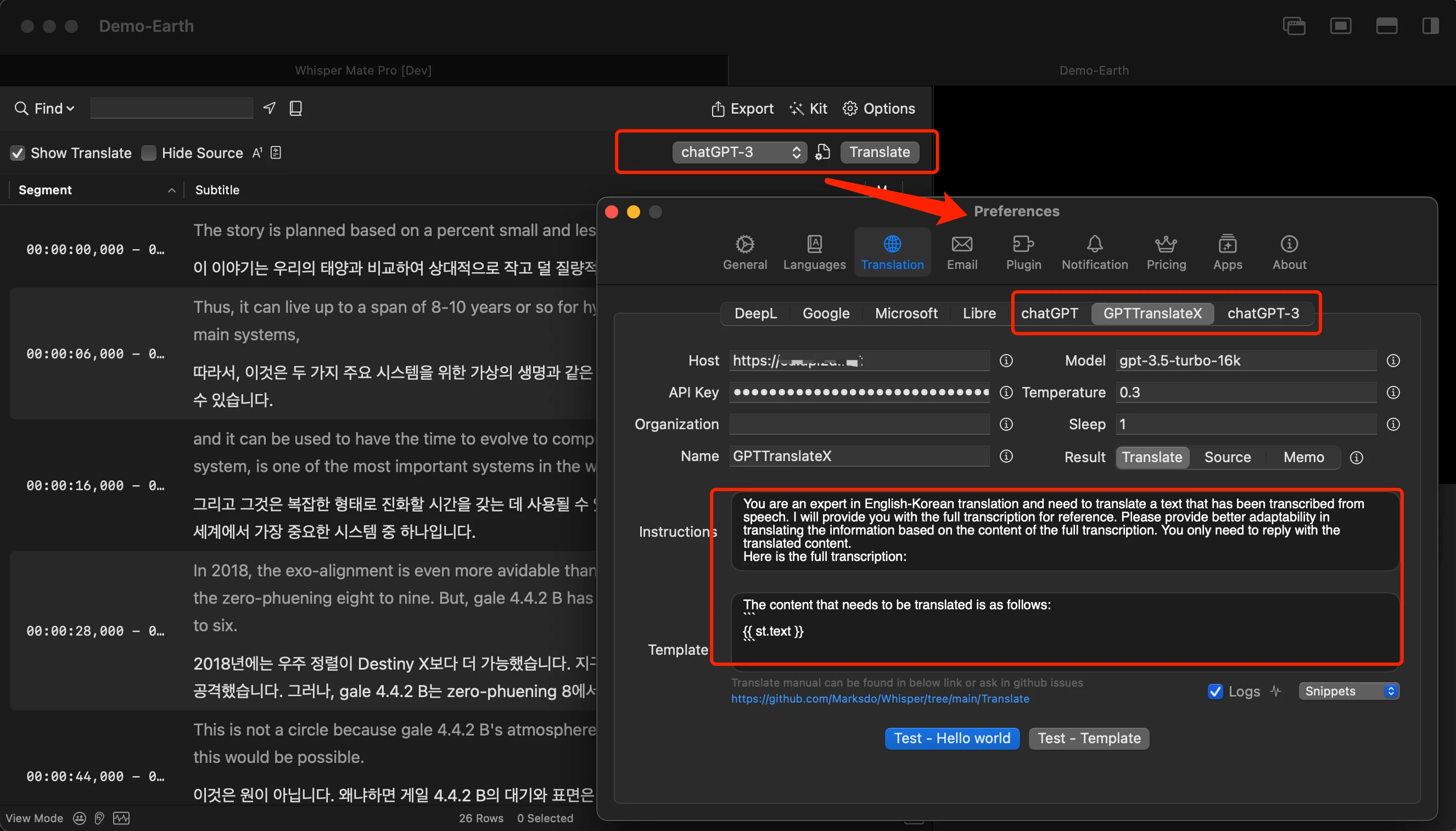
- Lagt till textöversättningstjänst med hjälp av LLM-tjänsten.
- Lade till LLM-modellplugg med stöd för anpassning av smarta förkortningar. Används snabbt för att spela in ljud från möten, intervjuer osv.
- Lade till ett exempelskript i JavaScript som visar hur man kan slå samman eller dela upp meningar med hjälp av specialtecken (t.ex. . ? !). Whisper V2 delar ibland upp meningarna på flera rader, men detta skript slår samman dem automatiskt och tillåter användning av anpassade uppdelningsinstruktioner för meningar.
- Lades till standardalternativ för modellspråk med stöd för vikning.
- Lade till “blinka uppmärksamhet” -alternativ i avsnittet “Model Strategy” (endast kompatibelt med Apple Silicon-enheter och förbättrar transkriptionskvaliteten med 25%).
- Tillät att .wav-filer kan laddas ned i .mp3-format från projektet.
- Ändrade högerklicksmenyn i textredigeringsfönstret för att direkt anropa JavaScript-processorn.
- Stöd för anpassade teckensnittsstorlekar i textredigeringsfönstret.
- Lade till möjlighet att direkt ladda ned modellfiler via webbläsaren (alternativet finns i fliken “Modell Dokumentation”).
- Rättat: problem där textredigeringsfönstret inte automatiskt scrollade under förhandsgranskning.
- Rättat: problem där markerade rader inte placerades korrekt.
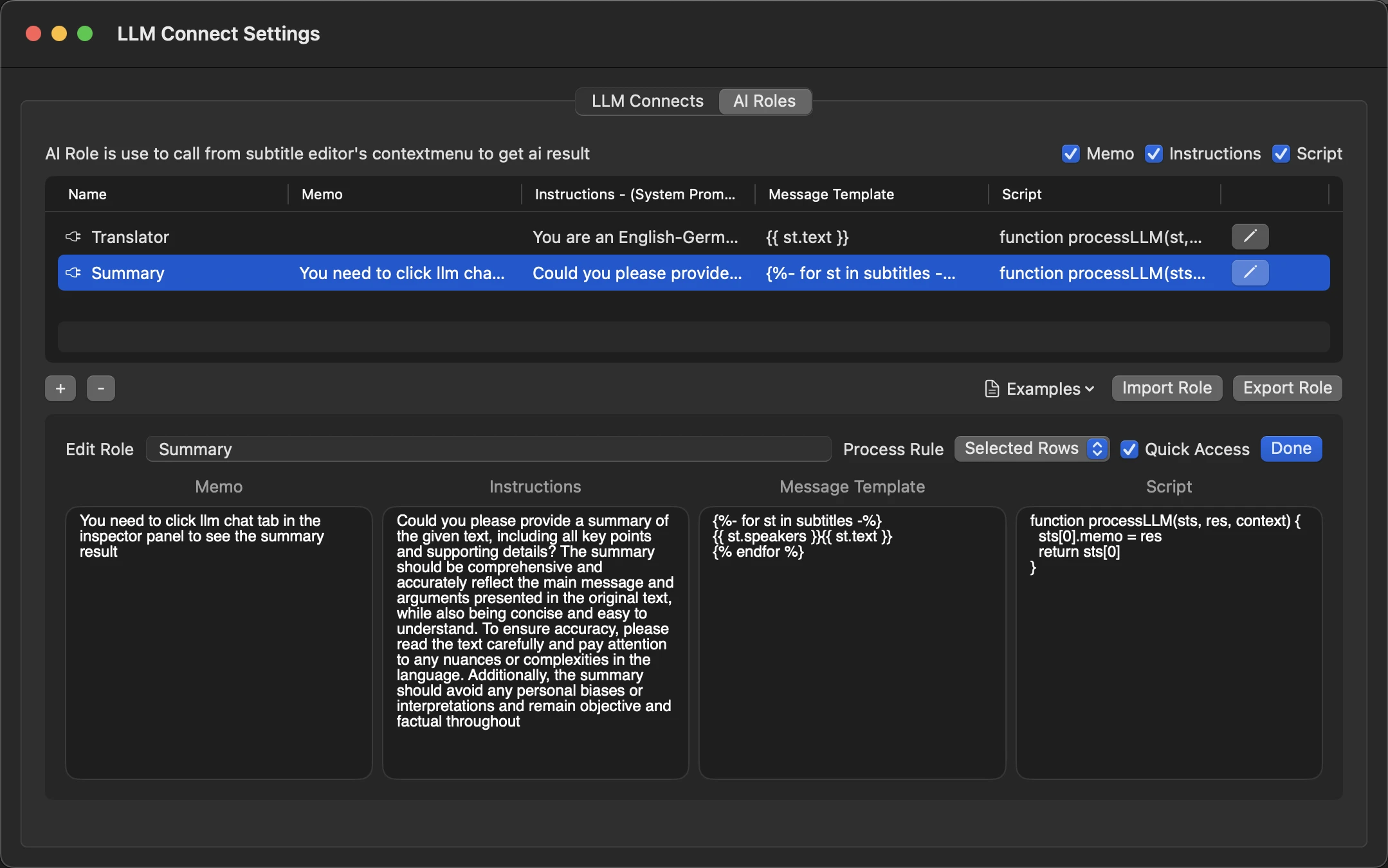
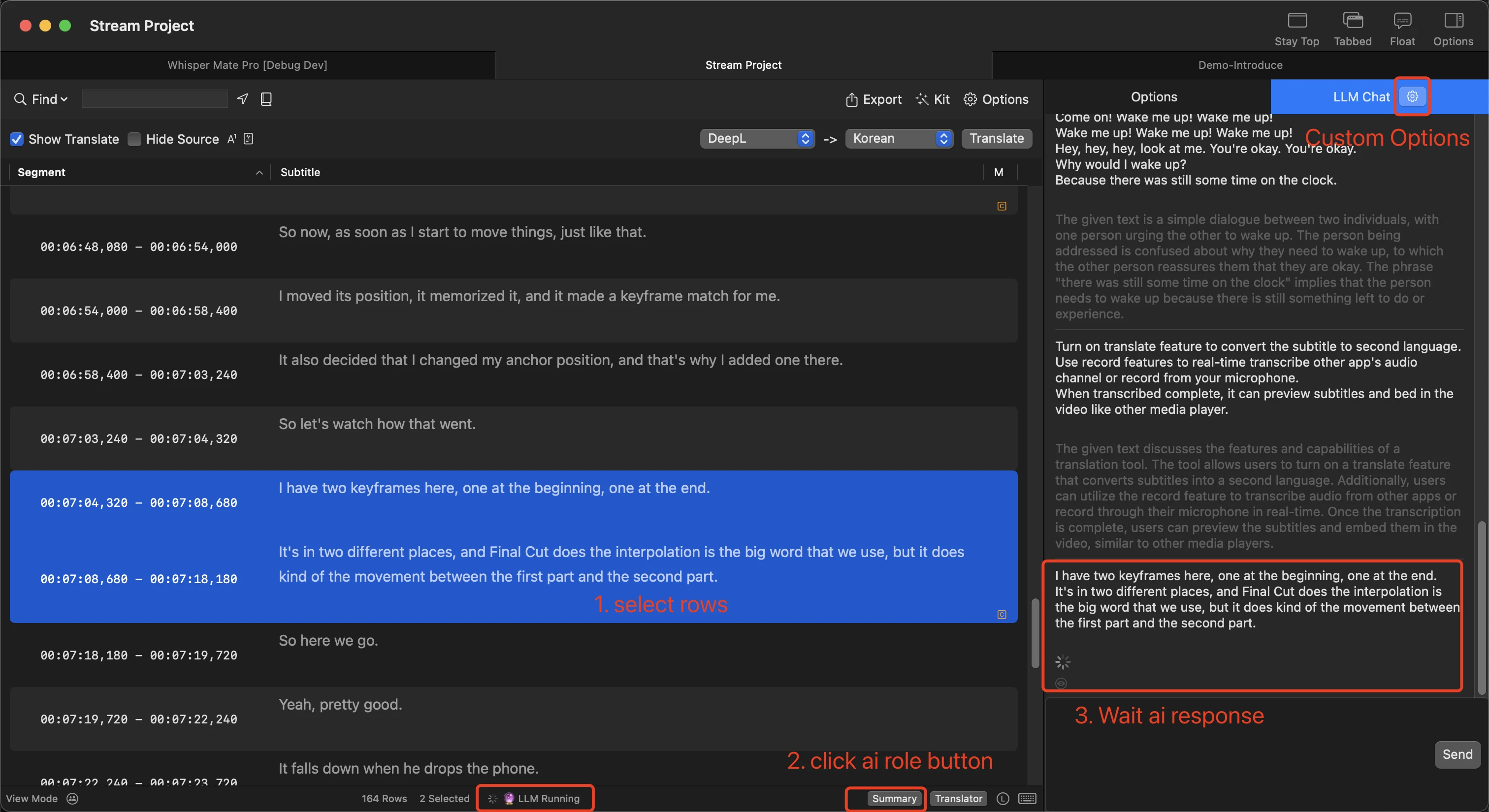
V5.5.3
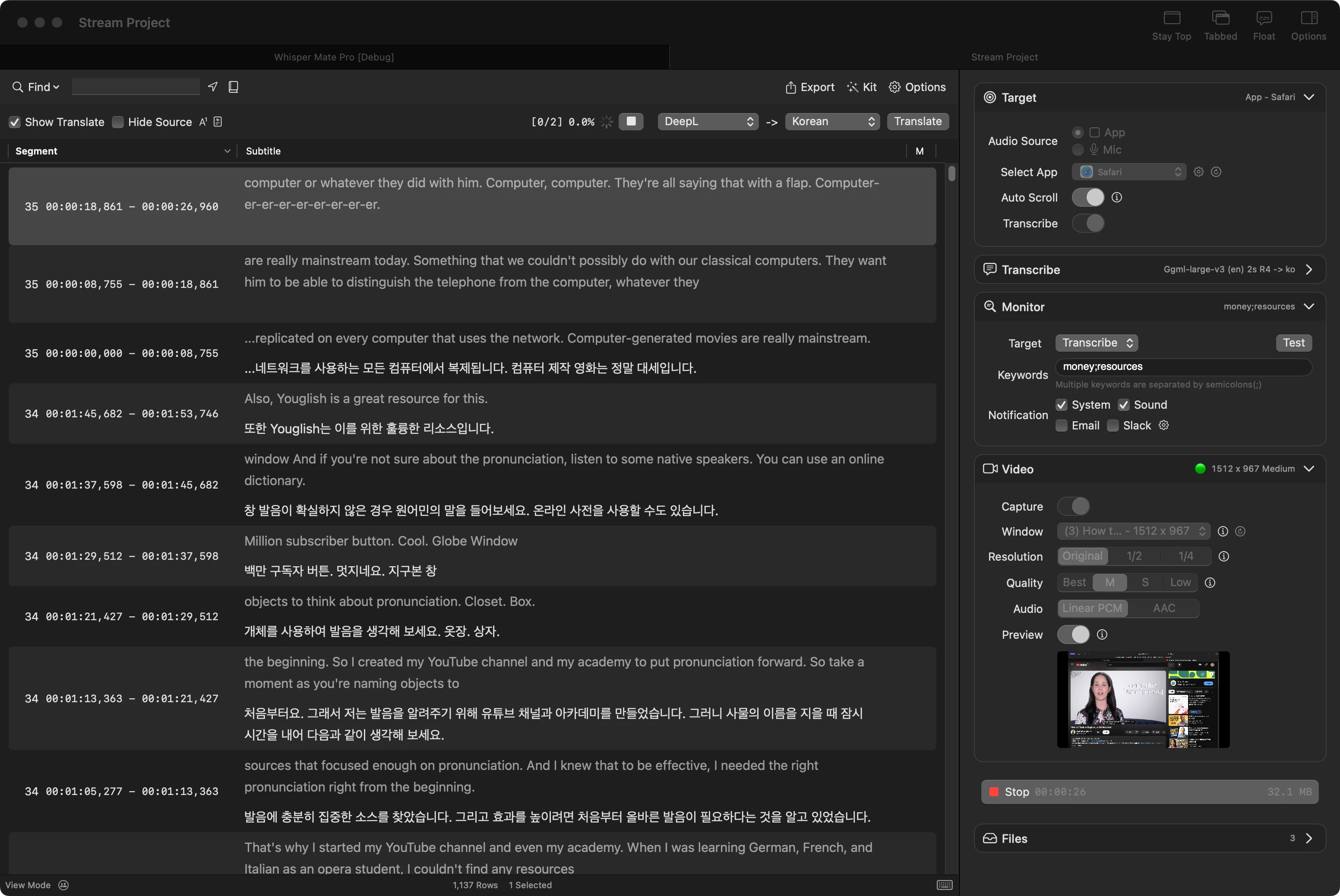
- Lägg till funktionalitet för realtidsavskrift och inspelning av skärmdumpsvideo.
- Lägg till funktionalitet för realtidsavskrift och övervakning av nyckelord med möjlighet att få e-post, Slack och systemmeddelanden.
- Lägg till stöd för realtidsavskrift med konfigurerbar ljudintervall i sekunder och maximalt antal rader.
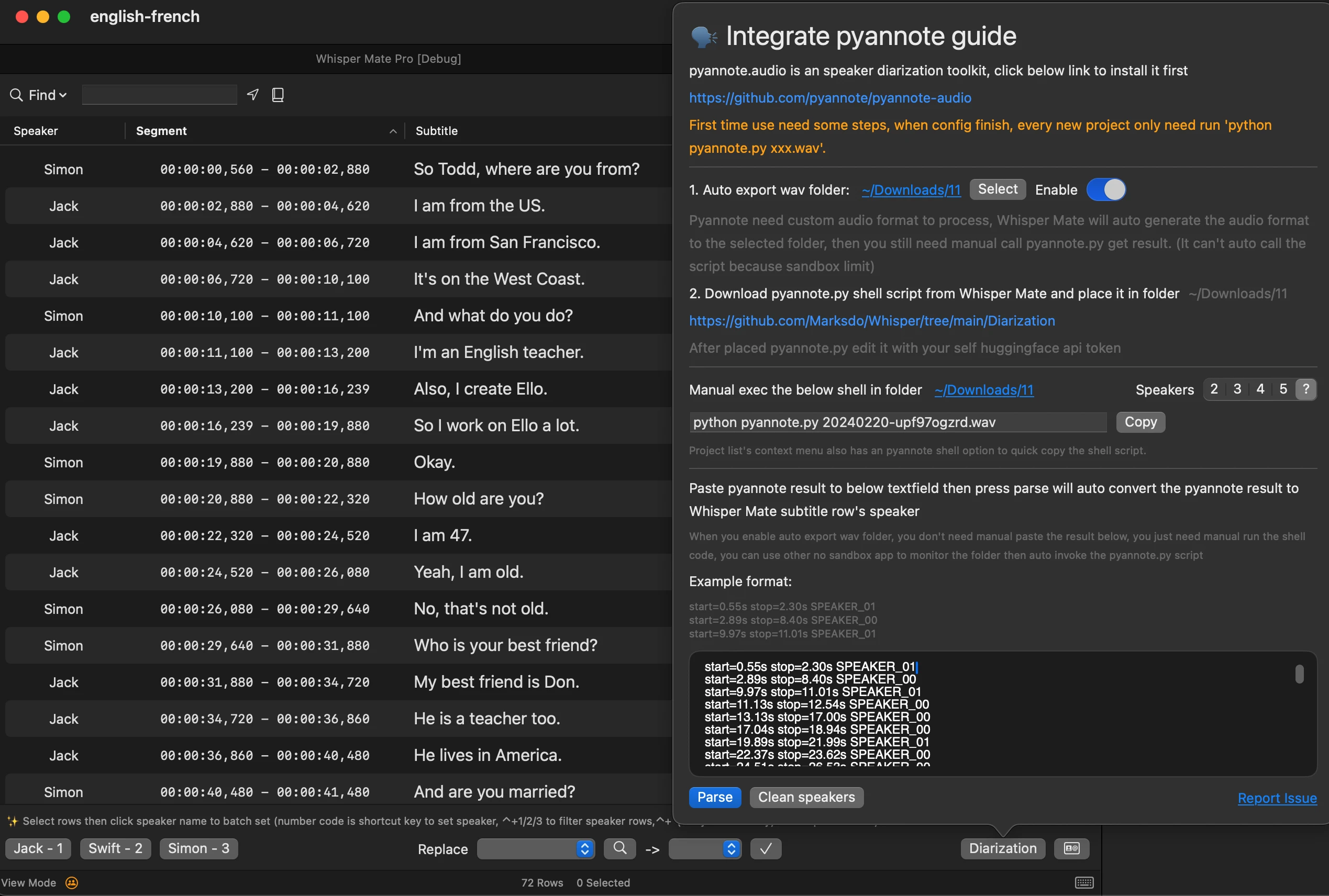
- Lägg till exportstrategi för Pyannote-segmentering (valfritt: manuell export för hela projektet eller från snabbmenyn).
- Uppdatera realtidsavskrift.
- Uppdatera realtidsavskrift med möjlighet att använda den nya Deepgram-modellen.
- Fixa en bugg relaterad till specifika mediefiler.
- Fixa en bugg relaterad till fcpxml-modellen.
V5.5.2
- Jag har lagt till stöd för undertextsbehandling i Pyannotes taligenkänningresultat.
- I det nya projektet för medieuppspelningservice kan både ljudfiler och undertexter spelas upp nu.
- Lägg till alternativ för att dölja högtalarnamnet i mediaspelaren (även om högtalarnamnet inte är tomt).
- Lägg till speciella funktioner för standardmodellen: ta bort|avrunda|utföra uppgiften|ange variabel|MS FR-format.
- Lägg till en funktion i standardmodellens visningsmeny för att exportera speciell modell till FCPXML-format med 29.97 FPS bildfrekvens.
- Lägg till en funktion i standardmodellens visningsmeny för att exportera specialmodell till Legendas DS fps 25 (.txt)-filer.
- Åtgärdat förseningsproblemet vid inladdning av slug-sidan med Turbine AI-modellen.
- Alla funktioner i .fcpxml-modellens exportskript har uppdaterats.
V5.5.1
- Var god korrigera eventuella fel i den automatiska översättningen efter att projektet är färdigt.
V5.5.0
- Lades till alternativ för Deepgram nova-2-modellen.
- Lades till en dialogruta där användaren kan justera genomskinligheten för att hantera realtidsavskrivningen.
- Lades till ett alternativ för att endast visa resultatet av realtidsöversättningen.
- Lades till ett alternativ för att anpassa stilen (bakgrundsfärg, textfärg) i realtids-popupfönstret.
- Åtgärdade ett problem som ignorerade automatiseringsinställningarna vid användning av Deepgram-transkriptionsmodellen.
- Åtgärdade ett problem där realtidsavskriftsfönstret förblev öppet.
V5.4.9
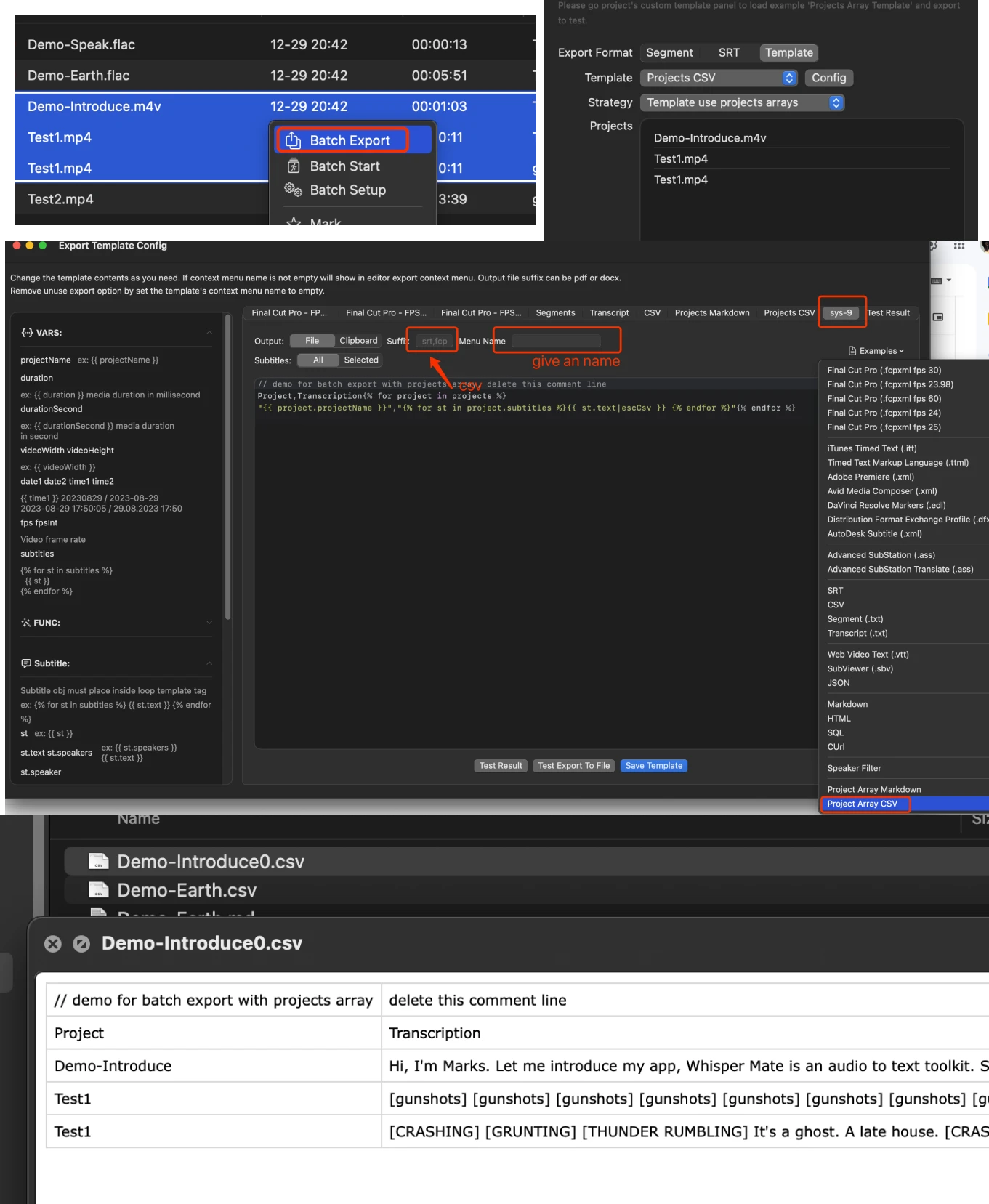
- Lägg till funktionen för satsvisa exportmallar för projekt, den kan exportera resultatet av de valda projekten i en fil från mallskriptet
- Felkorrigeringar och prestandaförbättringar
V5.4.8
- Lägg till sekretessinställningar i huvudfönstrets bottenstatusfält, kan inaktivera händelseanalys och kraschrapport och lokal logg
- Lägg till skriptexempel för att ta bort rader som matchar villkor
- Lägg till skriptexempel för att ersätta undertexter som ser ut som ‘(Music) * Music * [Music]’ med tom sträng
- Lägg till skript för att spara egenskaperna .memo, .markWarn och .warnMsg
- Lägg till alternativ för fördröjning av undertextvisning i förhandsgranskaren
- Lägg till verktyg för att massändra start- eller sluttid för undertexter i undertextredigeraren
- Lägg till (⇧)+←→-genväg i undertextredigeraren för att snabbt hoppa i förhandsgranskaren med 5 eller 30 sekunder
- Lägg till högtalarstyrningsfält och stöd för snabbinställning med genvägar
- Fixa problemet med att undertexter inte kan gömmas i förhandsgranskaren
- Fixa problemet med att mallredigeraren inte kan klippa text till urklipp och inte kan välja genom att dra
- Fixa formatet för tidsspannet .t0f5 .t0f4 .t0f2 i anpassade mallar, returnerar fortfarande 3 siffror i millisekunder.
V5.4.7
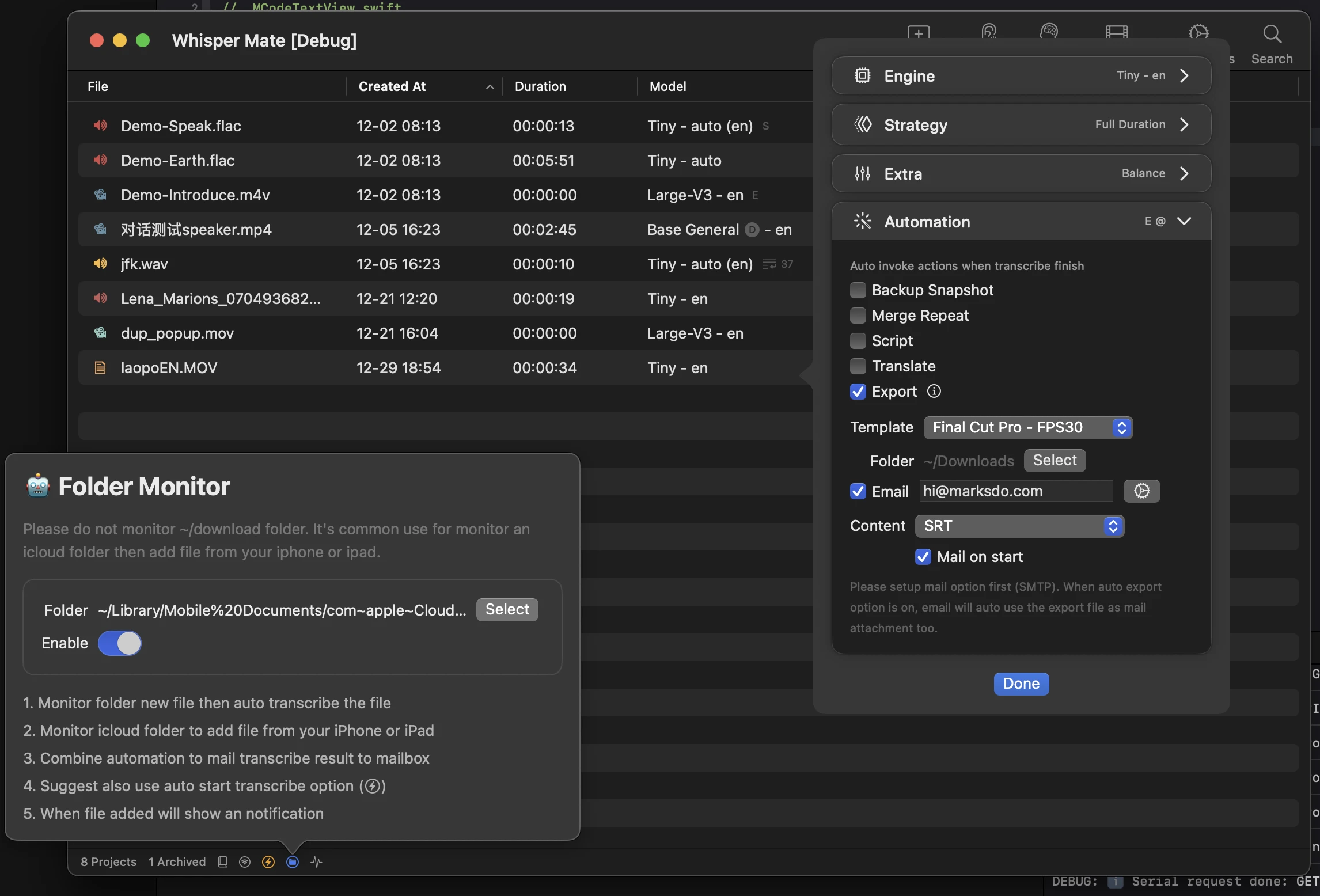
- Lägg till automatisk start av projektalternativ när en fil läggs till i projektlistan (växla på huvudfönstrets statusfält längst ned)
- Lägg till automatiseringssteg för automatisk export av filen till anpassad mapp
- Lägg till automatiseringssteg för att skicka resultatet via e-post till din e-postkorg (det kan automatiskt använda det föregående automatiserade exportresultatet som bilaga)
- Uppgradera mall- och JavaScript-redigeraren för att åtgärda kraschproblem
V5.4.6
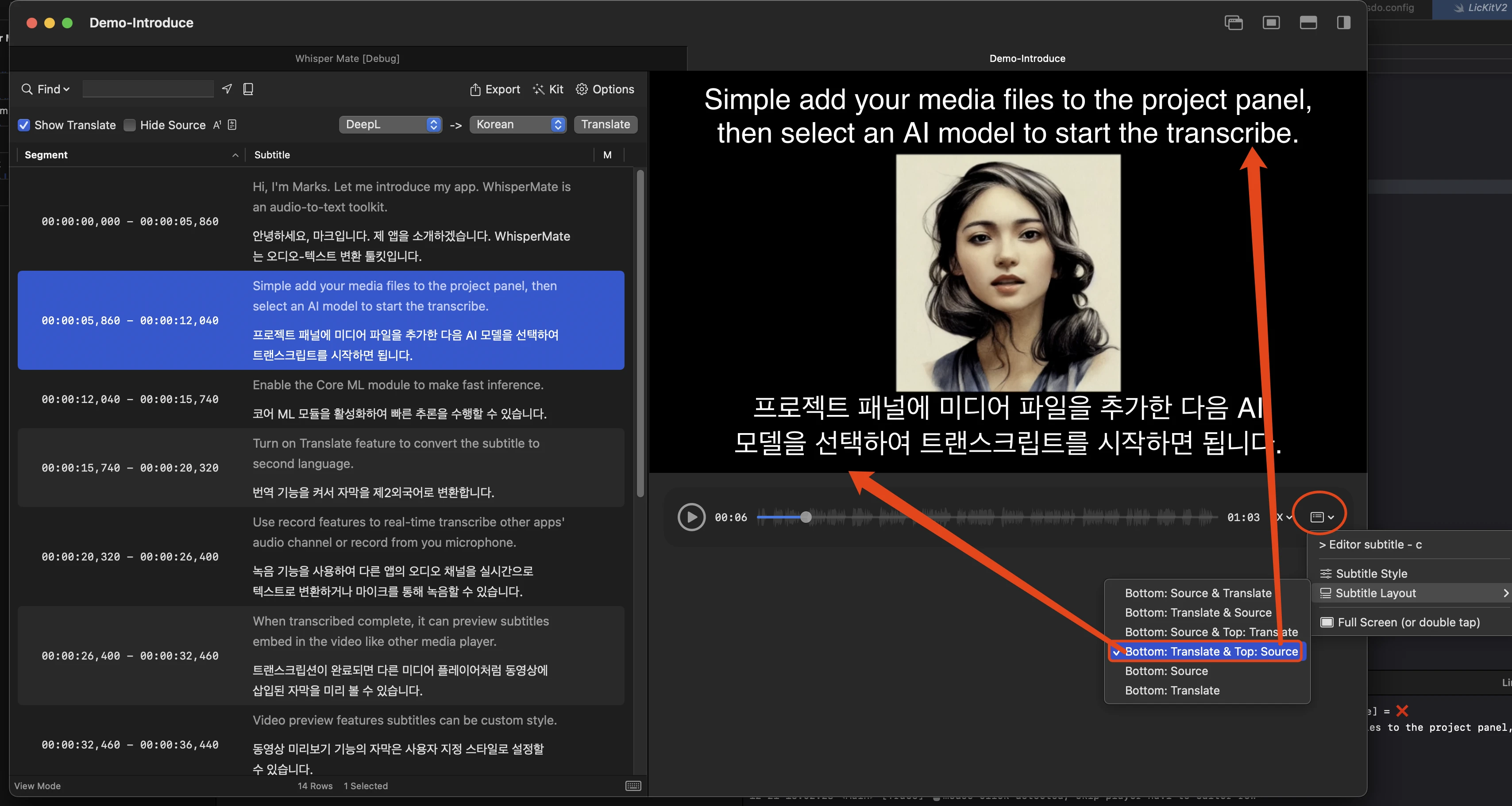
- Lägg till layoutalternativ för förhandsgranskning av mediaundertext, källetranskriptet och översatt undertext kan kontrollera visningen upp eller ned.
- Lägg till stor v3 coreml-modell.
- Lägg till genväg ⌘+⌥+f eller dubbeltryck på förhandsgranskningen för att snabbt växla till helskärm.
- Vissa genvägar stödjer nu att trycka enstaka tecken för att aktiveras (slå samman, dela, finjustera).
- Efter sammanslagning av undertext är nu den första sammanslagna raden automatiskt markerad.
- Avbröt kopplingen av standardappen för att öppna whisper mate för ljud- och videofiler.
- Löst några kraschfel i V5.4.5.
- Löst problem med notifikationsvisning.
- Löst vissa översättningsproblem.
V5.4.5
- ❗Universal Version kanske behöver laddas ner igen. Eftersom jag uppgraderade min utvecklingsenhet och glömde spara den allmänna distributions EDKey.
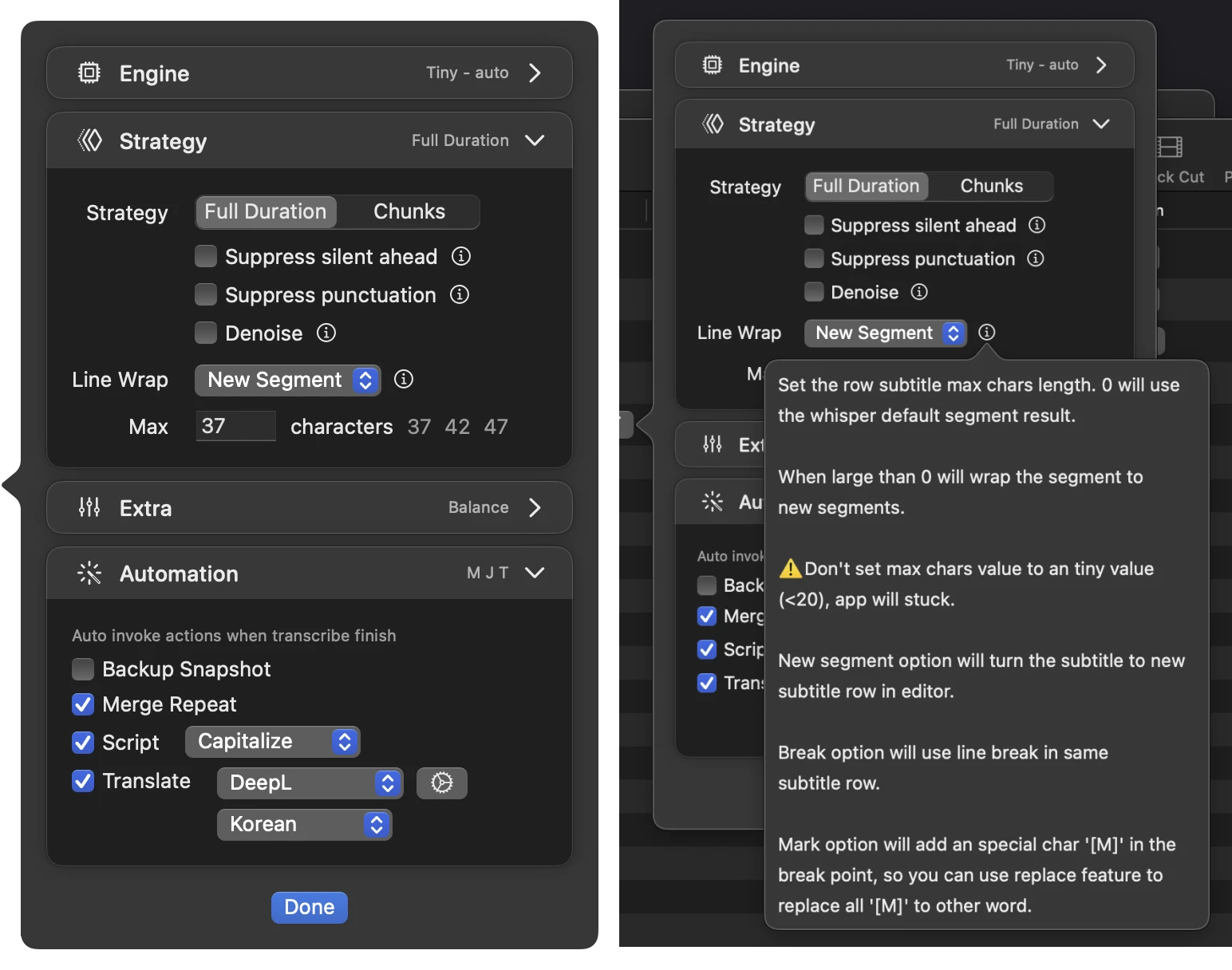
- Lägg till en automatisk funktion för att köra jobb när projektets transkription är klar (sammanslå upprepningar/snapshot/skript/översättning)
- Lägg till alternativ för maximal segmentlängd vid transkription
- Lägg till exempel på modellprompter
- Lägg till ersättning av med tecknet ‘\n’ (enkel snedstreck med tecken n) för att byta rad i ersättningsfunktionen
- Uppgradera gränssnittet för projekt transkriptionsalternativ
V5.4.4
- Lägg till modellmolnlista i modellkonfigurationspanelen med stöd för 2 nedladdningsvärd. (Byt till värd 2 om du inte kan ladda ner det från värd 1)
- Stöd för att använda CoreML-modulen som fallback när GPU Accelerate-alternativet är inaktiverat i allmänna inställningar
- Åtgärda problem med misslyckad nedladdning av stora modeller
- Åtgärda kraschproblem på enheter utan Apple Silicon.
V5.4.3
- Förbättra transkriberingshastighet
- Lägg till stöd för Whisper Large V3-modellen
- Lägg till stöd för LibreTranslator-motorn
- Lägg till möjlighet att duplicera projekt i projektets kontextmeny
- Uppdatera talarfältet så att det kan matas in direkt i redigeringsläget (⌘+E)
- Åtgärda problem med flikfönster när antalet flikar är större än 2
- Åtgärda problem med att vågformsvy ibland kraschar
- Åtgärda problem med att översätta valda rader i undertextredigeraren
V5.4.2
- Lägg till alternativet att konfigurera antalet trådar för Whisper-processen. (Använd färre trådar för att låta datorn utföra andra uppgifter, men bearbetningstiden kommer att öka)
- Lägg till stöd för Deepgram-transkriberingsmotor, stöd för realtidströms-transkribering.
- Lägg till exempel på mall för att exportera anpassat talarinnehåll endast
- Lägg till sökord som börjar med @ för att filtrera talarrader eller byta ut alla talarnamn till ett annat namn (ex: @tom –> jack)
- Lägg till funktionen att spara den senaste projektets talarkonfiguration och återanvända den i nya projekt.
- Anpassad mall för export har nu stöd för upp till 9 anpassade mallar.
V5.4.1
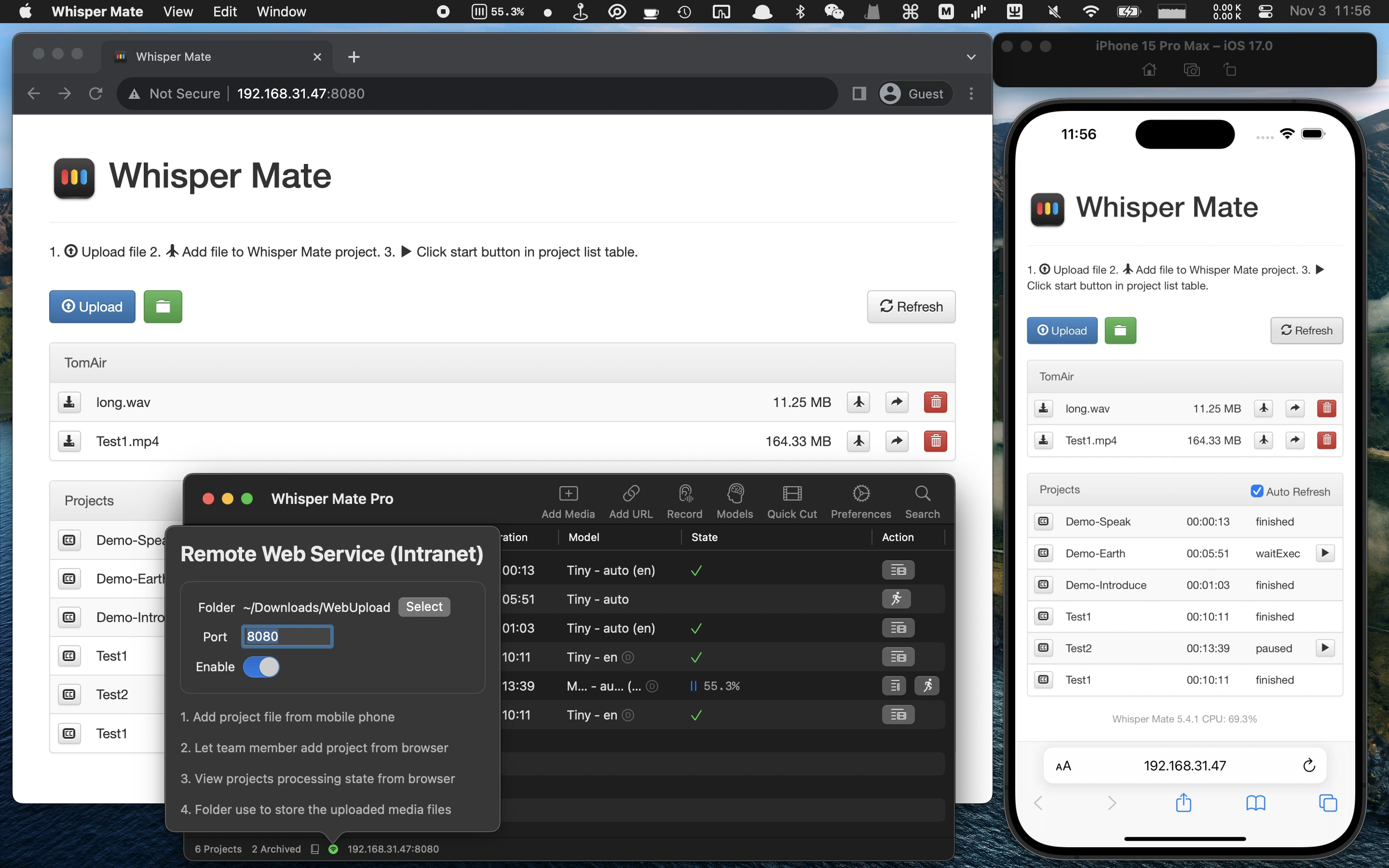
- Lägg till fjärrhanteringsfunktion för Intranätet, använd din telefon eller annan enhet för att lägga till filer att bearbeta och visa bearbetningstillstånd (i huvudfönstrets nedre statusfält)
- Lägg till möjlighet att välja mall för konfigurering av AI-parametrar
- Lägg till AI-parametern för att undertrycka skiljetecken
- Lägg till JavaScript för att använda synkrona HTTP-förfrågningar för att hämta eller skicka data (Du kan använda det för att skicka undertextdata till din lokala LLM-tjänst för att få resultat för modifiering och sedan fylla tillbaka i den ursprungliga undertexten, eller skicka till andra HTTP/HTTPS-systemtjänster. Ladda det HTTP-exempel från JavaScript-processorn för att se hur det används.)
- Åtgärda fel vid bullerreduktion när filstigen innehåller mellanslagtecken
V5.4
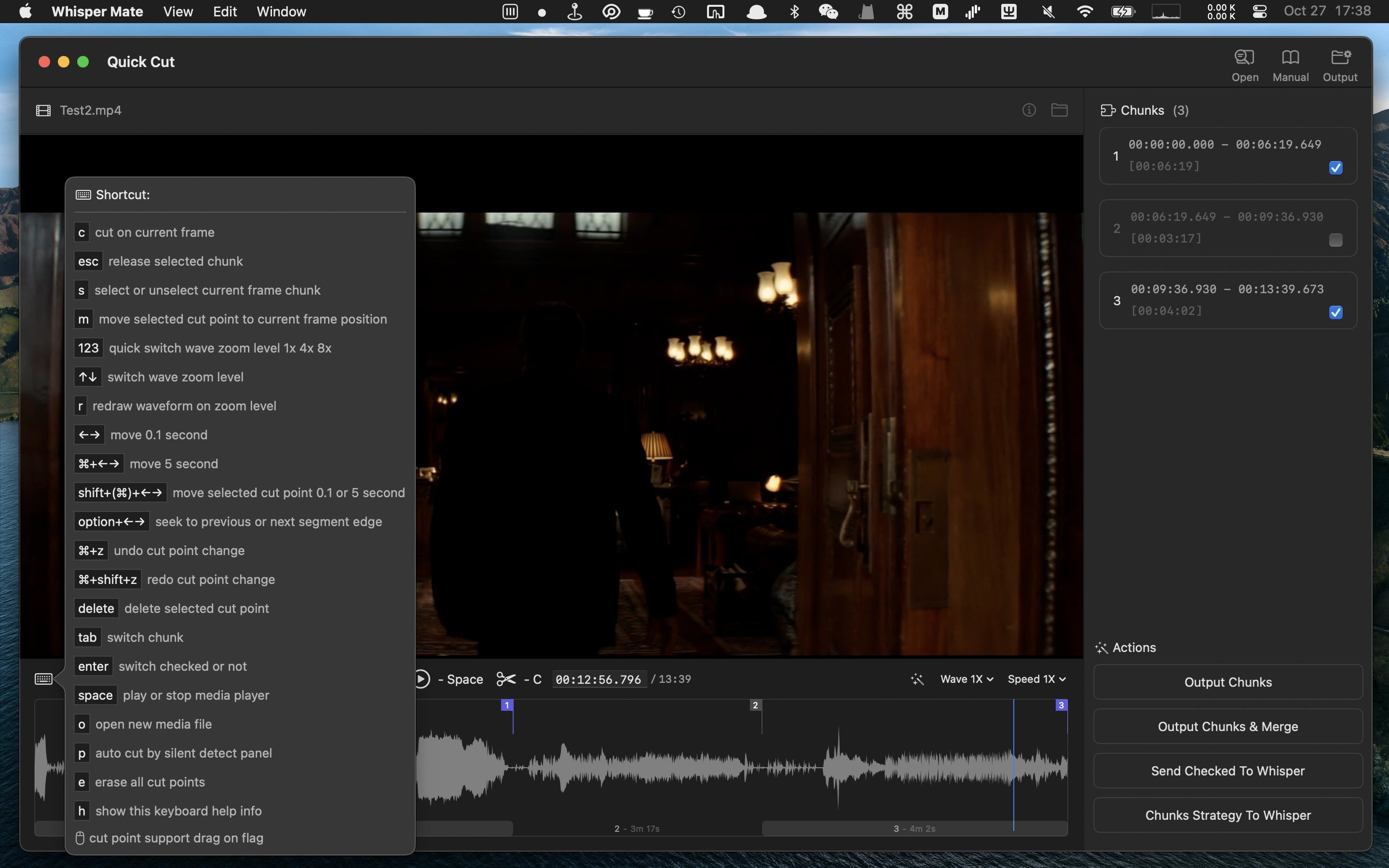
- Lägg till snabbklippsfunktionen
- Lägg till genväg (c) för att visa eller dölja förhandsvisningsplayern för undertextredigeraren
- Lägg till genväg för att ändra hastigheten på förhandsvisningsplayern för undertextredigeraren
- Ersätt tyst strategi med segmentstrategi
- Åtgärda bugg i bullerreduceringsalternativet
Den nya snabbklippsfunktionen har följande funktioner:
- Visualisera ljudvågformen för att exakt hitta och klippa videor.
- Dela upp längre multimediainfiler i flera segment för separat bearbetning innan transkribering.
- Använd segmentstrategin för att hoppa över tysta eller icke-transkriberbara segment.
- Klipp separat de segment som kräver transkribering till individuella filer.
V5.3.1
- Lägg till projektets prioritetsegenskap i batchprocesskön, högre prioritet kommer att behandlas först (alternativet finns i snabbmenyn)
- Funktionen för att ersätta undertext även ersätta matchade sökord i översatt text
- Åtgärdade problem med omskrivning med hoppa över tyst strategi och minska brus strategy
V5.3
- Lägg till fler finjusterade modeller (små/medelstora) för olika språk.
- Lägg till transkriberingsstrategi för att hoppa över tysta segment (klassificerade efter decibelvärden och tystnadslängd).
- Lägg till alternativ för att minska bakgrundsbuller.
- Lägg till alternativ för att göra att transkribering undertrycker undertexter som visas i förväg (ingen spoiler).
- Lägg till exempel på en javascript-processor för att kapitalisera undertext för segment.
V5.2
- Lägg till finjusterade modeller för olika språklig återgivning. Kantonesiska/zh/koreanska/japanska/tyska/franska/thailändska/ukrainska…
- Lägg till funktion för att lägga till lokalt finjusterade Whisper AI-modeller i Whisper Mate.
- Lägg till funktion för att satsvis ställa in projektmodellparametrar.
- Lägg till alternativ för att förhindra att skärmsläckaren startar när det finns körfunktioner.
- Åtgärdat ett problem där bearbetningsuppgiften pausas när systemets skärmsläckare startas.
- Åtgärdat problemet med att klicka på raden i undertextredigeraren ibland inte navigerar till spelarens position.
- Åtgärdat problemet med att ångra och göra om ändrad text i undertextredigeraren inte kan göras via snabbmenyn.
- Åtgärdat ett problem med batchexport där tidfönsterkombination inte matchar.
V5.1
- Lägg till funktion för batch-export av projektsegment/srt/mall med möjlighet att kombinera till en fil
- Lägg till funktion för att återtranskribera de valda raderna med olika AI-parametrar
- Lägg till funktion för att ångra eller göra om textändringar i undertext med manuell typning (Genvägar ⌘+Z ångra / ⌘+⇧+Z gör om)
- Lägg till funktion för att lägga till ny tom undertextrad under vald rad (Genväg ⌘+N)
- Lägg till funktion för att skicka färdigprojektnotifikation via Slack incoming webhook. (Du kan få en varning på telefonen när varje projekt är transkriberat)
- Åtgärdat problem med att mediaspelarkontrollrutan inte är centralt placerad i Up-Down-stilmall.
V5.0
- Lägg till kit för att snabbt slå samman undertexter i på varandra följande stycken
- Lägg till anpassat skriptbehandlingsverktyg för att justera undertexterna i batch
- Lägg till funktion för att justera undertexter i undertextredigeraren. Liknande funktioner för uppdelning och sammanslagning. Du kan markera flera rader samtidigt och justera dem i en enkeltextfält, rad för rad
- Lägg till förslag för skräddarsydda undertexter med fler genvägar
- Lägg till anpassad typsnittsinställning för undertextstil i videoförhandsgranskningspanelen
- Lägg till anpassad typsnittsinställning för att bränna in undertexten i originalvideon
- Lägg till export till pdf- eller docx-format, ange bara önskad filändelse (.pdf eller .docx)
- Lägg till fler fördefinierade formatexempel för export. Du kan ladda exempel och enkelt anpassa resultatet
- Lägg till funktion för att ta snapshots av aktuellt projekts undertexttillstånd. Enkelt återställa till sparade snapshots
- Lägg till funktionen att importera .srt som snapshots till det aktuella projektet
- Lägg till alternativ för att visa den översatta texten på förhandsvisningen av undertexterna över källtexten
- Lägg till anpassade exportfunktioner (slumpmässiga nummer, unika ID, escXML eller anpassad formatstring)
- Lägg till anpassad utmatningstyp (fil eller Urklipp)
- Lägg till anpassade exportalternativ för att använda alla undertexter eller enbart de markerade
- Gruppera projektredigerarfönstret med huvudfönstret
- Extra inställningar för whisper-modell i modellväljaren (i högra hörnet, längst ner), kanske inte så lätt att hitta eftersom de flesta fall inte behöver ändras
- Optimering av fullskärmsläge för fy-fönsters videoförhandsvisningar
- Sökordssökning med villkorsmatning (använd “|” som “eller” mellan sökord, ex. “hej|hello|hey”)
- Optimering av sök- och ersättningslogik. När ersättning utförs visas ursprungs- och ersatta sökord för att underlätta anpassning
- Optimering av transkribering i realtid
- Åtgärdat problem med att vissa del- och delfönster inte hamnar i förgrunden
- Åtgärdat fel i xml-exportformat
- Åtgärdat problem med att extrahera wav från vissa medietyper
- Åtgärdat problem med automatisk ersättning när fältet för ersättning lämnas tomt
- Åtgärdat kraschproblem i projekten i streamläge
V4.0
- Lägg till funktion för att komma ihåg layoutegenskaper för undertextredigerare i projekten. Varje projekt kan ha olika layout och storlek på förhandsvisnngspelaren (gamla projekt måste öppnas igen för att minnas layoutegenskaperna)
- Lägg till alternativ för att hitta duplicerade undertexter i redigeraren
- Lägg till alternativ att öppna redigeraren även om transkriberingsverktyget inte har startats
- Lägg till exportmöjlighet för undertexter i .sbv-format
- Lägg till anpassade exportmallar (som .fcpxml, .itt, .ttml)
- Lägg till nytt tillägg
- Lägg till alternativ för snabbt åtkomst till använda sökord och ersättning
- Lägg till markering för att visa en flagga för markerade rader i förhandsvisningsprogressonen
- Lägg till alternativ för markerade rader i kontextmenyn för undertextredigeraren
- Lägg till funktion för att dela upp rader i undertextredigeraren vid enstaka valda rader
- Lägg till projektets namn i sökresultatet för att visa i vilket projekt sökningen gjorts
- Lägg till visning av felmeddelanden när det uppstår problem med bearbetad media
- Lägg till alternativ för att dölja knappen för radlokalisering i redigeraren
- Lägg till snabbtangent ⌘+S för snabb export av .srt till fil
- Åtgärdat problem då ljudspåret innehåller två ljudkanaler men bara en visas (lägg till alternativ att ignorera ljudkanalvalet)
- Åtgärdat problem vid bränning av undertexter när projektets namn har ändrats manuellt
- Åtgärdat problem med visning i ljusa teman
V3.5
- Lägg till funktion för att ladda ner ljudklipp för valda undertexter. Nu kan du välja valfria undertexter och använda kontextmenyn för att ladda ner ljudklippet. När flera rader väljs slås de ihop till ett ljudklipp
- Lägg till alternativ för att använda ett litet flytande fönsterläge för att fånga ljud i realtid
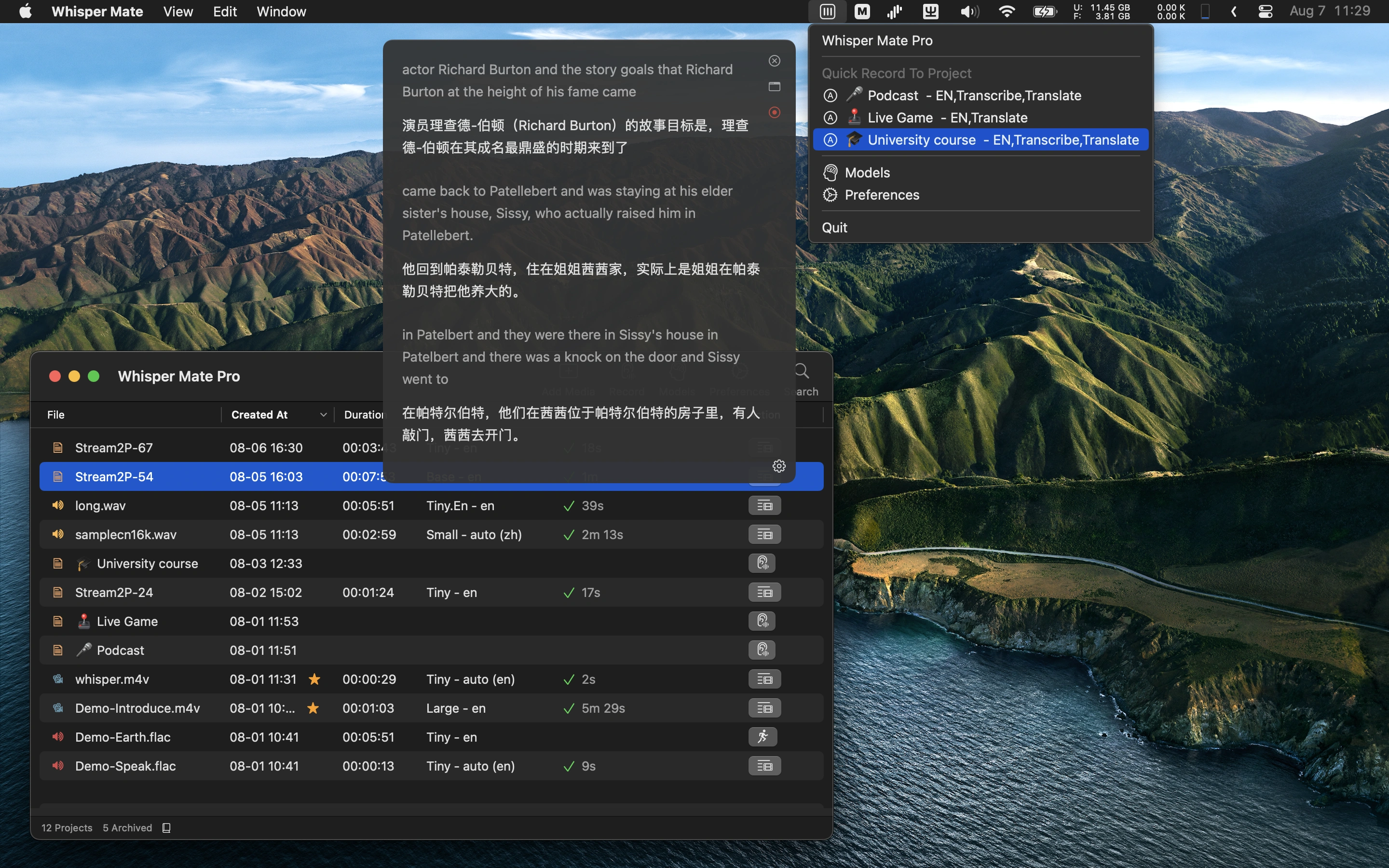
- Lägg till funktion för att snabbt starta inspelning av ljudström till projekt med nytt flytande fönster i menyraden
- Lägg till möjlighet att snabbt spela upp en segmentrad eller ladda ner ljudet för det sökresultat som hittats
- Lägg till stöd för att återuppta nedladdning av modeller vid avbrott
- Lägg till funktion för att lägga till kommentarer till projekts undertexter
- Aktivera alternativ för översättning med Azure
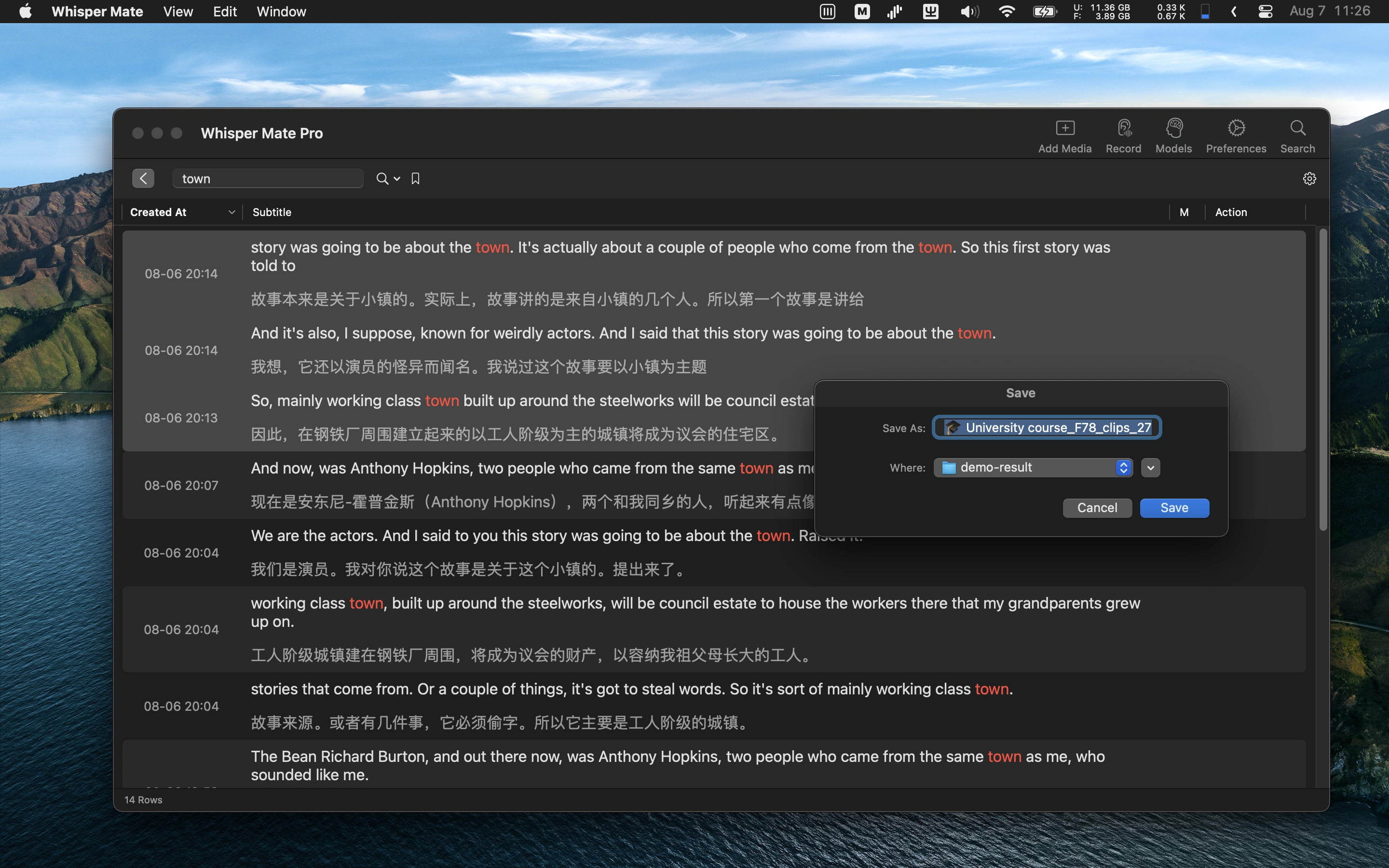
- Lägg till global undertextsökning i alla projekt
- Hög ljusstyrka på sökord i sökresultatet
- Lägg till standardgenvägar för snabbkontroll av fönster, som Stäng/Zooma/Minimera
- Lägg till alternativ för att dölja etiketterna i huvudverktygsfältet
- Flytta startknappen för batch-uppgifter från huvudverktygsfältet till en kontextmeny
- Åtgärdat problem med att ersättning inte fungerade med tom sträng
- Åtgärdat problem med otillgängliga små och small-en-modeller i backup-servrar
- Åtgärdat problem med undertexter nedsänkt vid uppspelningsreglage i inspelade ljudfiler
V3.0
- Lägg till möjlighet att exportera väljda undertexters tidsintervall till en ny klippfil
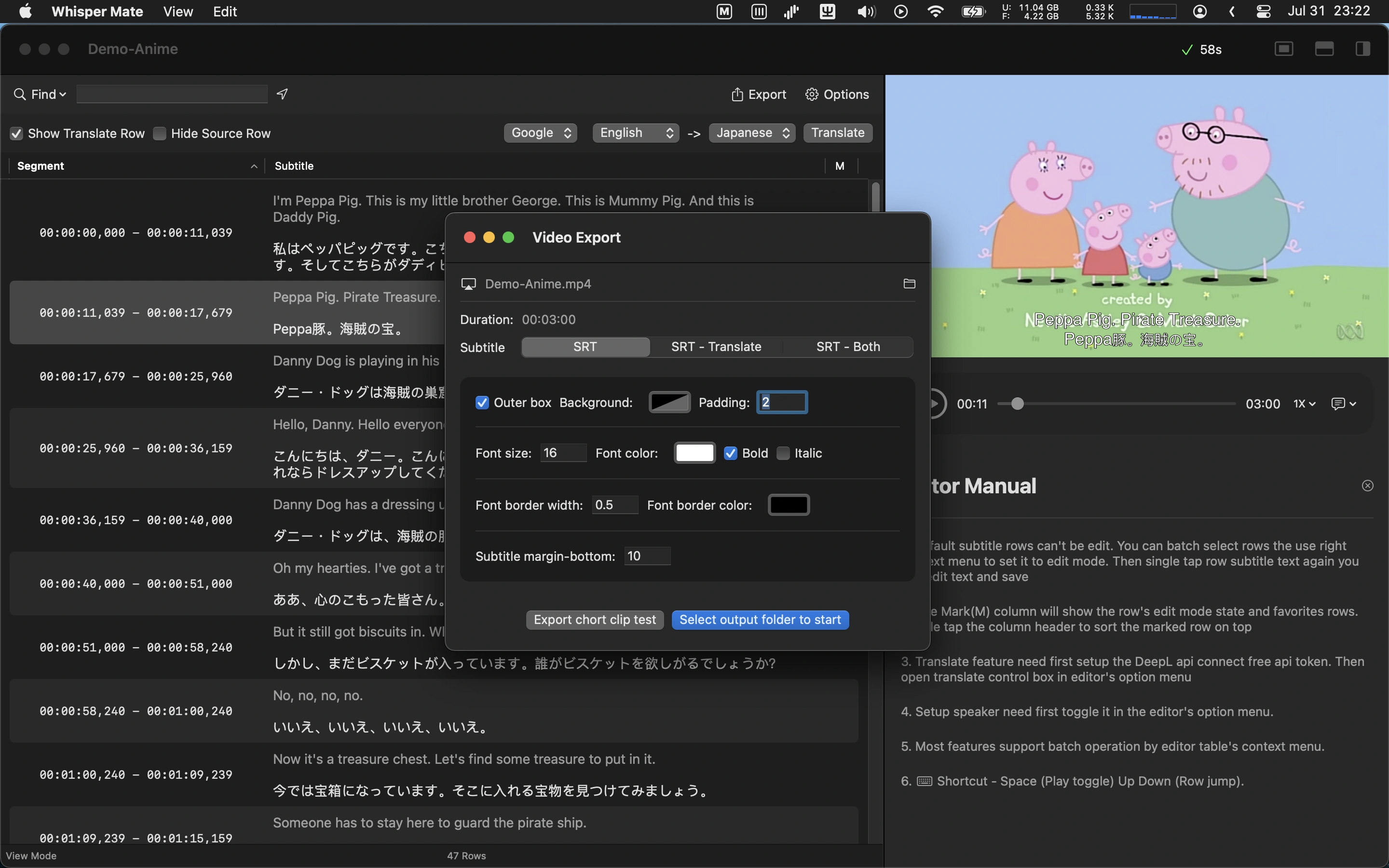
- Lägg till möjlighet att exportera video med inbrända undertexter till originalvideo och anpassad undertextstil
- Lägg till förhandsvisning av undertexter direkt i videoförhandsvisningen (undertextstil kan anpassas i inställningspanelen)
- Lägg till inspelning av mikrofonljud och stöd för transkribering i realtid (endast macOS13+)
- Lägg till funktion för att slå samman segment och undertexter till en rad
- Lägg till automatisk sparning av inspelat app-ljud till fil, kan konverteras till nytt transkriberingsprojekt
- Lägg till möjlighet att duplicera undertexter och justera innehåll eller tidsintervall för finjustering i hela undertexten
- Lägg till alternativ att öppna först inspelad undertext för redigering eller visning med hjälp av snabbkommando (⌘+E)
- Lägg till procentuell visning av CPU-användning vid whisper-bearbetning
- Lägg till alternativ att arkivera projekt med hjälp av kontextmenyn (Håll aktiva projektlistan ren)
- Lägg till Google Translate i undertextöversättningskontroll
- Stöd för fler app-språk
- Förhandsvisa media i full storlek tillsammans med undertextlayout
- Stöd för öppning av videofiler med hjälp av Finder’s “öppna-med”-funktion
- Optimering av visning av större antal rader i undertextredigeraren
- Åtgärdat problem med att välja flera ljudkanaler i videoinspelning
- Åtgärdat problem med hopp i undertexter och videoregulator
V2.0
- Stöd för att fånga och transkribera ljud i andra appar som Zoom/Skype/Teams/mötesappar (endast macOS13.0+)
- Lägg till tillägg för att konvertera undertexter från förenklad kinesiska till traditionell kinesiska eller vice versa (Aktivera tillägg i inställningspanelen först)
- Åtgärdat problem med att mellanslagstangenten inte fungerar för att spela eller stoppa media i projektredigeraren
- Åtgärdat buggar med exportformaten SRT och VTT
V1.0
- Transkribera ljud- eller videofiler
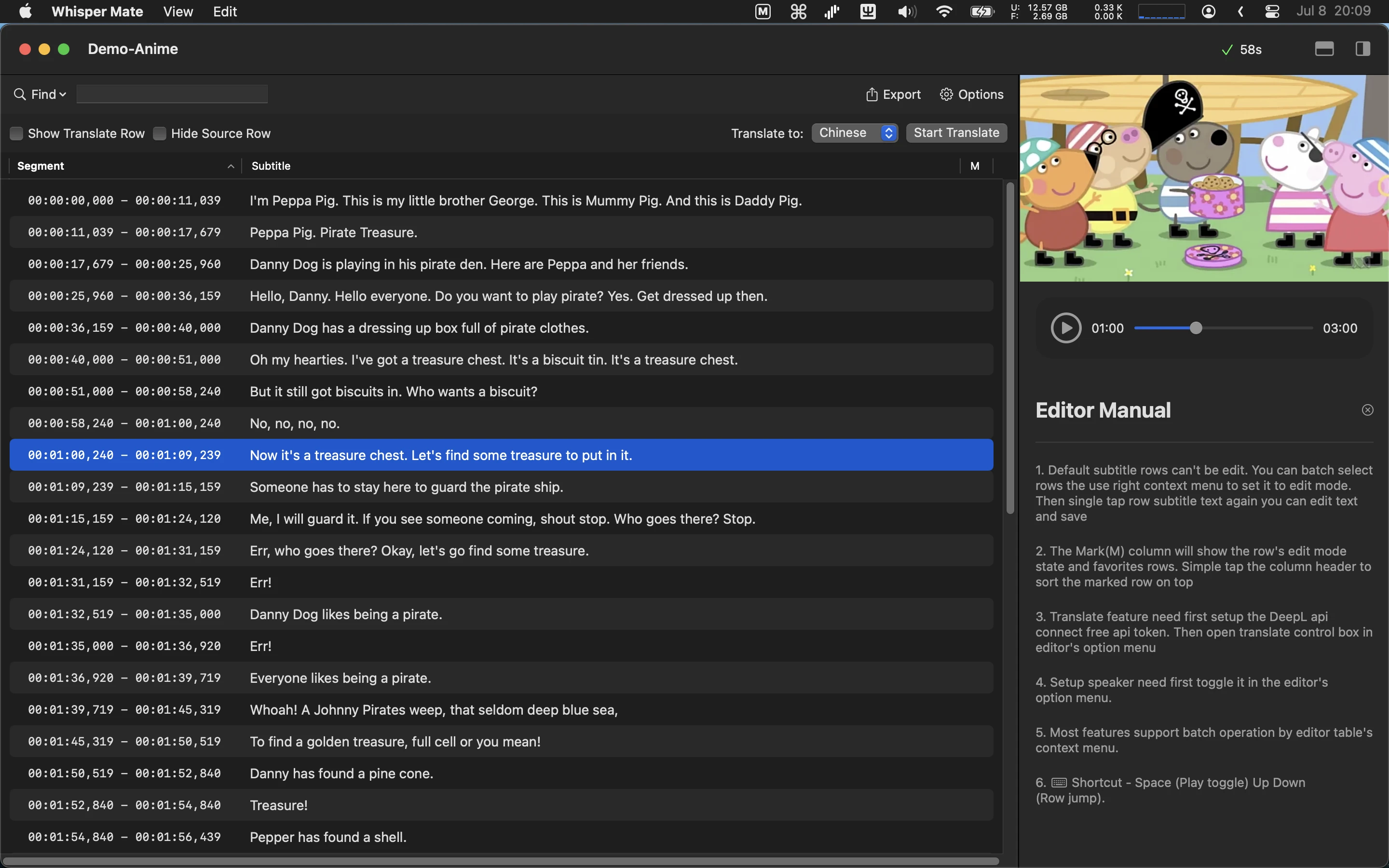
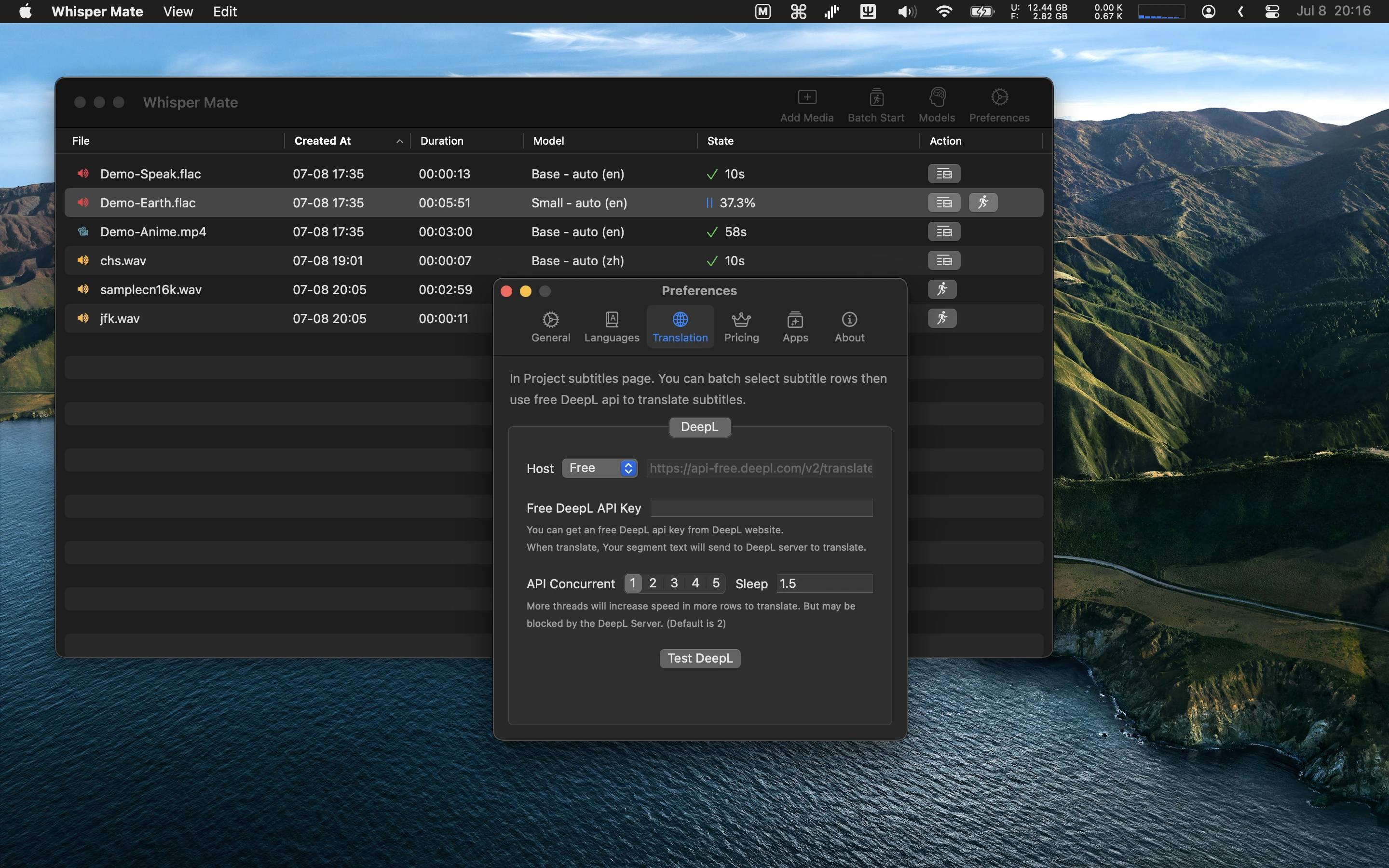
- Använda DeepL:s gratis API för att översätta undertexter
- Inbäddad undertextredigerare för att fixa transkriptioner
- Exportera till SRT, VTT, CSV, JSON, SEGMENT-format
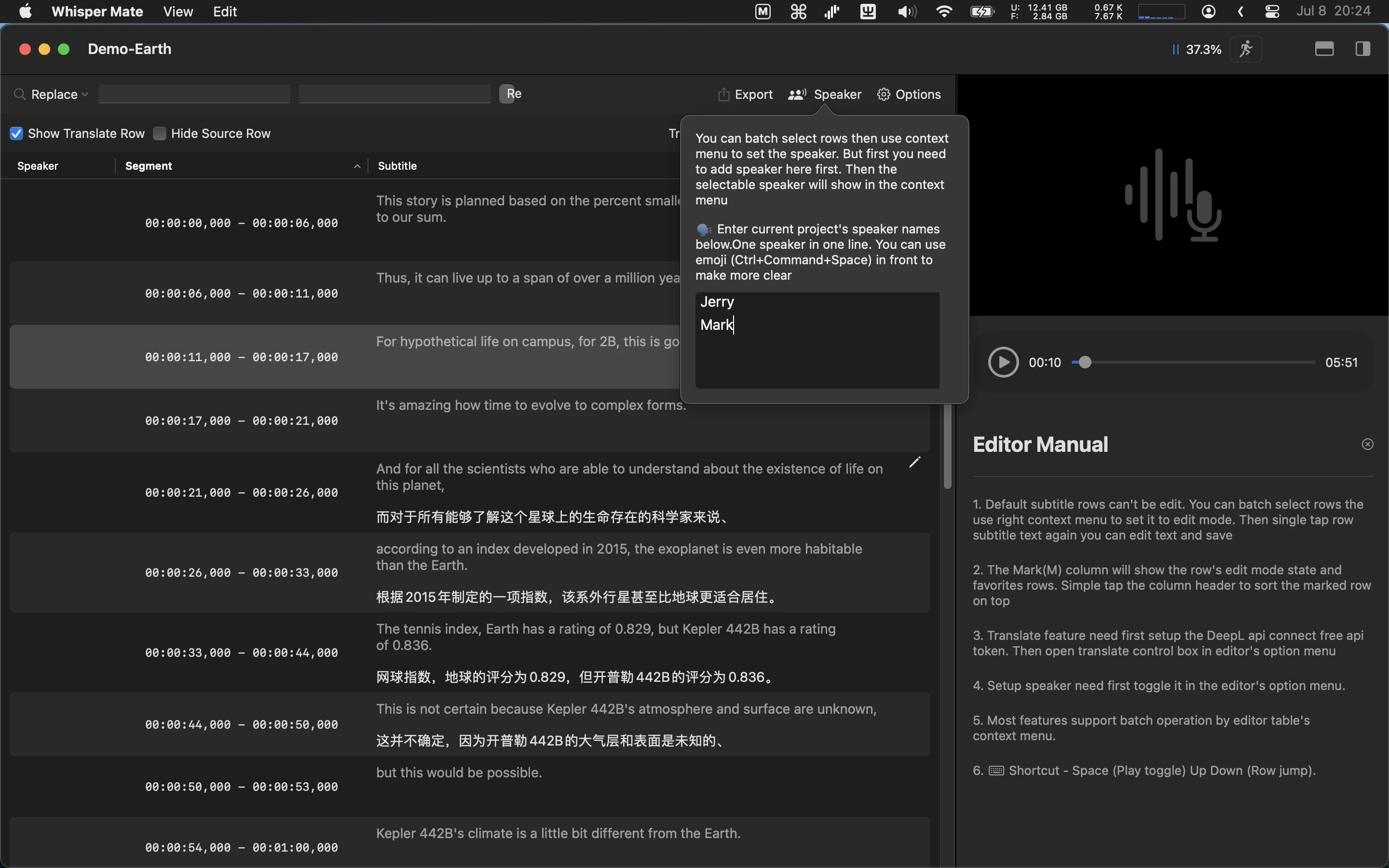
- Stöd för att tilldela talare till varje undertext
- De flesta åtgärder stöder batchurval, som batchkörning av uppgifter, batchöversättning av rader, batchjustering av talare
- Dra och släpp filer för att påbörja transkribering
- Möjlighet att söka i transkriptet
- Redigera kan förhandsvisa ljud- eller videofiler och synkronisera uppspelningsintervall
- Stöd för konvertering mellan flera språk
- Anpassa ofta använda språk för konvertering eller översättning